
CICS and DB2 Integration: Attachment Facility, Threads, SQL in COBOL
Master CICS-DB2 integration — the DB2 Attachment Facility, thread pools, DB2CONN/DB2ENTRY resource definitions, embedded SQL in CICS COBOL, SYNCPOINT handling, deadlock recovery, and performance tuning for CICS transactions that access DB2 on z/OS.
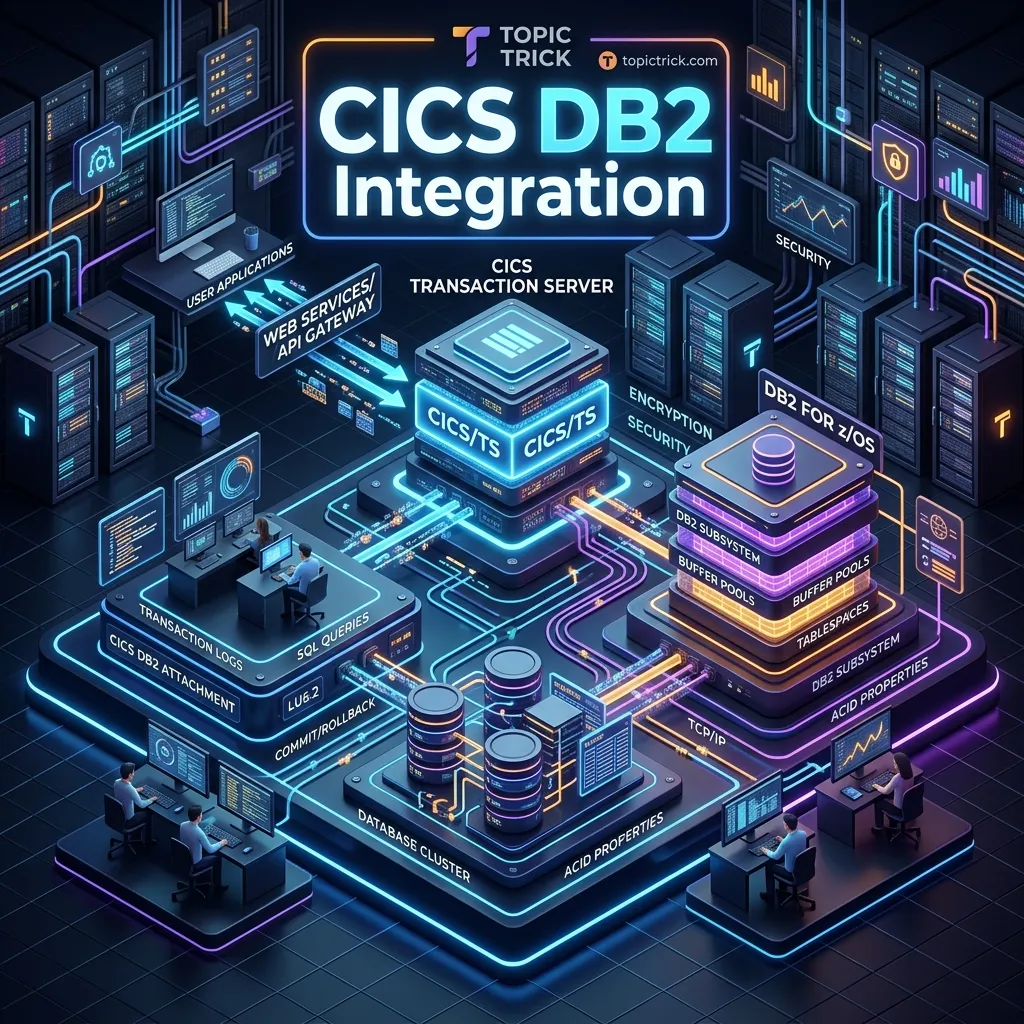
Introduction: CICS and DB2 — the Core of Mainframe OLTP
The combination of CICS and DB2 is the backbone of mainframe online transaction processing. CICS provides the transaction runtime, terminal management, and multi-user task scheduling. DB2 provides the relational database — the authoritative source of business data, with ACID transactions, SQL querying, and crash recovery. Together, they process the financial transactions, insurance claims, airline bookings, and healthcare records that keep the global economy running.
Understanding how CICS and DB2 interconnect — the Attachment Facility, thread management, SYNCPOINT coordination, and error handling — is essential for anyone developing or maintaining CICS COBOL programs that access DB2.
The CICS-DB2 Attachment Facility
The CICS-DB2 Attachment Facility is the software layer that sits between the CICS region and the DB2 subsystem. It handles:
- Connection management: Establishing and maintaining the CICS-to-DB2 connection
- Thread allocation: Assigning a DB2 thread to each CICS task when it first issues SQL
- Two-phase commit coordination: Ensuring CICS SYNCPOINT commits DB2 changes and VSAM changes atomically
- Plan resolution: Matching the executing CICS transaction to the correct DB2 application plan
The Attachment Facility is started with the CICS-supplied transaction DSNC (or via EXEC CICS SET DB2CONN(xxx) CONNECTED(YES)).
DB2CONN and DB2ENTRY Resource Definitions
Two CSD resource types configure CICS-DB2 connectivity.
DB2CONN
The DB2CONN resource defines the connection from the CICS region to one DB2 subsystem. There is typically one DB2CONN per CICS region (or one per DB2 subsystem if the region connects to multiple DB2s):
CEDA DEFINE DB2CONN(CICSA2DB)
     GROUP(MYDB2)
     DB2ID(DB2A)              /* DB2 subsystem name          */
     ACCOUNTREC(UOW)          /* Accounting record per UOW   */
     AUTHTYPE(SIGN)           /* Authentication type         */
     SIGNID(CICSUID)          /* DB2 sign-on ID for CICS     */
     MSGQUEUE1(CSMT)          /* Error messages to CICS log  */
     CONNECTERROR(WAIT)       /* Wait if DB2 not available   */
     DROLLBACK(YES)           /* Auto-rollback on deadlock   */
DB2ENTRY
DB2ENTRY maps one or more CICS transaction IDs to a DB2 application plan and a thread pool:
CEDA DEFINE DB2ENTRY(EMPIENTR)
     GROUP(MYDB2)
     PLAN(EMPIPLN)            /* DB2 application plan name   */
     TRANSID(EMPI)            /* CICS transaction ID(s)      */
     THREADLIMIT(20)          /* Max concurrent DB2 threads  */
     THREADWAIT(YES)          /* Wait for thread if at limit */
     PROTECTNUM(5)            /* Protected (reusable) threads */
     AUTHTYPE(SIGN)           /* Auth type for this entry    */
     PRIORITY(HIGH)
Key DB2ENTRY parameters:
- PLAN: The DB2 application plan that contains the bound packages for this transaction
- THREADLIMIT: Maximum number of DB2 threads this entry can use simultaneously
- PROTECTNUM: Number of threads kept allocated between use (protected pool — faster)
- THREADWAIT: Whether tasks wait for a thread when THREADLIMIT is reached (YES) or immediately ABEND with AEY9 (NO)
Embedded SQL in CICS COBOL Programs
CICS COBOL programs issue SQL using the standard embedded SQL syntax. The CICS translator processes EXEC CICS commands; the DB2 precompiler processes EXEC SQL commands. The DB2ENTRY definition connects the transaction to the bound plan.
SQLCA Declaration
Every CICS COBOL program that uses SQL must include the SQLCA (SQL Communication Area) in WORKING-STORAGE:
DATA DIVISION.
WORKING-STORAGE SECTION.
    EXEC SQL INCLUDE SQLCA END-EXEC.

01  WS-SQLCODE-SAVE    PIC S9(8) COMP VALUE ZERO.

*── Host variable declarations ────────────────────────────────────
01  WS-EMP-HOST-VARS.
    05  HV-EMPNO        PIC X(6).
    05  HV-FIRSTNME     PIC X(12).
    05  HV-LASTNAME     PIC X(15).
    05  HV-SALARY       PIC S9(7)V99 COMP-3.
    05  HV-WORKDEPT     PIC X(3).

*── Null indicators ───────────────────────────────────────────────
01  WS-NULL-INDICATORS.
    05  NI-SALARY       PIC S9(4) COMP VALUE ZERO.
Singleton SELECT
READ-EMPLOYEE-FROM-DB2.
    EXEC SQL
        SELECT EMPNO, FIRSTNME, LASTNAME, SALARY, WORKDEPT
        INTO   :HV-EMPNO, :HV-FIRSTNME, :HV-LASTNAME,
               :HV-SALARY :NI-SALARY, :HV-WORKDEPT
        FROM   EMP.EMPLOYEE
        WHERE  EMPNO = :HV-EMPNO
    END-EXEC

    EVALUATE SQLCODE
        WHEN 0
            PERFORM DISPLAY-EMPLOYEE
        WHEN 100
            MOVE 'EMPLOYEE NOT FOUND.' TO MSGO
        WHEN -911
            PERFORM HANDLE-DEADLOCK
        WHEN OTHER
            MOVE 'DB2 ERROR OCCURRED.' TO MSGO
            MOVE SQLCODE TO WS-SQLCODE-SAVE
            PERFORM LOG-DB2-ERROR
    END-EVALUATE.
Cursor Processing in CICS
For queries that return multiple rows, use a cursor. In CICS, declare cursors in WORKING-STORAGE (not as static COBOL declarations — the CICS-DB2 Attachment Facility manages cursor state per-task):
*── Declare cursor in WORKING-STORAGE (command level) ────────────
EXEC SQL
    DECLARE EMPLIST CURSOR FOR
        SELECT EMPNO, LASTNAME, SALARY, WORKDEPT
        FROM   EMP.EMPLOYEE
        WHERE  WORKDEPT = :HV-WORKDEPT
        ORDER BY LASTNAME
END-EXEC.

BROWSE-EMPLOYEES.
    EXEC SQL OPEN EMPLIST END-EXEC
    IF SQLCODE NOT = 0
        PERFORM HANDLE-OPEN-ERROR
        GO TO END-BROWSE
    END-IF

    PERFORM UNTIL WS-EOF
        EXEC SQL
            FETCH EMPLIST
            INTO :HV-EMPNO, :HV-LASTNAME, :HV-SALARY, :HV-WORKDEPT
        END-EXEC

        EVALUATE SQLCODE
            WHEN 0
                ADD 1 TO WS-ROW-COUNT
                PERFORM PROCESS-ROW
            WHEN 100
                MOVE 'Y' TO WS-EOF-FLAG
            WHEN OTHER
                PERFORM HANDLE-FETCH-ERROR
                MOVE 'Y' TO WS-EOF-FLAG
        END-EVALUATE
    END-PERFORM

    EXEC SQL CLOSE EMPLIST END-EXEC.

END-BROWSE.
    EXIT.
SYNCPOINT: The Heart of CICS-DB2 Integrity
EXEC CICS SYNCPOINT is the CICS command that commits a Unit of Work (UOW). It coordinates a two-phase commit across all recoverable resources the current task has modified — both DB2 row changes and CICS VSAM recoverable file changes:
*── Complete a UOW: commit DB2 and VSAM changes together ─────────
COMMIT-UNIT-OF-WORK.
    EXEC CICS SYNCPOINT
              RESP(WS-RESP)
    END-EXEC

    IF WS-RESP NOT = DFHRESP(NORMAL)
        MOVE 'SYNCPOINT FAILED.' TO WS-ERR-MSG
        PERFORM LOG-ERROR
        *> At this point, changes may be in an uncertain state
        *> — escalate to operations
    END-IF.
NEVER use EXEC SQL COMMIT in a CICS program. Using EXEC SQL COMMIT commits only DB2 changes and bypasses CICS two-phase commit. If the same UOW also modified a CICS VSAM recoverable file, those VSAM changes will NOT be committed — creating an inconsistency between DB2 and VSAM data.
SYNCPOINT ROLLBACK
*── Roll back all changes in the current UOW ─────────────────────
HANDLE-DEADLOCK.
    MOVE SQLCODE TO WS-SQLCODE-SAVE
    EXEC CICS SYNCPOINT ROLLBACK RESP(WS-RESP) END-EXEC
    MOVE 'TRANSACTION CONFLICT. PLEASE RETRY.' TO MSGO
    PERFORM SEND-MAP-DATAONLY.
SYNCPOINT ROLLBACK undoes all DB2 changes AND all CICS VSAM recoverable changes since the last syncpoint (or task start). This is the correct response to SQLCODE -911.
Handling DB2 Errors in CICS
SQLCODE -911 and -913: Deadlock and Timeout
EVALUATE SQLCODE
    WHEN -911
        *── Deadlock: our UOW was rolled back by DB2 ────────────
        PERFORM HANDLE-DEADLOCK-RECOVERY
    WHEN -913
        *── Timeout: lock wait exceeded limit ────────────────────
        PERFORM HANDLE-LOCK-TIMEOUT
    WHEN -904
        *── Resource unavailable: DB2 subsystem issue ────────────
        PERFORM HANDLE-RESOURCE-ERROR
    WHEN -922
        *── Authorisation failure ────────────────────────────────
        PERFORM HANDLE-AUTHORISATION-ERROR
    WHEN OTHER
        IF SQLCODE < 0
            PERFORM HANDLE-NEGATIVE-SQLCODE
        END-IF
END-EVALUATE.

HANDLE-DEADLOCK-RECOVERY.
    EXEC CICS SYNCPOINT ROLLBACK RESP(WS-RESP) END-EXEC
    MOVE 'PLEASE RETRY YOUR TRANSACTION.' TO MSGO
    PERFORM REDISPLAY-MAP.
Logging DB2 Errors
LOG-DB2-ERROR.
    STRING 'SQLCODE=' WS-SQLCODE-SAVE
           ' SQLERRM=' SQLERRMC(1:SQLERRML)
           DELIMITED SIZE INTO WS-ERR-MSG
    EXEC CICS WRITEQ TD
              QUEUE('CSERR')
              FROM(WS-ERR-MSG)
              LENGTH(LENGTH OF WS-ERR-MSG)
    END-EXEC.
Thread Pool Sizing Guidelines
Getting DB2ENTRY thread settings right is critical for CICS-DB2 performance:
THREADLIMIT: Set to the maximum expected concurrent DB2-accessing tasks for this transaction. Too low causes task waits or AEY9 ABENDs. Too high wastes DB2 resources.
PROTECTNUM: Protected threads stay allocated between task uses, avoiding the overhead of thread allocation for each new task. Set this to the steady-state concurrent usage (not the peak). A common ratio is PROTECTNUM = 50-70% of THREADLIMIT.
THREADWAIT: Set to YES for OLTP transactions so they wait for a thread rather than ABENDing. Set to NO for batch-equivalent CICS tasks where a quick failure and retry is preferable to stacking up waiting tasks.
Monitor thread utilisation with CEMT INQUIRE DB2ENTRY(name) CURRENTACTIVE(n) and tune based on observed peak usage.
Key Takeaways
CICS-DB2 integration uses the Attachment Facility to connect the CICS region to DB2, DB2CONN to define the connection, and DB2ENTRY to map CICS transactions to DB2 plans and thread pools. In application code, use EXEC SQL with host variables and check SQLCODE after every statement. Always use EXEC CICS SYNCPOINT (not EXEC SQL COMMIT) to commit UOWs, ensuring that DB2 and VSAM changes are committed atomically. Handle SQLCODE -911 with SYNCPOINT ROLLBACK and a user retry message — it is an expected production condition in high-concurrency OLTP environments.
For understanding how CICS exposes services to web and modern API clients, continue with CICS Web Services. For the complete CICS course, visit the CICS Mastery Course.
Frequently Asked Questions
Q: How does a CICS transaction access DB2 data?
CICS connects to DB2 through the CICS DB2 Attachment Facility. When a CICS program issues embedded SQL, the attachment facility routes the request to DB2 via an internal interface (RRSAF). CICS uses a pool of DB2 threads — rather than a dedicated thread per task — so the pool size (THREADLIMIT, THREADWAIT) must be tuned carefully to avoid task waits when the pool is exhausted. SQL is precompiled into DB2 packages and bound to a plan used by the CICS region.
Q: How are DB2 commits handled in a CICS-DB2 transaction?
Use EXEC CICS SYNCPOINT END-EXEC rather than SQL COMMIT. SYNCPOINT coordinates both the CICS unit of work (file and queue updates) and the DB2 unit of work through z/OS Resource Recovery Services (RRS), ensuring two-phase commit atomicity across both resource managers. Issuing SQL COMMIT directly in a CICS program bypasses CICS resource recovery and can leave CICS-managed resources in an inconsistent state.
Q: What causes a DB2 thread abend in a CICS transaction and how do you diagnose it? Thread abends occur when a CICS task terminates abnormally while holding a DB2 thread — for example, an ASRA (storage violation) or AICA (runaway task). The DB2 attachment facility detects the orphaned thread and rolls back its unit of work. To diagnose, check the CICS job log for CSMT entries, the DB2 accounting trace (IFCID 003) for the rolled-back UOW, and the CICS transaction dump. Preventing program abends through proper error handling (EIBRESP checks) is the primary defence.