
CICS EIB: Every Field You Need with COBOL Examples
Complete CICS Execute Interface Block reference — EIBAID, EIBCALEN, EIBTRNID and all fields with copy-paste COBOL examples.
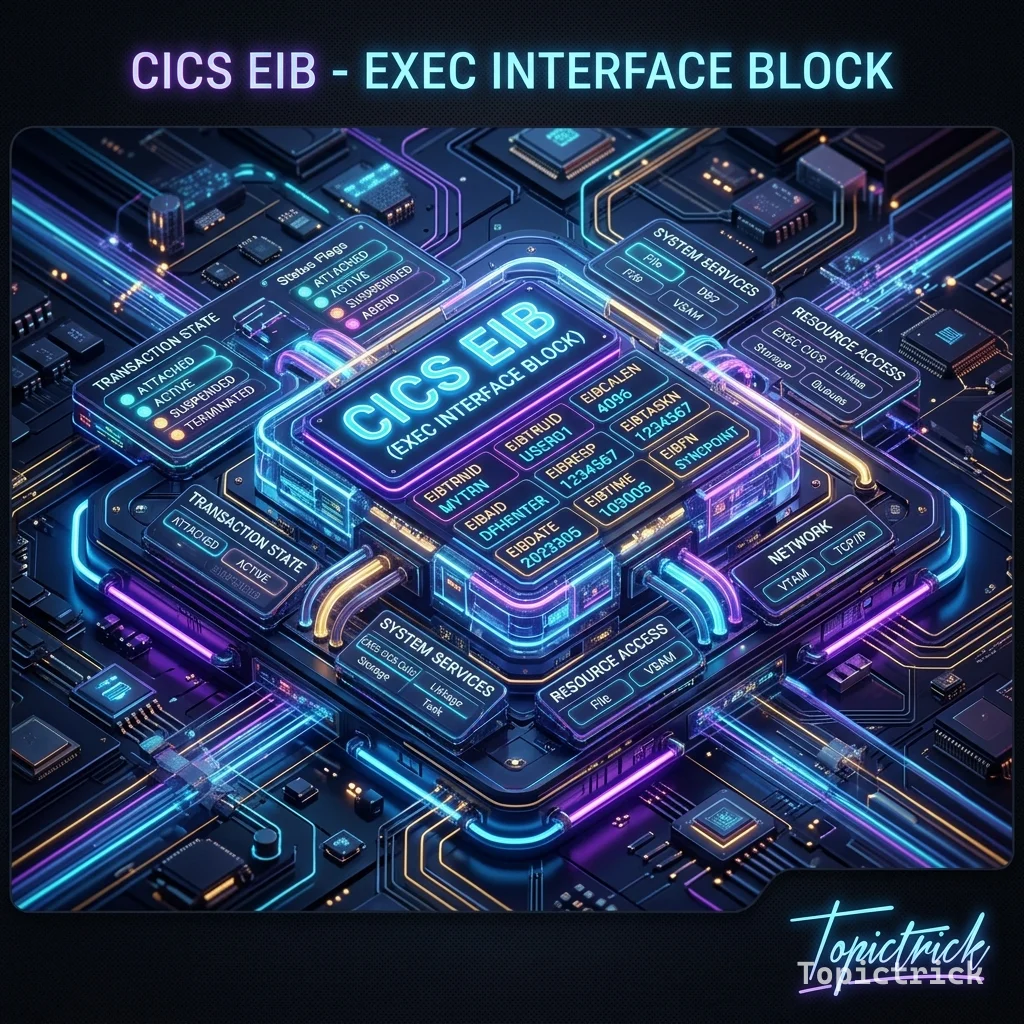
Introduction: Why Every CICS COBOL Programmer Must Know the EIB
When a CICS task starts executing your COBOL program, one thing is guaranteed before the first instruction runs: CICS has already populated a special control block called the Execute Interface Block, or EIB. This block sits in the LINKAGE SECTION of your program (mapped by the DFHEIBLK copybook) and acts as the primary channel of communication between your program and the CICS runtime. The EIB tells you who is running the transaction, on which terminal, at what time, what the last CICS command did, and what key the user pressed.
Understanding the EIB is not optional knowledge for a CICS COBOL developer — it is the foundation of correct CICS programming. Every defensive RESP check, every pseudo-conversational first-entry test, every PF-key dispatch routine depends on EIB fields. This guide covers every major EIB field with technically accurate descriptions and COBOL coding patterns, so you can write robust, production-quality CICS programs from day one.
How the EIB Gets Into Your Program
CICS automatically passes the EIB to your program as the first item in the LINKAGE SECTION. When the CICS command-level translator processes your source, it inserts a COPY DFHEIBLK statement at the top of the LINKAGE SECTION and a corresponding USING DFHEIBLK on the PROCEDURE DIVISION header. You never code this yourself for command-level programs — the translator handles it.
The result looks like this in the translated source:
LINKAGE SECTION.
01  DFHEIBLK.    ←- EIB, inserted by translator
    ...          ←- all EIB fields
01  DFHCOMMAREA.
    02  ...      ←- your COMMAREA definition
The key rule: EIB fields are READ-ONLY. CICS owns and maintains them. Writing to EIB fields produces unpredictable results and is unsupported. Your program may only inspect them.
Core EIB Fields Every CICS Programmer Uses
EIBTRNID — Current Transaction ID
05 EIBTRNID PIC X(4).Contains the four-character transaction ID (TRANSID) that started the current task. If a user types EMPI at a CICS terminal and presses Enter, EIBTRNID will contain EMPI for the duration of that task.
Uses:
- Logging: include EIBTRNID in error messages so operators know which transaction failed.
- Security or routing: a program invoked by multiple transactions can branch based on EIBTRNID.
MOVE EIBTRNID TO WS-TRAN-ID.
MOVE WS-TRAN-ID TO ERR-MSG-TRAN-ID.
EIBTRMID — Terminal ID
05 EIBTRMID PIC X(4).Contains the four-character terminal ID of the terminal from which this task was initiated. If the task was started by a non-terminal mechanism (EXEC CICS START, triggered by a transient data queue, or a web service request), EIBTRMID may contain spaces or a pseudo-terminal ID.
Uses:
- Routing: pass EIBTRMID to Temporary Storage queue names to keep each user's data isolated (the classic
queue-name = tran-id || term-idpattern). - Audit logging.
*> Build a unique TS queue name for this user's session
STRING EIBTRNID DELIMITED SIZE
       EIBTRMID DELIMITED SIZE
       INTO WS-TS-QUEUE-NAME.
EIBDATE and EIBTIME — Task Start Date and Time
05  EIBDATE     PIC S9(7) COMP-3.
05  EIBTIME     PIC S9(7) COMP-3.
EIBDATE contains the date the task started in Julian format: 00YYDDD (packed decimal, where YY = last two digits of year and DDD = day of year). EIBTIME contains the time in format 00HHMMSS (packed decimal).
These are the time the task was initialised, not the current time. For the current time mid-task, use EXEC CICS ASKTIME and EXEC CICS FORMATTIME.
*> Log the task start time
EXEC CICS FORMATTIME
     ABSTIME(WS-ABSTIME)
     DDMMYYYY(WS-DATE-FORMATTED)
     TIME(WS-TIME-FORMATTED)
     TIMESEP(':')
END-EXEC.
EIBCALEN — COMMAREA Length
05 EIBCALEN PIC S9(4) COMP.EIBCALEN is the length in bytes of the COMMAREA that was passed to this program invocation. This is perhaps the most frequently tested EIB field in pseudo-conversational programs.
The rule is simple:
EIBCALEN = 0→ first entry (no COMMAREA was passed → initialise screens, display blank map).EIBCALEN > 0→ re-entry (a COMMAREA was passed → read saved state, process user input).
PROCEDURE DIVISION.
    IF EIBCALEN = ZERO
        PERFORM FIRST-TIME-ENTRY
    ELSE
        PERFORM RETURN-ENTRY
    END-IF.

FIRST-TIME-ENTRY.
    INITIALIZE WS-COMMAREA
    EXEC CICS SEND MAP('EMPIMAP')
              MAPSET('EMPIMAPS')
              ERASE
    END-EXEC
    EXEC CICS RETURN TRANSID('EMPI')
              COMMAREA(WS-COMMAREA)
              LENGTH(LENGTH OF WS-COMMAREA)
    END-EXEC.
EIBAID — Attention Identifier (Last Key Pressed)
05 EIBAID PIC X(1).EIBAID contains a single byte that identifies the AID (Attention Identifier) key that caused the last terminal I/O. AID keys are the keys that generate an interrupt to CICS: Enter, PF1-PF24, PA1-PA3, Clear, and others.
To compare EIBAID values, copy the DFHAID copybook into WORKING-STORAGE. It defines named constants for every AID key:
WORKING-STORAGE SECTION.
    COPY DFHAID.

*> Key constants defined in DFHAID:
*>   DFHENTER  = Enter key
*>   DFHPF1    = PF1
*>   DFHPF3    = PF3 (typically "return to menu")
*>   DFHPF12   = PF12 (often "cancel")
*>   DFHCLEAR  = Clear key
*>   DFHPA1    = PA1
A typical PF-key dispatch routine:
PROCESS-AID-KEY.
    EVALUATE TRUE
        WHEN EIBAID = DFHENTER
            PERFORM PROCESS-ENTER-KEY
        WHEN EIBAID = DFHPF3
            PERFORM RETURN-TO-MENU
        WHEN EIBAID = DFHPF12
            PERFORM CANCEL-TRANSACTION
        WHEN EIBAID = DFHCLEAR
            PERFORM CLEAR-SCREEN
        WHEN OTHER
            MOVE 'INVALID KEY. USE ENTER, PF3, OR PF12.'
                 TO MAP-MSG-FIELD
            PERFORM REDISPLAY-MAP
    END-EVALUATE.
EIBFN — Last CICS Command Function Code
05 EIBFN PIC X(2).EIBFN contains a two-byte code identifying the last CICS command that was issued. IBM publishes the function code values in the CICS Application Programming Reference. These are rarely tested directly in application code — they appear mainly in diagnostic routines, ABEND handlers, and SMF monitoring exits. When you get an unexpected response, logging EIBFN alongside EIBRESP helps pinpoint exactly which command failed.
EIBRESP and EIBRESP2 — Command Response Codes
05  EIBRESP     PIC S9(8) COMP.
05  EIBRESP2    PIC S9(8) COMP.
These two fullword fields are set after every EXEC CICS command and contain the primary and secondary response codes. They are the modern, preferred way to test command outcomes.
EIBRESP numeric values correspond to the DFHRESP symbolic constants:
DFHRESP(NORMAL)= 0 — command completed successfullyDFHRESP(NOTFND)= 13 — record not found (READ, READNEXT, etc.)DFHRESP(DUPREC)= 14 — duplicate record (WRITE)DFHRESP(LENGERR)= 22 — length errorDFHRESP(PGMIDERR)= 27 — program not defined/installedDFHRESP(QIDERR)= 44 — TS queue not foundDFHRESP(ENDFILE)= 11 — end of file on READNEXT
The recommended pattern is to pass RESP and RESP2 options on every EXEC CICS command so that CICS does not ABEND on errors — instead, it sets EIBRESP and lets your program decide what to do:
WORKING-STORAGE SECTION.
01  WS-RESP     PIC S9(8) COMP VALUE ZERO.
01  WS-RESP2    PIC S9(8) COMP VALUE ZERO.

PROCEDURE DIVISION.
    EXEC CICS READ FILE('EMPFILE')
              RIDFLD(WS-EMP-KEY)
              INTO(WS-EMP-RECORD)
              LENGTH(WS-EMP-LEN)
              RESP(WS-RESP)
              RESP2(WS-RESP2)
    END-EXEC

    EVALUATE WS-RESP
        WHEN DFHRESP(NORMAL)
            PERFORM DISPLAY-EMPLOYEE
        WHEN DFHRESP(NOTFND)
            MOVE 'EMPLOYEE NOT FOUND.' TO MAP-MSG
            PERFORM REDISPLAY-MAP
        WHEN OTHER
            PERFORM HANDLE-UNEXPECTED-ERROR
    END-EVALUATE.
EIBRESP is also automatically updated even if you don't use the RESP option — but without RESP, an abnormal response will trigger a CICS ABEND before your code can test it. Always use RESP for every EXEC CICS command that could fail.
EIBRCODE — Raw Response Code (Legacy)
05 EIBRCODE PIC X(6).Older CICS programs (pre-CICS/ESA 3.1) used EIBRCODE for error checking because EIBRESP didn't exist. New programs should use EIBRESP exclusively. You will encounter EIBRCODE in legacy COBOL maintenance — it contains a six-byte raw response code value. IBM's CICS documentation lists the hex values by command.
EIBRECN — Record Name on Last READ
05 EIBRECN PIC X(8).Contains the eight-character logical name of the last CICS record read. Mainly useful in diagnostic routines when processing generic error-handling code that must identify which record was being processed when a failure occurred.
EIBRSRCE — Resource Name
05 EIBRSRCE PIC X(8).Contains the name of the CICS resource (file, queue, program, etc.) involved in the last EXEC CICS command. Like EIBFN and EIBRCODE, this is primarily a diagnostic field rather than one used in normal application flow.
Putting It All Together: A Complete EIB Usage Pattern
Here is a consolidated WORKING-STORAGE and PROCEDURE DIVISION skeleton that demonstrates correct EIB usage in a real pseudo-conversational program:
IDENTIFICATION DIVISION.
PROGRAM-ID. EMPINQ.

DATA DIVISION.
WORKING-STORAGE SECTION.
    COPY DFHAID.                     *> AID key constants
    COPY DFHBMSCA.                   *> BMS attribute constants

01  WS-COMMAREA.
    05  WS-CA-KEY       PIC X(6).
    05  WS-CA-SCREEN    PIC X(4).

01  WS-RESP             PIC S9(8) COMP VALUE ZERO.
01  WS-RESP2            PIC S9(8) COMP VALUE ZERO.
01  WS-ERR-MSG          PIC X(79) VALUE SPACES.

LINKAGE SECTION.
    01  DFHCOMMAREA.
        05  LK-CA-KEY   PIC X(6).
        05  LK-CA-SCREEN PIC X(4).

PROCEDURE DIVISION.
*> ── First entry check ──────────────────────────────────────
    IF EIBCALEN = ZERO
        INITIALIZE WS-COMMAREA
        PERFORM SEND-INITIAL-MAP
        EXEC CICS RETURN
                  TRANSID(EIBTRNID)
                  COMMAREA(WS-COMMAREA)
                  LENGTH(LENGTH OF WS-COMMAREA)
        END-EXEC
    END-IF

*> ── Re-entry: restore state, dispatch on AID key ───────────
    MOVE DFHCOMMAREA TO WS-COMMAREA

    EVALUATE TRUE
        WHEN EIBAID = DFHPF3
            EXEC CICS RETURN END-EXEC           *> exit transaction
        WHEN EIBAID = DFHCLEAR
            INITIALIZE WS-COMMAREA
            PERFORM SEND-INITIAL-MAP
        WHEN EIBAID = DFHENTER
            PERFORM RECEIVE-AND-PROCESS
        WHEN OTHER
            MOVE 'INVALID KEY.' TO WS-ERR-MSG
            PERFORM SEND-MAP-WITH-MSG
    END-EVALUATE

    EXEC CICS RETURN
              TRANSID(EIBTRNID)
              COMMAREA(WS-COMMAREA)
              LENGTH(LENGTH OF WS-COMMAREA)
    END-EXEC.

*> ── Error handler using EIB fields ─────────────────────────
HANDLE-CICS-ERROR.
    STRING 'RESP=' EIBRESP
           ' RESP2=' EIBRESP2
           ' FN=' EIBFN
           ' RSRC=' EIBRSRCE
           DELIMITED SIZE INTO WS-ERR-MSG
    EXEC CICS WRITEQ TS
              QUEUE('ERRLOG')
              FROM(WS-ERR-MSG)
              LENGTH(LENGTH OF WS-ERR-MSG)
    END-EXEC.
EIB Quick Reference Table
| Field | PIC | Purpose |
|---|---|---|
| EIBTRNID | X(4) | Transaction ID of current task |
| EIBTRMID | X(4) | Terminal ID |
| EIBDATE | S9(7) COMP-3 | Task start date (Julian 00YYDDD) |
| EIBTIME | S9(7) COMP-3 | Task start time (00HHMMSS) |
| EIBCALEN | S9(4) COMP | COMMAREA length (0 = first entry) |
| EIBAID | X(1) | Last AID key pressed |
| EIBFN | X(2) | Function code of last CICS command |
| EIBRESP | S9(8) COMP | Primary response code of last command |
| EIBRESP2 | S9(8) COMP | Secondary response code |
| EIBRCODE | X(6) | Raw response code (legacy) |
| EIBRSRCE | X(8) | Resource name of last command |
| EIBRECN | X(8) | Record name of last READ |
Common EIB Mistakes and How to Avoid Them
Mistake 1: Writing to EIB fields. EIB fields are read-only. Moving data into EIBRESP or EIBAID corrupts the CICS runtime. Always copy EIB values OUT into your own WORKING-STORAGE variables for any manipulation.
Mistake 2: Testing EIBAID without COPY DFHAID.
Comparing EIBAID = X'7D' works but makes the code unreadable and fragile. Always use COPY DFHAID and the named constants (DFHENTER, DFHPF3, etc.).
Mistake 3: Not testing EIBCALEN on first entry. If your program moves DFHCOMMAREA fields before checking EIBCALEN, a first-entry invocation (EIBCALEN = 0) causes a storage violation because DFHCOMMAREA does not exist. Always test EIBCALEN first.
Mistake 4: Using EIBRESP without the RESP option on the command. If you omit RESP from the EXEC CICS command and an error occurs, CICS ABENDs before you can read EIBRESP. Add RESP(WS-RESP) to every command that can fail.
Mistake 5: Assuming EIBDATE reflects the current date mid-task. EIBDATE is set at task start and does not update. For the current date and time mid-execution, use EXEC CICS ASKTIME followed by EXEC CICS FORMATTIME.
Key Takeaways
The Execute Interface Block is the nerve centre of CICS COBOL programming. EIBCALEN tells you whether you are in a first or re-entry, EIBAID identifies what the user pressed, EIBRESP tells you whether your last command succeeded, and EIBTRMID and EIBTRNID give you the context needed for unique queue names and audit trails. Master these six fields and you have the foundation to write any CICS pseudo-conversational program correctly.
For the broader CICS COBOL programming context, see CICS COBOL Programming. To understand how screen maps interact with the EIB, continue with BMS Maps in CICS. For the complete module listing, visit the CICS Mastery Course.
Frequently Asked Questions
Q: What fields in the EIB are most important for everyday CICS programming?
The most frequently used EIB fields are: EIBRESP and EIBRESP2 (response codes from the last EXEC CICS command), EIBTRNID (the 4-character transaction ID), EIBDATE (date in packed decimal YYYDDD format), EIBTIME (time in packed decimal HHMMSS format), EIBTERMID (the terminal ID), EIBCALEN (length of the COMMAREA passed to this invocation — 0 means first call), and EIBAID (the attention identifier key pressed by the user, such as PF1 or ENTER).
Q: How do you use EIBCALEN to detect whether a CICS program is being called for the first time?
Check IF EIBCALEN = ZERO at the start of the program. A zero EIBCALEN means no COMMAREA was passed, which in a pseudo-conversational design means this is the first invocation — display the initial screen. A non-zero value means data was passed from a previous invocation, so process the user's input from the COMMAREA. This is the standard pseudo-conversational state detection pattern in CICS COBOL.
Q: What does EIBAID contain and how do you use it?
EIBAID contains a one-byte code identifying which attention key the terminal user pressed to trigger the transaction. CICS provides predefined constants via the DFHAID copybook: DFHENTER (Enter key), DFHPF1 through DFHPF24 (PF keys), DFHCLEAR (Clear key), and DFHPA1/DFHPA2/DFHPA3 (PA keys). Check EIBAID at the start of each invocation to determine what action the user requested and branch accordingly.
See the Mainframe Mastery Hub for the complete COBOL, CICS, IMS, DB2, and HLASM learning path.