
CICS Pseudo-Conversational Design Explained (2026)
Check EIBCALEN at program entry, save state in COMMAREA, then RETURN with TRANSID. Why this design frees threads between user keystrokes. Examples. 2026.
Introduction: The Design Pattern That Keeps CICS Running
Imagine a bank with 5,000 tellers, each serving one customer at a time. If every teller had to wait silently at their desk, staring at the customer while the customer thought about their transaction for 30 seconds, the bank would need 5,000 teller desks. But if the teller hands the customer a form, walks away to serve other customers, and returns when the customer has filled in the form, ten tellers can handle the same load.
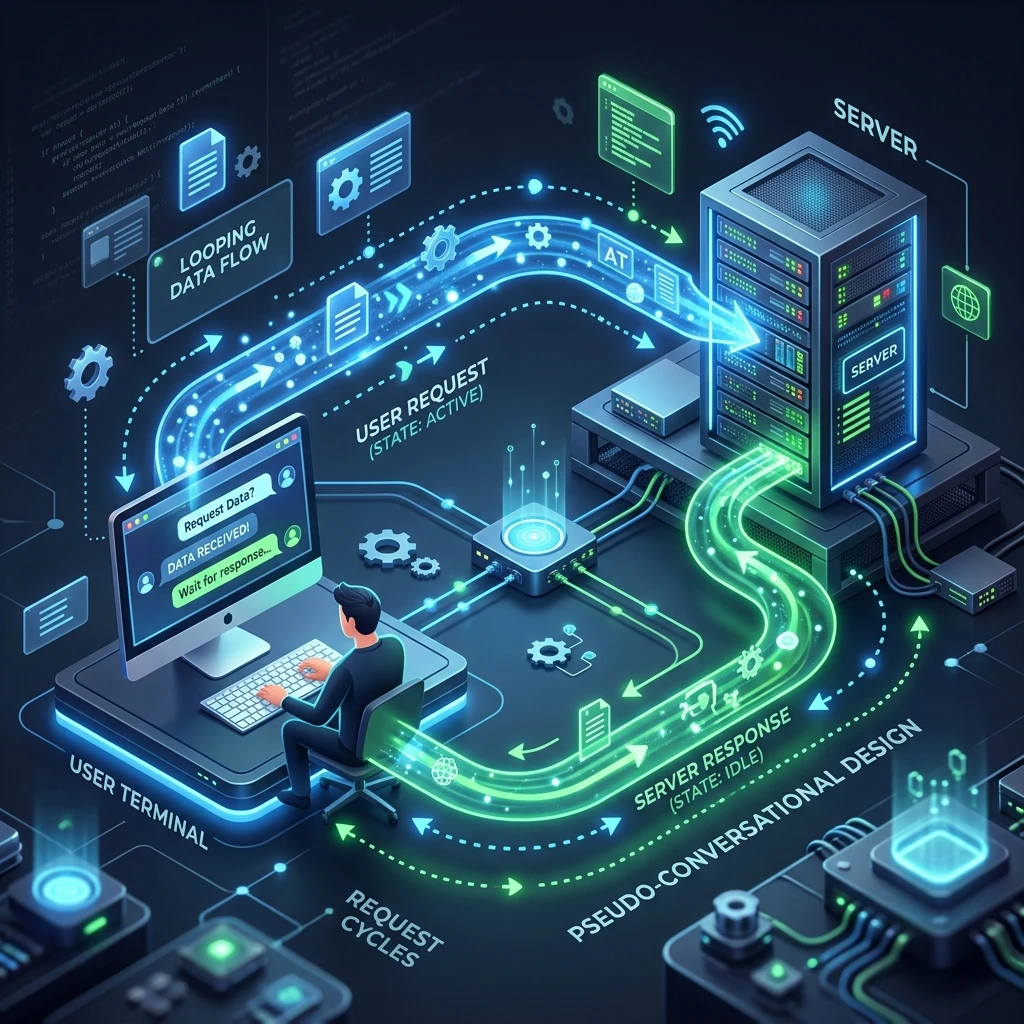
This is the essence of pseudo-conversational design in CICS. The CICS program (teller) serves one task invocation (customer interaction), saves the state (hands back the form), terminates and frees its resources, then is restarted fresh when the user responds (returns the form). The user experiences a continuous conversation; the system sees a series of rapid, stateless task invocations.
Every serious CICS developer must understand pseudo-conversational design deeply — it is not just a technique, it is the correct way to write CICS programs.
Conversational vs. Pseudo-Conversational: Side-by-Side
| Characteristic | Conversational | Pseudo-Conversational |
|---|---|---|
| Task lifetime | One task from start to end | One task per user interaction |
| Resource usage during think time | Holds storage, thread, locks | Zero — all resources freed |
| State storage | WORKING-STORAGE (in-memory) | COMMAREA passed to next task |
| Terminal wait mechanism | EXEC CICS RECEIVE (blocking) | EXEC CICS RETURN (terminates task) |
| Scalability | Poor — one task per active user | Excellent — tasks only during processing |
| DB2 thread usage | Thread held across user waits | Thread released between interactions |
| CICS storage impact | High under load | Low — task storage freed after each RETURN |
| Difficulty | Simpler to code | Requires COMMAREA state design |
The verdict: always use pseudo-conversational design unless there is a specific technical reason not to (some high-frequency automated programs with no user think time may be conversational, but this is the exception).
The Pseudo-Conversational Lifecycle in Detail
A pseudo-conversational transaction goes through the following steps on every user interaction:
Step 1 — CICS Receives AID Key From Terminal
The user presses Enter, a PF key, or another attention key. CICS intercepts the interrupt and creates a new task for the transaction defined in the TRANSID that was specified on the previous EXEC CICS RETURN.
Step 2 — Task Initialisation
CICS allocates task storage, loads the program (from the load library or LPA), and passes the saved COMMAREA as DFHCOMMAREA in the LINKAGE SECTION. EIBCALEN is set to the length of the saved COMMAREA.
Step 3 — Program Entry and EIBCALEN Test
The program's PROCEDURE DIVISION entry point runs. The first action is always:
IF EIBCALEN = ZERO
    PERFORM FIRST-ENTRY-SETUP
ELSE
    PERFORM RE-ENTRY-PROCESSING
END-IF.
Step 4 — First Entry (EIBCALEN = 0)
No COMMAREA exists. The program initialises its WORKING-STORAGE state, sends the initial screen map, and issues EXEC CICS RETURN with TRANSID and COMMAREA. Task terminates. Zero user think time has been consumed by CICS.
FIRST-ENTRY-SETUP.
    INITIALIZE WS-COMMAREA
    MOVE 'MAINMAP' TO WS-CA-CURRENT-MAP
    PERFORM SEND-MAIN-MAP-INITIAL
    EXEC CICS RETURN
              TRANSID('EMPI')
              COMMAREA(WS-COMMAREA)
              LENGTH(LENGTH OF WS-COMMAREA)
    END-EXEC.
Step 5 — Re-Entry (EIBCALEN > 0)
The program copies DFHCOMMAREA to WORKING-STORAGE, identifies which screen was active, processes the AID key and user input, updates the COMMAREA with new state, and returns. The entire processing cycle may take fewer than 100 milliseconds.
RE-ENTRY-PROCESSING.
    MOVE DFHCOMMAREA TO WS-COMMAREA

    *> Dispatch based on AID key and current screen
    EVALUATE TRUE
        WHEN EIBAID = DFHPF3
            EXEC CICS RETURN END-EXEC    *> Exit transaction

        WHEN EIBAID = DFHENTER AND WS-CA-CURRENT-MAP = 'MAINMAP'
            PERFORM PROCESS-MAIN-MAP-INPUT

        WHEN EIBAID = DFHENTER AND WS-CA-CURRENT-MAP = 'DETLMAP'
            PERFORM PROCESS-DETAIL-MAP-INPUT

        WHEN OTHER
            MOVE 'INVALID KEY.' TO WS-CA-MSG
            PERFORM REDISPLAY-CURRENT-MAP
    END-EVALUATE

    *> Save updated state and return
    EXEC CICS RETURN
              TRANSID(EIBTRNID)
              COMMAREA(WS-COMMAREA)
              LENGTH(LENGTH OF WS-COMMAREA)
    END-EXEC.
Step 6 — Task Terminates, State Is Saved
When EXEC CICS RETURN with COMMAREA executes, CICS saves the COMMAREA content in a CICS-managed area associated with the terminal/TRANSID pair. All other task storage is freed. The DB2 thread (if any) is returned to the pool. File browse cursors are closed.
A Complete Multi-Screen Pseudo-Conversational Example
Here is a realistic two-screen transaction structure — an employee list screen and a detail screen:
IDENTIFICATION DIVISION.
PROGRAM-ID. EMPMAIN.

DATA DIVISION.
WORKING-STORAGE SECTION.
    COPY DFHAID.
    COPY DFHBMSCA.

01  WS-COMMAREA.
    05  WS-CA-VERSION     PIC 9(2)  VALUE 01.
    05  WS-CA-MAP         PIC X(8)  VALUE 'LISTMAP '.
    05  WS-CA-EMP-KEY     PIC X(6)  VALUE SPACES.
    05  WS-CA-BROWSE-KEY  PIC X(6)  VALUE SPACES.
    05  WS-CA-MSG         PIC X(60) VALUE SPACES.
    05  FILLER            PIC X(3)  VALUE SPACES.

01  WS-RESP    PIC S9(8) COMP VALUE ZERO.

LINKAGE SECTION.
01  DFHCOMMAREA PIC X(86).

PROCEDURE DIVISION.
MAIN-LOGIC.
    EVALUATE TRUE
        WHEN EIBCALEN = ZERO
            PERFORM FIRST-ENTRY
        WHEN WS-CA-MAP (1:7) = 'LISTMAP'
            PERFORM PROCESS-LIST-MAP
        WHEN WS-CA-MAP (1:7) = 'DETLMAP'
            PERFORM PROCESS-DETAIL-MAP
        WHEN OTHER
            PERFORM HANDLE-UNKNOWN-STATE
    END-EVALUATE
    PERFORM SAVE-AND-RETURN.

FIRST-ENTRY.
    INITIALIZE WS-COMMAREA
    MOVE 'LISTMAP ' TO WS-CA-MAP
    PERFORM SEND-LIST-MAP-INITIAL.

PROCESS-LIST-MAP.
    MOVE DFHCOMMAREA TO WS-COMMAREA
    EXEC CICS RECEIVE MAP('LISTMAP')
              MAPSET('EMPMAPS')
              INTO(LISTMAPI)
              RESP(WS-RESP)
    END-EXEC
    EVALUATE TRUE
        WHEN EIBAID = DFHPF3
            EXEC CICS RETURN END-EXEC       *> Leave transaction
        WHEN EIBAID = DFHENTER
            PERFORM NAVIGATE-TO-DETAIL
        WHEN OTHER
            MOVE 'ENTER OR PF3 ONLY.' TO WS-CA-MSG
    END-EVALUATE.

NAVIGATE-TO-DETAIL.
    *> User selected an employee row
    MOVE LISTMAP-SEL-KEY TO WS-CA-EMP-KEY
    MOVE 'DETLMAP ' TO WS-CA-MAP
    PERFORM SEND-DETAIL-MAP.

PROCESS-DETAIL-MAP.
    MOVE DFHCOMMAREA TO WS-COMMAREA
    EVALUATE TRUE
        WHEN EIBAID = DFHPF3
            MOVE 'LISTMAP ' TO WS-CA-MAP
            PERFORM SEND-LIST-MAP-RETURN
        WHEN EIBAID = DFHPF5
            PERFORM UPDATE-EMPLOYEE-RECORD
        WHEN OTHER
            MOVE 'PF3=BACK  PF5=SAVE.' TO WS-CA-MSG
            PERFORM SEND-DETAIL-MAP
    END-EVALUATE.

SAVE-AND-RETURN.
    EXEC CICS RETURN
              TRANSID(EIBTRNID)
              COMMAREA(WS-COMMAREA)
              LENGTH(LENGTH OF WS-COMMAREA)
    END-EXEC.
Handling State Across Long Interactions
For transactions that span many interactions (a complex data entry form with 10+ steps), the COMMAREA can grow large. Best practice is to build a transaction state machine within the COMMAREA:
01  WS-COMMAREA.
    *> State machine control
    05  WS-CA-STATE      PIC 9(2).
        88  STATE-STEP1         VALUE 01.
        88  STATE-STEP2         VALUE 02.
        88  STATE-STEP3         VALUE 03.
        88  STATE-CONFIRM       VALUE 10.
        88  STATE-COMPLETE      VALUE 99.

    *> Accumulated data across steps
    05  WS-CA-HEADER.
        10  WS-CA-ORDER-NO    PIC X(10).
        10  WS-CA-CUST-ID     PIC X(8).
        10  WS-CA-ORDER-DATE  PIC X(10).
    05  WS-CA-LINES OCCURS 10 TIMES.
        10  WS-CA-ITEM-CODE   PIC X(8).
        10  WS-CA-QTY         PIC 9(5).
        10  WS-CA-PRICE       PIC S9(7)V99 COMP-3.
Each RETURN saves the accumulated state. The next invocation reads the state field and jumps to the correct step in the workflow.
Pseudo-Conversational Resource Savings: The Numbers
Consider a CICS region serving 200 concurrent users. Each user thinks for an average of 30 seconds between interactions, and each transaction takes 50 milliseconds to process.
With conversational design: 200 tasks always active, each holding 32 KB of task storage, one DB2 thread, and one dispatcher token → 6.4 MB of task storage permanently consumed, 200 DB2 threads permanently tied up.
With pseudo-conversational design: At any given moment, only 200 × (50ms / 30,000ms) ≈ 0.33 tasks are active on average. Task storage usage drops to near zero. DB2 threads used simultaneously: less than 1.
This is not a theoretical improvement — it is the difference between a CICS region that handles 200 users comfortably and one that collapses under that load.
Key Takeaways
Pseudo-conversational design is the cornerstone of scalable CICS development. By terminating the task after every screen send and saving state in a COMMAREA passed to the next invocation, pseudo-conversational programs allow a CICS region to serve orders of magnitude more users than conversational programs could. The implementation requires three things: an EIBCALEN test at entry, a well-structured COMMAREA to carry state, and an EXEC CICS RETURN TRANSID(...) COMMAREA(...) at every exit point. Master this pattern and you have mastered the fundamental design discipline of CICS.
To explore how CICS manages file I/O within a task, continue with CICS File Control. For the complete CICS learning path, visit the CICS Mastery Course.
Frequently Asked Questions
Q: What is the fundamental principle of pseudo-conversational CICS programming?
In pseudo-conversational design, the CICS task ends after sending output to the terminal by returning with EXEC CICS RETURN TRANSID('TXID') COMMAREA(data) END-EXEC. When the user presses a key, CICS starts a fresh task for the same transaction. The COMMAREA carries state (current screen, key values, mode flags) between invocations. This way, CICS holds no task resources during the user's think time — resources are only consumed during actual processing.
Q: How do you distinguish a first-time call from a return call in pseudo-conversational design?
Check EIBCALEN (the COMMAREA length field in the EIB) at the start of the program. If EIBCALEN = 0, no COMMAREA was passed — this is the first call; display the initial screen. If EIBCALEN > 0, a COMMAREA was passed from the previous invocation — process the user's input. This pattern is the cornerstone of every pseudo-conversational COBOL CICS program.
Q: What are the trade-offs of pseudo-conversational versus conversational design? Pseudo-conversational is far more scalable — a region supporting 10,000 concurrent users in pseudo-conversational mode might only have 200 active tasks at any moment. Conversational keeps the task alive during user think time, holding storage, DB2 threads, and potentially file locks — it scales poorly and is avoided in production. The trade-off is code complexity: pseudo-conversational programs must explicitly save and restore state via COMMAREA, whereas conversational programs retain all working storage across multiple screen interactions naturally.