
CICS Resource Types: Programs, Files, Transactions & Maps Defined
Every CICS resource type — programs, transactions, files, mapsets, TS queues, TD queues, DB2 entries — with CSD definition syntax and when to use each.
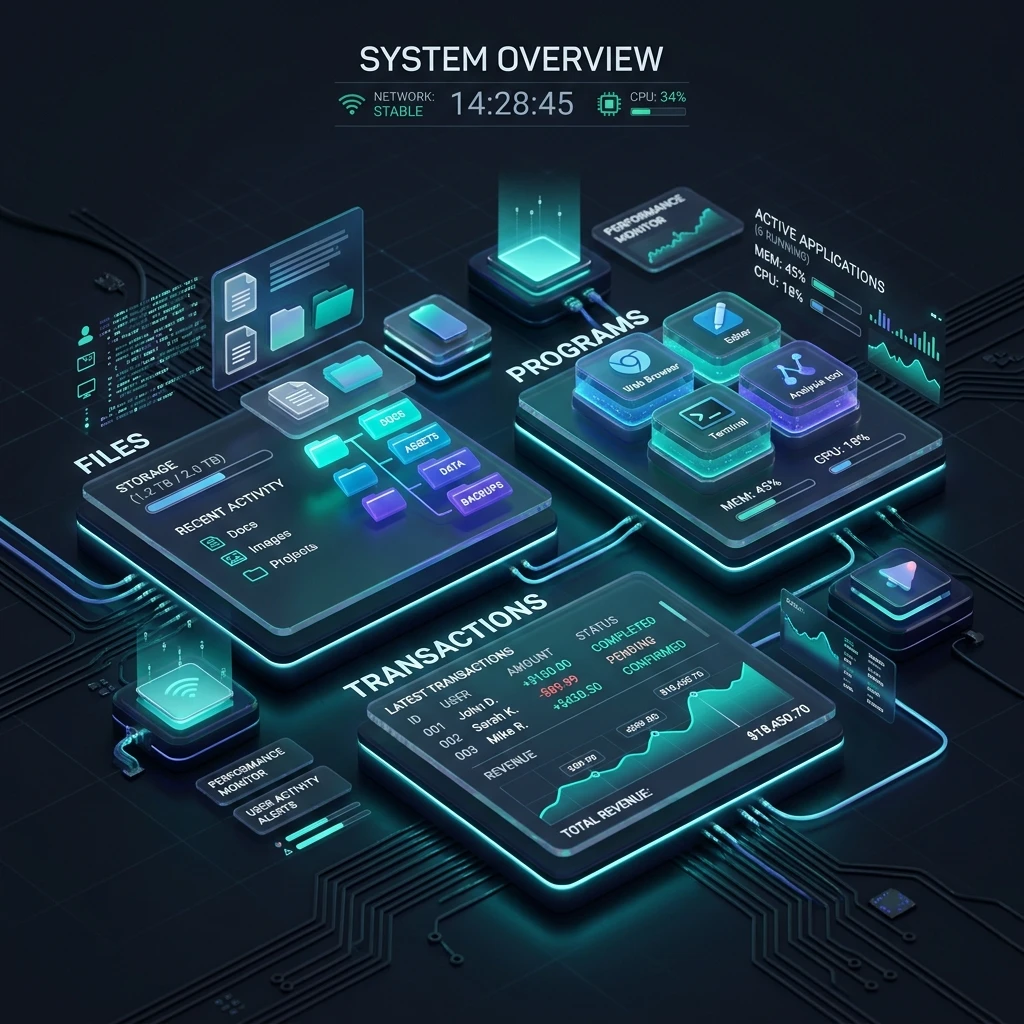
CICS Resources Overview: Every Resource Type Explained
CICS is a resource-driven system. Before a single CICS transaction can execute, the resources it uses — its program, its transaction definition, its files, its screen maps — must be defined in the CICS CSD (CICS System Definition dataset) and installed into the running region. Understanding every CICS resource type is essential groundwork for any CICS developer or administrator.
The CICS CSD and Resource Definitions
The CSD is a VSAM KSDS (Key-Sequenced Dataset) that stores all CICS resource definitions. Think of it as the configuration database for the entire CICS region.
At startup: CICS reads the CSD and installs all resource groups listed in the SIT GRPLIST parameter.
During operation: Administrators use CEDA (the resource definition online transaction) or DFHCSDUP (batch) to add, modify, or delete definitions.
In memory: Once installed, resource definitions live in CICS internal tables in the CICS address space — not re-read from CSD on every transaction.
Resource Organisation: Groups and Lists
Every resource definition belongs to a Group. Groups are collected into Lists.
CSD Dataset
└── List: EMPLIST
    ├── Group: EMPBASE
    │   ├── PROGRAM:     EMPINQ
    │   ├── TRANSACTION: EMPL
    │   └── MAPSET:      EMPMAP
    └── Group: EMPFILES
        ├── FILE:        EMPFILE
        └── FILE:        DEPTFILE
The SIT parameter GRPLIST=EMPLIST tells CICS to install everything in EMPLIST at startup.
PROGRAM — The Executable Unit
A PROGRAM definition tells CICS about an executable module — its language, storage characteristics, and enablement.
CEDA DEFINE PROGRAM(EMPINQ)
  GROUP(EMPBASE)
  LANGUAGE(COBOL)
  RELOAD(NO)
  RESIDENT(NO)
  USAGE(NORMAL)
  EXECKEY(USER)
  DESCRIPTION(Employee Inquiry Program)
Key attributes:
| Attribute | Values | Effect |
|---|---|---|
| LANGUAGE | COBOL, PLI, ASSEMBLER, JAVA | How CICS invokes it |
| RELOAD | YES/NO | Reload from disk on each invocation |
| RESIDENT | YES/NO | Keep in storage permanently |
| EXECKEY | USER/CICS | Storage protection key |
| STATUS | ENABLED/DISABLED | Whether tasks can use this program |
To check a program's status dynamically:
CEMT INQUIRE PROGRAM(EMPINQ)
CEMT SET PROGRAM(EMPINQ) DISABLED
CEMT SET PROGRAM(EMPINQ) ENABLED
TRANSACTION — The Entry Point
A TRANSACTION definition is what the user actually types. It maps a 1-4 character transaction ID to a program name and sets execution parameters.
CEDA DEFINE TRANSACTION(EMPL)
  GROUP(EMPBASE)
  PROGRAM(EMPINQ)
  TWASIZE(0)
  PROFILE(DFHCICST)
  STATUS(ENABLED)
  TASKDATALOC(ANY)
  PRIORITY(1)
  TIMEOUT(30)
  DTIMEOUT(0)
  DESCRIPTION(Employee Lookup Transaction)
Key attributes:
| Attribute | Values | Effect |
|---|---|---|
| PROGRAM | program-name | Which program to invoke first |
| TWASIZE | 0–32767 | Size (bytes) of Transaction Work Area |
| PRIORITY | 1–255 | Dispatch priority (higher = more CPU) |
| TIMEOUT | 0–6553 | Seconds before AICA abend if idle |
| STATUS | ENABLED/DISABLED | Whether this transaction can be invoked |
TASKDATALOC(ANY) allows task storage above the 16MB line — essential for modern programs using large data areas.
FILE — VSAM File Access
A FILE definition gives a CICS program access to a VSAM file. CICS acts as a broker — programs issue EXEC CICS READ/WRITE commands, and CICS performs the VSAM I/O on their behalf with proper locking.
CEDA DEFINE FILE(EMPFILE)
  GROUP(EMPFILES)
  DSNAME(EMPDATA.EMPFILE)
  RLSACCESS(NO)
  KEYLENGTH(6)
  RECORDFORMAT(VARIABLE)
  MAXLENGTH(200)
  STRINGS(10)
  LSRPOOLID(1)
  READINTEG(UNCOMMITTED)
  WRITEINTEG(CONSISTENT)
  BROWSE(YES)
  READ(YES)
  UPDATE(YES)
  ADD(YES)
  DELETE(YES)
  STATUS(ENABLED)
Key attributes:
| Attribute | Effect |
|---|---|
| DSNAME | The VSAM cluster name on DASD |
| KEYLENGTH | VSAM key length in bytes |
| STRINGS | Number of concurrent I/O requests |
| LSRPOOLID | Local Shared Resources buffer pool |
| READ/UPDATE/ADD/DELETE/BROWSE | Which operations are permitted |
VSAM file access in CICS uses LSR (Local Shared Resources) pools — shared buffer caches that improve I/O performance by keeping frequently accessed records in memory.
MAPSET — BMS Screen Definitions
A MAPSET is a collection of BMS (Basic Mapping Support) maps. Each map defines a 3270 screen layout — field positions, lengths, attributes (protected, unprotected, numeric, hidden), and colors.
CEDA DEFINE MAPSET(EMPMAP)
  GROUP(EMPBASE)
  RESIDENT(NO)
  STATUS(ENABLED)
  DESCRIPTION(Employee Inquiry Mapset)
A mapset is assembled from BMS macros and stored as a load module in the CICS LOADLIB. CICS programs reference it by name in SEND MAP and RECEIVE MAP commands:
EXEC CICS SEND MAP('EMPINQM')
    MAPSET('EMPMAP')
    FROM(EMPINQ-MAP)
    ERASE
END-EXEC.
TERMINAL — User Connections
A TERMINAL definition represents a physical or virtual connection point — a 3270 terminal session, a VTAM LU, or a TCP/IP client.
CEDA DEFINE TERMINAL(T001)
  GROUP(TERMBASE)
  NETNAME(LUTERM001)
  TYPETERM(DFHLU2E2)
  AUTINSTMODEL(NO)
  STATUS(INSVC)
In modern CICS environments, terminals are often auto-installed — CICS creates a terminal definition automatically when a new connection is established, using an AUTOINSTALL model definition.
TYPETERM: Defines the terminal type characteristics — screen size (24x80, 43x132), device type (3278, 3279), and feature support (color, extended attributes).
DB2ENTRY — DB2 Thread Pools
DB2ENTRY defines a pool of DB2 threads available to specific transactions. It is the bridge between CICS and DB2:
CEDA DEFINE DB2ENTRY(EMPDB2)
  GROUP(EMPBASE)
  PLAN(EMPPLAN)
  PLANEXITNAME(DFHD2EX1)
  ACCOUNTREC(TASK)
  AUTHTYPE(TERM)
  THREADLIMIT(50)
  THREADWAIT(YES)
STATUS(ENABLED)| Attribute | Effect |
|---|---|
| PLAN | DB2 plan name (or use packages via PLANEXITNAME) |
| THREADLIMIT | Max concurrent DB2 threads for this entry |
| THREADWAIT | Queue tasks if all threads busy (vs abend) |
| AUTHTYPE | Use TERM or GROUP for DB2 authorization |
DB2CONN — The DB2 Connection
DB2CONN defines the connection between a CICS region and a DB2 subsystem:
CEDA DEFINE DB2CONN(DB2CONN1)
  GROUP(EMPBASE)
  DB2ID(DSN1)
  ACCOUNTREC(TASK)
  AUTHTYPE(TERM)
  DROLLBACK(YES)
  NONTERMREL(YES)
  MSGQUEUE1(CSMT)
  STATUS(ENABLED)
DB2ID specifies which DB2 subsystem (SSID) this region connects to. One CICS region connects to one DB2 subsystem (multiple connections require special configuration).
TSMODEL — Temporary Storage Queue Models
A TSMODEL controls how CICS Temporary Storage queues behave — particularly whether they are stored in main memory or on auxiliary (disk) storage:
CEDA DEFINE TSMODEL(EMPTS)
  GROUP(EMPBASE)
  PREFIX(EMP)
  LOCATION(AUXILIARY)
  SECURITY(YES)
Queues matching the prefix (e.g., EMPABC123) are routed to AUXILIARY storage (disk) — necessary for queues that must survive task termination or region restart.
TDQUEUE — Transient Data Queues
TDQUEUE defines both intrapartition (within CICS) and extrapartition (to external datasets) transient data queues:
CEDA DEFINE TDQUEUE(CSMT)
  GROUP(DFHISC)
  TYPE(INTRAPARTITION)
  RECOVSTATUS(NO)
  TRIGGERLEVEL(0)
CSMT is the CICS message terminal — a standard CICS intrapartition queue used for system messages. TRIGGERLEVEL > 0 enables automatic task initiation (ATI) when the queue depth reaches the trigger level.
CONNECTIONS and SESSIONS — MRO Links
For multi-region environments, CONNECTION and SESSIONS define the links between CICS regions:
CEDA DEFINE CONNECTION(AOR1)
  GROUP(MROLINKS)
  NETNAME(CICSAOR1)
  ACCESSMETHOD(IRC)     -- MRO (Internal Region Communication)
  PROTOCOL(EXCI)
  SINGLESESS(NO)

CEDA DEFINE SESSIONS(AOR1S)
  GROUP(MROLINKS)
  CONNECTION(AOR1)
  PROTOCOL(LU62)
  MAXIMUM(50,0)
Viewing Resources with CEMT
CEMT (CICS Master Terminal) is the command interface for querying and modifying CICS resources at runtime:
CEMT INQUIRE PROGRAM(*)              -- list all programs
CEMT INQUIRE TRANSACTION(EMPL)      -- check transaction status
CEMT INQUIRE FILE(EMPFILE)          -- check file status
CEMT SET FILE(EMPFILE) OPEN         -- open a closed file
CEMT SET TRANSACTION(EMPL) ENABLED  -- enable a disabled transaction
CEMT INQUIRE TASK(*)                -- list all active tasks
CEMT SET TASK(taskno) PURGE         -- terminate a stuck task
CEMT is your primary operational tool for managing a running CICS region.
Next Steps
Now that you understand the CICS resource types, it is time to write your first CICS program. The CICS COBOL Programming guide walks through the structure of a CICS COBOL program and every common EXEC CICS command you will use daily. Full learning path at the CICS Mastery course hub.
Frequently Asked Questions
Q: What are the main resource types managed by CICS? CICS manages: TRANSACTIONs (4-character IDs that trigger programs), PROGRAMs (load modules run within tasks), FILEs (VSAM datasets), TERMINALs (3270 screens and network sessions), CONNECTIONS and SESSIONs (inter-region communication via MRO or IPIC), TSMODELs (temporary storage queue models), TDQUEUEs (transient data queues), DB2CONN/DB2TRAN/DB2ENTRY (DB2 integration), and BUNDLEs (packaged application definitions). Each is defined in the CICS CSD and installed into the active region.
Q: What is the CICS resource life cycle from definition to runtime? Define the resource in the CSD using CEDA DEFINE or a DFHCSDUP batch job, assigning it to a GROUP. Add the GROUP to a LIST if it should be installed automatically at startup. Install the resource with CEDA INSTALL or by including its LIST in the startup SIT. Once installed, the resource is active and visible via CEMT INQUIRE. Modify it with CEDA ALTER + INSTALL or CICSAOR for dynamic changes. Discard it with CEMT DISCARD when no longer needed.
Q: How does CICS handle a transaction that references an undefined resource? If a transaction references a program, file, or other resource that is not installed, CICS raises an exception — typically PGMIDERR for a missing program, FILENOTFOUND for a missing file, or TRANSIDERR for an unknown transaction. In production, missing resources cause transaction ABENDs. Avoid this by: keeping CSD definitions synchronized with deployed code, using CICS Health Checker to validate definitions, and installing all application resources before deploying transaction definitions.