
Claude AI Agent Tutorial: Build Your First Agent
Learn what makes Claude an AI agent, understand the plan-act-observe loop, and build a working multi-step agent that uses tools to complete tasks.
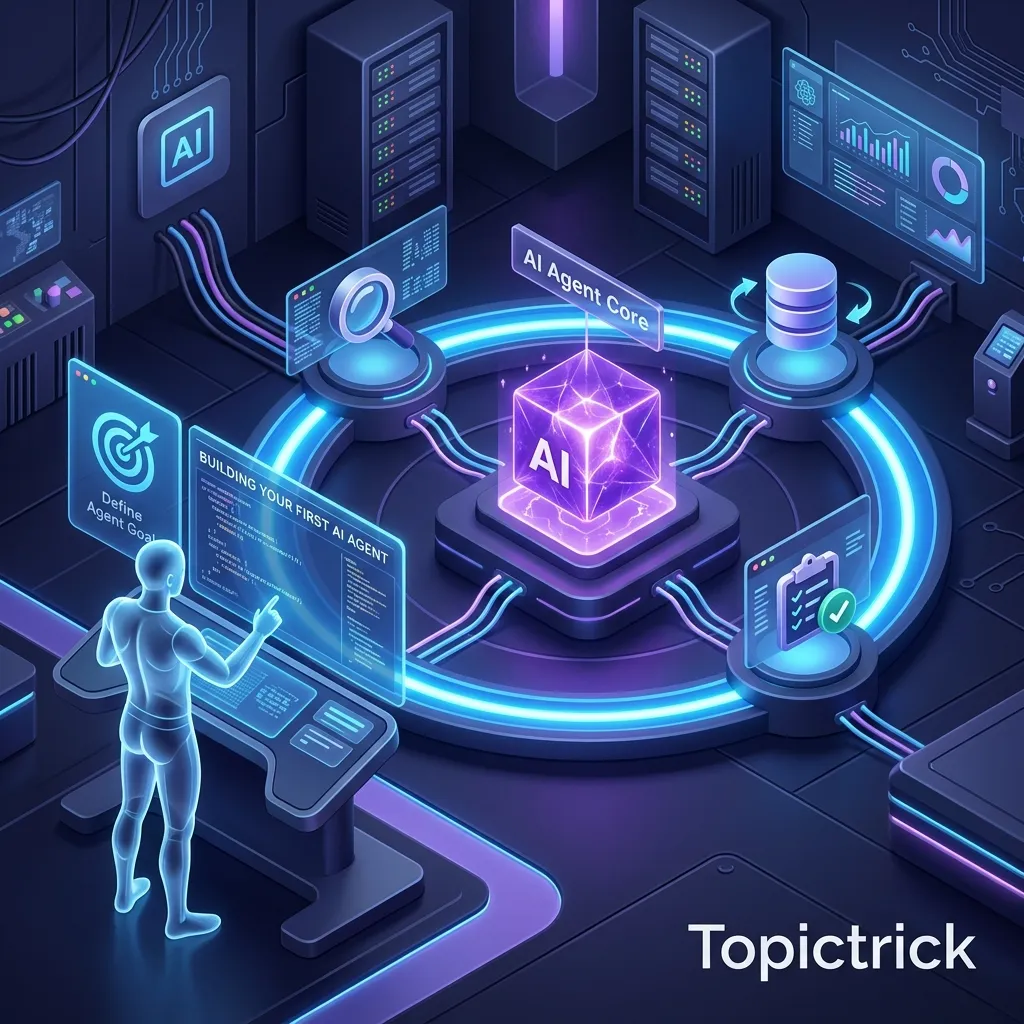
What is a Claude AI Agent?
A Claude AI agent is an application where Claude plans a multi-step approach, calls tools to interact with external systems, observes the results, and continues working autonomously until the goal is complete. Unlike a chatbot that handles one message at a time, an agent pursues a goal across multiple reasoning steps - deciding what to do next based on what it just observed.
Every AI application you have built so far in this series follows the same pattern: user sends a message, Claude responds, done. This works perfectly for question answering, document analysis, classification, and most conversational use cases. But some tasks do not fit a single-turn pattern.
Imagine asking Claude to: research a company, find its tech stack, check if they are hiring for roles matching your skills, and draft a personalised outreach email. That is not one task - it is four sequential tasks, where each step depends on what the previous step found. No single API call can handle this. You need an agent.
An AI agent is a Claude application that plans a multi-step approach, takes actions autonomously using tools, observes the results, and continues working until the goal is complete. This post introduces the agent concept, explains the plan-act-observe loop, and walks you through building a functioning agent from scratch.
What Makes an Agent Different from a Chatbot?
A chatbot responds to each message independently. An agent pursues a goal.
The technical distinction is straightforward:
- A chatbot: Receives input -> generates a single response -> stops
- An agent: Receives a goal -> plans -> takes action (tool call) -> observes result -> updates plan -> takes next action -> repeats until goal is complete
Agents have three capabilities that chatbots typically lack:
- Tool use: The ability to call functions that interact with external systems
- Multi-step reasoning: The ability to plan a sequence of steps and execute them in order
- Self-direction: The ability to decide what to do next based on what just happened, without being told step by step
The Plan-Act-Observe Loop
Every agent - whether built on Claude or any other model - follows this fundamental loop:
- Plan: Given the goal and current context, what is the next action to take?
- Act: Execute the chosen action via a tool call
- Observe: Incorporate the tool result into context
- Evaluate: Is the goal complete? If yes, produce the final response. If no, return to step 1
In Claude's case, this loop runs automatically through repeated API calls. Claude sees the conversation history, the available tools, and all previous tool results, and decides what to do next on each iteration.
Claude Does the Planning, Your Code Runs the Loop
The agent loop itself - calling Claude, handling tool results, calling Claude again - is code you write. Claude provides the reasoning: it decides which tools to call, what arguments to use, and when the task is done. Your code provides the infrastructure: executing the actual tools and managing the back-and-forth API calls. The combination is what makes an agent.
Your First Agent: A Research Assistant
Let us build a simple research agent that can search the web, extract information, and produce a structured summary. The agent can decide how many searches it needs and in what order.
import anthropic
import json

client = anthropic.Anthropic()

# Define the agent's available tools
tools = [
    {
        "name": "search_web",
        "description": "Search the internet for current information on a topic. Returns a list of relevant results with titles, URLs and descriptions.",
        "input_schema": {
            "type": "object",
            "properties": {
                "query": {
                    "type": "string",
                    "description": "The search query"
                }
            },
            "required": ["query"]
        }
    },
    {
        "name": "extract_key_facts",
        "description": "Extract and format key facts from search results into a structured list. Use this when you have gathered enough information and want to organise it.",
        "input_schema": {
            "type": "object",
            "properties": {
                "topic": {
                    "type": "string",
                    "description": "The topic being researched"
                },
                "facts": {
                    "type": "array",
                    "items": {"type": "string"},
                    "description": "List of key facts extracted from research"
                },
                "sources": {
                    "type": "array",
                    "items": {"type": "string"},
                    "description": "URLs of sources used"
                }
            },
            "required": ["topic", "facts", "sources"]
        }
    }
]

def run_search(query: str) -> dict:
    """Simulated web search - replace with real search API in production"""
    # In production: call Brave Search, SerpAPI, or Anthropic managed web search
    return {
        "results": [
            {"title": f"Result 1 for {query}", "url": "https://example.com/1", "snippet": f"Information about {query}..."},
            {"title": f"Result 2 for {query}", "url": "https://example.com/2", "snippet": f"More context on {query}..."}
        ]
    }

def store_facts(topic: str, facts: list, sources: list) -> dict:
    """Store extracted facts - in production, write to database or return to UI"""
    return {
        "status": "stored",
        "topic": topic,
        "fact_count": len(facts),
        "source_count": len(sources)
    }


def run_research_agent(research_goal: str) -> str:
    """Run the research agent until it completes the goal."""

    system_prompt = """You are a research agent. Your goal is to research the given topic thoroughly.

Follow this process:
1. Search for the topic with relevant queries
2. Search for additional specific aspects if needed
3. When you have gathered sufficient information, use extract_key_facts to organise your findings
4. Provide a clear final summary

Be systematic - search for multiple aspects of the topic before concluding."""

    messages = [{"role": "user", "content": research_goal}]

    max_iterations = 10  # Safety limit to prevent infinite loops
    iterations = 0

    while iterations < max_iterations:
        iterations += 1

        response = client.messages.create(
            model="claude-sonnet-4-6",
            max_tokens=4096,
            system=system_prompt,
            tools=tools,
            messages=messages
        )

        # Check if agent is done
        if response.stop_reason == "end_turn":
            # Extract final text response
            for block in response.content:
                if block.type == "text":
                    return block.text
            return "Research completed."

        # Process tool calls
        tool_results = []

        for block in response.content:
            if block.type == "tool_use":
                print(f"Agent is calling: {block.name}({block.input})")

                if block.name == "search_web":
                    result = run_search(block.input["query"])
                elif block.name == "extract_key_facts":
                    result = store_facts(
                        block.input["topic"],
                        block.input["facts"],
                        block.input["sources"]
                    )
                else:
                    result = {"error": f"Unknown tool: {block.name}"}

                tool_results.append({
                    "type": "tool_result",
                    "tool_use_id": block.id,
                    "content": json.dumps(result)
                })

        # Update conversation with assistant response and tool results
        messages.append({"role": "assistant", "content": response.content})
        messages.append({"role": "user", "content": tool_results})

    return "Research agent reached maximum iterations without completing."


# Run the agent
result = run_research_agent(
    "Research Anthropic's Claude 4.6 models: what are the key differences between Opus, Sonnet, and Haiku?"
)
print(result)
Breaking Down the Agent Loop
The critical part of the code above is the while loop and the stop condition:
- response.stop_reason == "end_turn": Claude has decided it is finished and is producing a final text answer. Exit the loop.
- response.stop_reason == "tool_use": Claude wants to call one or more tools. Execute them and continue the loop.
- max_iterations guard: Always include a maximum iteration limit. Agents can get stuck in loops - a hard limit prevents runaway API costs and infinite loops from bugs in tool results.
Always Set a Maximum Iteration Limit
An agent without a maximum iteration limit can get stuck in a loop - for example, if a tool consistently returns an error and Claude keeps retrying it. Set a sensible upper bound (typically 10-20 iterations for most tasks) and implement fallback behaviour when that limit is hit. Log the full message history when this happens so you can debug what caused the loop.
When to Use Agents vs Simple API Calls
Not every task needs an agent. Use agents when:
- The task requires multiple steps where each step depends on the previous result
- The number of steps is not known in advance - the agent must decide based on what it finds
- The task involves interacting with multiple tools or data sources
- The task requires real-world actions, not just text generation
Use simple API calls when:
- The task is a single step (summarise this document, classify this text)
- The steps are fixed, known, and can be coded directly without Claude deciding them
- Latency is critical - every agent iteration adds API round-trip time
Summary
An AI agent is the combination of Claude's reasoning, tool use, and a loop that runs until the goal is complete. The key components:
- Clear goal: The user's task stated as a complete objective, not just a single question
- Well-defined tools: Tools with clear descriptions so Claude knows when and how to use them
- The agent loop: A while loop that calls the API, handles tool results, and continues until stop_reason == "end_turn"
- A maximum iteration limit: Safety against infinite loops and runaway costs
- A guiding system prompt: Tells the agent how to approach its tasks and what its scope is
Going Further with Claude Agents
Once you have the basic agent loop working, there are several natural next steps:
- Add real web search: Integrate the Claude web search tool so your research agent queries live data instead of mocked results.
- Connect tools via MCP: The Model Context Protocol lets Claude connect to any tool ecosystem through a standardised interface - databases, file systems, APIs.
- Build specialised agents: The build AI coding agent with Claude API tutorial walks through a production-ready coding agent with real tool integrations.
The Anthropic agents and tools documentation is the authoritative reference for tool definitions, the tool_choice parameter, and best practices for agent design. Anthropic's Building Effective Agents guide covers patterns and anti-patterns from real-world agent deployments.
In the next post, we go deeper into how this loop works under the hood - the full agentic reasoning cycle that enables Claude to self-correct, revise plans, and handle unexpected results: The Agentic Loop: How Claude Reasons, Acts, and Self-Corrects.
This post is part of the Anthropic AI Tutorial Series. Previous post: Knowledge Check: Claude Tools & Capabilities Quiz.
External references:
Frequently Asked Questions
Q: What do I need to build a basic Claude AI agent?
You need an Anthropic API key, the anthropic Python (or JavaScript) SDK, and a set of tool definitions. A minimal agent defines one or more tools as JSON schemas, sends a message to Claude with those tools available, handles the tool_use response by executing the tool, and feeds the result back to Claude in a tool_result message. The Anthropic SDK handles the API calls; you write the tool execution logic.
Q: What is the difference between a Claude agent and a simple API call? A simple API call sends a prompt and returns a response in one round-trip. An agent adds a loop: Claude can request tool calls, your code executes them, and the results are sent back so Claude can continue reasoning. This enables tasks that require multiple steps, external data lookups, or actions in the real world - things a single prompt-response cannot accomplish.
Q: Which Claude model should a beginner use for building agents?
Claude Sonnet (e.g., claude-sonnet-4-6) is the recommended starting point - it balances capability and speed well for most agentic tasks. Use Claude Haiku for high-volume, low-latency tasks where cost matters. Reserve Claude Opus for the most complex reasoning chains where accuracy justifies the higher cost. Start with Sonnet, profile your use case, then optimise model choice based on observed performance and cost.
Go further with LangChain agents: The LLM Engineering & RAG course teaches agent construction with LangChain tools in Lesson 9: LangChain Agents & Tools, and the framework foundations in Lesson 4: LangChain Fundamentals.
Part of the Claude AI Masterclass.