
DB2 Data Types Explained: CHAR to CLOB (2026)
CHAR vs VARCHAR and the 2-byte overhead, DECIMAL vs DECFLOAT, DATE and TIMESTAMP storage, CLOB limits, XML — every DB2 data type with examples. 2026.
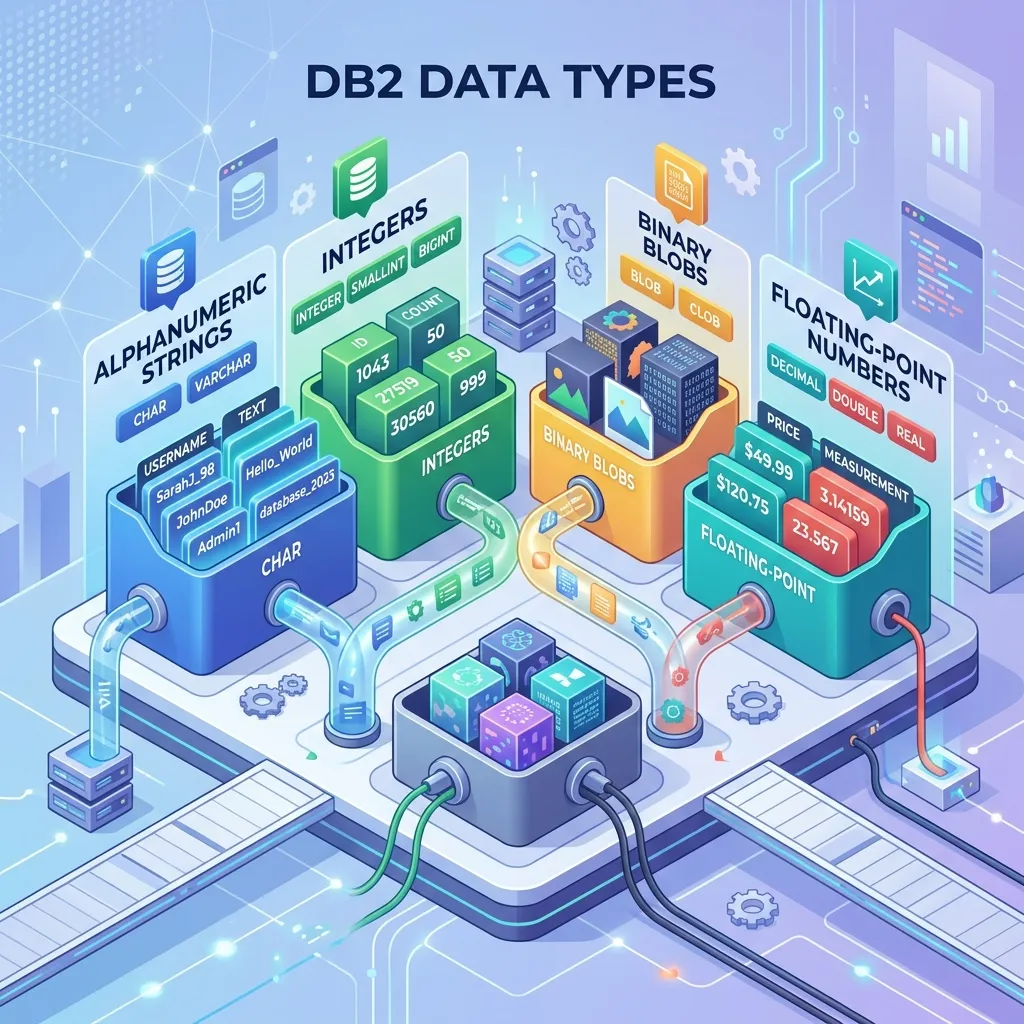
DB2 Data Types: Complete Reference Guide with Examples (2026)
Choosing the right data type is one of the most important decisions you make when designing a DB2 schema. The wrong choice leads to wasted storage, implicit conversion overhead, precision loss, or query plans that cannot use indexes efficiently. This guide covers every DB2 data type with accurate specifications, CREATE TABLE examples, and the common pitfalls that trip up even experienced developers.
Before diving in, see the DB2 Cheat Sheet for a quick syntax reference, and the DB2 Introduction if you are new to the platform.
Complete DB2 Data Type Reference Table
| Category | Type | Maximum Size | Storage Bytes | Notes |
|---|---|---|---|---|
| String | CHAR(n) | 254 bytes | n bytes | Fixed-length, space-padded |
| String | VARCHAR(n) | 32,672 bytes | actual length + 2 | Variable-length |
| String | CLOB | 2 GB | Up to 2,147,483,647 | LOB storage |
| String | GRAPHIC(n) | 127 double-byte chars | 2n bytes | Fixed, DBCS |
| String | VARGRAPHIC(n) | 16,336 double-byte chars | 2×actual + 2 | Variable, DBCS |
| String | DBCLOB | 1 GB double-byte chars | Up to 1,073,741,824 | LOB storage |
| Numeric | SMALLINT | -32,768 to 32,767 | 2 bytes | 16-bit integer |
| Numeric | INTEGER | -2,147,483,648 to 2,147,483,647 | 4 bytes | 32-bit integer |
| Numeric | BIGINT | ±9.2 × 10^18 | 8 bytes | 64-bit integer |
| Numeric | DECIMAL(p,s) | p up to 31, s up to p | p/2 + 1 bytes (packed) | Exact fixed-point |
| Numeric | REAL | ~7 decimal digits | 4 bytes | 32-bit binary float |
| Numeric | DOUBLE | ~15 decimal digits | 8 bytes | 64-bit binary float |
| Numeric | DECFLOAT(16) | 16 significant digits | 8 bytes | Decimal floating point |
| Numeric | DECFLOAT(34) | 34 significant digits | 16 bytes | Decimal floating point |
| Date/Time | DATE | 0001-01-01 to 9999-12-31 | 4 bytes | Date only |
| Date/Time | TIME | 00:00:00 to 24:00:00 | 3 bytes | Time only |
| Date/Time | TIMESTAMP(p) | Precision 0–12 | 7–10 bytes | Date + time + fractional |
| Binary | BINARY(n) | 255 bytes | n bytes | Fixed-length binary |
| Binary | VARBINARY(n) | 32,672 bytes | actual + 2 | Variable binary |
| Binary | BLOB | 2 GB | Up to 2,147,483,647 | Binary LOB |
| XML | XML | 2 GB | Variable | Native XML storage |
| Boolean | BOOLEAN | true/false | 1 byte | DB2 11.1+ |
String Data Types
CHAR and VARCHAR
CHAR(n) stores a fixed-length character string. Values shorter than n are right-padded with spaces. This padding behaviour is critical to understand for comparisons.
VARCHAR(n) stores a variable-length character string. Only the actual characters are stored, plus a 2-byte length prefix. No padding occurs.
CREATE TABLE EMPLOYEE (
  EMP_ID       INTEGER       NOT NULL GENERATED ALWAYS AS IDENTITY,
  EMP_CODE     CHAR(6)       NOT NULL,       -- Always exactly 6 chars: "EMP001"
  FIRST_NAME   VARCHAR(50)   NOT NULL,
  LAST_NAME    VARCHAR(50)   NOT NULL,
  GENDER       CHAR(1),                       -- 'M', 'F', 'N' — fixed 1-char codes
  EMAIL        VARCHAR(255),
  NOTES        VARCHAR(2000),
  CONSTRAINT PK_EMP PRIMARY KEY (EMP_ID)
);

-- Insert
INSERT INTO EMPLOYEE (EMP_CODE, FIRST_NAME, LAST_NAME, GENDER, EMAIL)
VALUES ('EMP001', 'Alice', 'Smith', 'F', 'alice@example.com');

-- CHAR padding pitfall: these comparisons are equivalent
SELECT * FROM EMPLOYEE WHERE EMP_CODE = 'EMP001';
SELECT * FROM EMPLOYEE WHERE EMP_CODE = 'EMP001 ';  -- trailing space ignored for CHAR
When to choose CHAR vs VARCHAR:
- Use CHAR for codes, flags, and fixed-format values (country codes, status codes, fixed IDs)
- Use VARCHAR for names, descriptions, and any data where length varies significantly
- Avoid CHAR for long strings — a
CHAR(255)column always consumes 255 bytes per row, even for a 3-character value
CLOB
CLOB (Character Large Object) stores large text data — documents, comments, XML strings, or any data exceeding VARCHAR's 32,672-byte limit. CLOB data is not stored inline in the data page; DB2 stores it separately.
CREATE TABLE DOCUMENTS (
  DOC_ID      INTEGER      NOT NULL GENERATED ALWAYS AS IDENTITY,
  DOC_TITLE   VARCHAR(200) NOT NULL,
  DOC_CONTENT CLOB(100 M),              -- up to 100 MB per document
  CREATED_AT  TIMESTAMP    NOT NULL DEFAULT CURRENT TIMESTAMP,
  CONSTRAINT PK_DOCS PRIMARY KEY (DOC_ID)
);

-- Insert a CLOB value
INSERT INTO DOCUMENTS (DOC_TITLE, DOC_CONTENT)
VALUES ('Policy Document', CLOB('This is the full text of the policy document...'));

-- Search within a CLOB (full text search requires additional setup)
SELECT DOC_ID, DOC_TITLE
FROM DOCUMENTS
WHERE LOCATE('compliance', DOC_CONTENT) > 0;
Important: You cannot use a CLOB column in an ORDER BY clause, and you cannot create a standard B-tree index on a CLOB column. For searchable large text, consider DB2 Net Search Extender or breaking text into VARCHAR chunks.
GRAPHIC and VARGRAPHIC
These types store double-byte character set (DBCS) data, primarily used for languages like Chinese, Japanese, and Korean in legacy systems. Modern applications should prefer Unicode VARCHAR with the database code set set to UTF-8.
-- In a UTF-8 database, use standard VARCHAR
-- In a DBCS database, use GRAPHIC/VARGRAPHIC
CREATE TABLE PRODUCT_NAMES (
  PRODUCT_ID   INTEGER       NOT NULL,
  NAME_EN      VARCHAR(200)  NOT NULL,
  NAME_JA      GRAPHIC(100),             -- Japanese name in DBCS database
  NAME_ZH      VARGRAPHIC(200)           -- Chinese name, variable length
);
Numeric Data Types
Integer Types: SMALLINT, INTEGER, BIGINT
These store exact whole numbers. Choose the smallest type that covers your expected value range.
CREATE TABLE ORDER_SUMMARY (
  ORDER_ID      BIGINT       NOT NULL GENERATED ALWAYS AS IDENTITY,
  ITEM_COUNT    SMALLINT     NOT NULL,          -- max 32,767 items per order
  CUSTOMER_ID   INTEGER      NOT NULL,
  TOTAL_CENTS   BIGINT       NOT NULL,          -- store money in cents to avoid DECIMAL
  CONSTRAINT PK_ORDER PRIMARY KEY (ORDER_ID)
);

-- Identity columns (auto-increment)
CREATE TABLE SEQUENCE_TEST (
  ID     INTEGER NOT NULL GENERATED ALWAYS AS IDENTITY
           (START WITH 1 INCREMENT BY 1 NO CYCLE),
  VALUE  VARCHAR(100)
);
DECIMAL / NUMERIC
DECIMAL(p,s) (also written as NUMERIC) stores exact fixed-point numbers with p total digits and s digits to the right of the decimal point. This is the correct type for financial data.
CREATE TABLE FINANCIAL_LEDGER (
  ENTRY_ID     BIGINT        NOT NULL GENERATED ALWAYS AS IDENTITY,
  ACCOUNT_ID   INTEGER       NOT NULL,
  AMOUNT       DECIMAL(15,2) NOT NULL,     -- up to 9,999,999,999,999.99
  TAX_RATE     DECIMAL(5,4)  NOT NULL,     -- e.g., 0.1850 for 18.50%
  BALANCE      DECIMAL(18,2) NOT NULL,
  CONSTRAINT PK_LEDGER PRIMARY KEY (ENTRY_ID)
);

-- Arithmetic preserves precision
SELECT AMOUNT * (1 + TAX_RATE) AS TOTAL_WITH_TAX
FROM FINANCIAL_LEDGER
WHERE ENTRY_ID = 1;

-- DECIMAL precision rules: result scale = max(s1, s2), precision may expand
-- DECIMAL(15,2) * DECIMAL(5,4) = DECIMAL(31,6) — always check result type
Common mistake: Using REAL or DOUBLE for financial calculations. Binary floating-point cannot exactly represent most decimal fractions:
-- DO NOT DO THIS for financial data
-- DOUBLE has rounding errors:
SELECT CAST(0.1 AS DOUBLE) + CAST(0.2 AS DOUBLE) FROM SYSIBM.SYSDUMMY1;
-- Result: 0.30000000000000004 (binary rounding error)

-- DO THIS instead:
SELECT DECIMAL(0.1, 5, 1) + DECIMAL(0.2, 5, 1) FROM SYSIBM.SYSDUMMY1;
-- Result: 0.3 (exact)
REAL and DOUBLE
REAL (4 bytes, 32-bit IEEE 754) and DOUBLE (8 bytes, 64-bit IEEE 754) store binary floating-point numbers. Use these for scientific and engineering data where approximate values are acceptable, not for financial data.
CREATE TABLE SENSOR_READINGS (
  READING_ID   BIGINT    NOT NULL GENERATED ALWAYS AS IDENTITY,
  SENSOR_ID    INTEGER   NOT NULL,
  TEMPERATURE  REAL,                  -- ±3.4 × 10^38, ~7 decimal digits
  VOLTAGE      DOUBLE,               -- ±1.8 × 10^308, ~15 decimal digits
  TIMESTAMP    TIMESTAMP NOT NULL DEFAULT CURRENT TIMESTAMP
);
DECFLOAT
DECFLOAT is a DB2-specific type implementing the IEEE 754-2008 Decimal Floating Point standard. It is the best choice when you need:
- More than 31 significant digits (the DECIMAL maximum)
- A very wide value range with decimal precision
- Exact representation of decimal fractions (unlike REAL/DOUBLE)
CREATE TABLE SCIENTIFIC_CALC (
  CALC_ID      INTEGER       NOT NULL GENERATED ALWAYS AS IDENTITY,
  RESULT_16    DECFLOAT(16),          -- 16 significant decimal digits
  RESULT_34    DECFLOAT(34),          -- 34 significant decimal digits
  DESCRIPTION  VARCHAR(200)
);

-- DECFLOAT supports special values: NaN, Infinity, sNaN
SELECT DECFLOAT('NaN'),
       DECFLOAT('Infinity'),
       DECFLOAT('1E+6144')            -- vastly larger range than DECIMAL
FROM SYSIBM.SYSDUMMY1;

-- Check if a value is NaN
SELECT RESULT_34
FROM SCIENTIFIC_CALC
WHERE RESULT_34 IS NOT NAN;
Date and Time Data Types
DATE
DATE stores a calendar date (year, month, day) with no time component. DB2 supports dates from 0001-01-01 to 9999-12-31.
CREATE TABLE CONTRACTS (
  CONTRACT_ID   INTEGER  NOT NULL GENERATED ALWAYS AS IDENTITY,
  START_DATE    DATE     NOT NULL,
  END_DATE      DATE,
  SIGNED_DATE   DATE     NOT NULL DEFAULT CURRENT DATE
);

-- Date arithmetic
SELECT CONTRACT_ID,
       START_DATE,
       END_DATE,
       DAYS(END_DATE) - DAYS(START_DATE) AS DURATION_DAYS,
       END_DATE - START_DATE DAY AS DURATION_LABEL
FROM CONTRACTS
WHERE START_DATE >= DATE('2026-01-01');

-- Add/subtract intervals
SELECT CURRENT DATE + 30 DAYS   AS ONE_MONTH_LATER,
       CURRENT DATE + 1 MONTH   AS SAME_DAY_NEXT_MONTH,
       CURRENT DATE - 1 YEAR    AS ONE_YEAR_AGO
FROM SYSIBM.SYSDUMMY1;
TIME
TIME stores a time of day (hours, minutes, seconds). No date, no timezone.
CREATE TABLE SHIFT_SCHEDULE (
  SHIFT_ID     INTEGER  NOT NULL GENERATED ALWAYS AS IDENTITY,
  SHIFT_NAME   VARCHAR(50),
  START_TIME   TIME     NOT NULL,
  END_TIME     TIME     NOT NULL
);

INSERT INTO SHIFT_SCHEDULE (SHIFT_NAME, START_TIME, END_TIME)
VALUES ('Morning',   '06:00:00', '14:00:00'),
       ('Afternoon', '14:00:00', '22:00:00'),
       ('Night',     '22:00:00', '06:00:00');

-- Time arithmetic
SELECT SHIFT_NAME,
       MIDNIGHT_SECONDS(END_TIME) - MIDNIGHT_SECONDS(START_TIME) AS SECONDS
FROM SHIFT_SCHEDULE
WHERE SHIFT_NAME = 'Morning';
TIMESTAMP
TIMESTAMP stores both date and time with fractional second precision. The default TIMESTAMP (or TIMESTAMP(6)) has microsecond precision (6 decimal places). DB2 11.1 and later support TIMESTAMP(12) for picosecond precision.
CREATE TABLE AUDIT_LOG (
  LOG_ID         BIGINT        NOT NULL GENERATED ALWAYS AS IDENTITY,
  TABLE_NAME     VARCHAR(128)  NOT NULL,
  OPERATION      CHAR(1)       NOT NULL,     -- 'I', 'U', 'D'
  CHANGED_BY     VARCHAR(128)  NOT NULL DEFAULT USER,
  CHANGED_AT     TIMESTAMP(6)  NOT NULL DEFAULT CURRENT TIMESTAMP,
  OLD_DATA       CLOB,
  NEW_DATA       CLOB
);

-- Timestamp arithmetic and formatting
SELECT LOG_ID,
       CHANGED_AT,
       CHAR(CHANGED_AT, ISO) AS FORMATTED,
       TIMESTAMPDIFF(4, CHAR(CHANGED_AT - CURRENT TIMESTAMP)) AS MINUTES_AGO
FROM AUDIT_LOG
ORDER BY CHANGED_AT DESC
FETCH FIRST 20 ROWS ONLY;

-- Truncate timestamp to hour
SELECT TIMESTAMP(DATE(CHANGED_AT),
                 TIME(HOUR(CHANGED_AT), 0, 0)) AS HOUR_BUCKET,
       COUNT(*) AS EVENT_COUNT
FROM AUDIT_LOG
GROUP BY TIMESTAMP(DATE(CHANGED_AT), TIME(HOUR(CHANGED_AT), 0, 0))
ORDER BY HOUR_BUCKET;
Timestamp format codes used with the CHAR() function:
| Format | Output |
|---|---|
| ISO | 2026-04-20-14.30.00.000000 |
| USA | 04/20/2026 02:30 PM |
| EUR | 20.04.2026 14.30.00 |
| JIS | 2026-04-20 14:30:00 |
Temporal Tables (System-Period and Application-Period)
DB2 10.5+ supports temporal tables, which automatically track historical versions of rows.
-- System-period temporal table: DB2 tracks all versions automatically
CREATE TABLE ACCOUNT_HISTORY (
  ACCOUNT_ID   INTEGER       NOT NULL,
  BALANCE      DECIMAL(15,2) NOT NULL,
  STATUS       CHAR(1)       NOT NULL,
  -- System-period columns (DB2 manages these)
  SYS_START    TIMESTAMP(12) GENERATED ALWAYS AS ROW BEGIN NOT NULL,
  SYS_END      TIMESTAMP(12) GENERATED ALWAYS AS ROW END   NOT NULL,
  TRANS_ID     TIMESTAMP(12) GENERATED ALWAYS AS TRANSACTION START ID IMPLICITLY HIDDEN,
  PERIOD SYSTEM_TIME (SYS_START, SYS_END)
) IN ACCOUNTS_TS;

-- Create corresponding history table
CREATE TABLE ACCOUNT_HISTORY_HIST
  LIKE ACCOUNT_HISTORY IN HISTORY_TS;

-- Enable versioning
ALTER TABLE ACCOUNT_HISTORY
  ADD VERSIONING USE HISTORY TABLE ACCOUNT_HISTORY_HIST;

-- Query as of a specific point in time
SELECT * FROM ACCOUNT_HISTORY
FOR SYSTEM_TIME AS OF '2025-12-31-23.59.59.999999';
Binary Data Types
BINARY and VARBINARY
BINARY(n) and VARBINARY(n) store raw binary data, analogous to CHAR and VARCHAR but for bytes rather than characters. Useful for hash values, checksums, and binary keys.
CREATE TABLE FILE_CHECKSUMS (
  FILE_ID      INTEGER         NOT NULL GENERATED ALWAYS AS IDENTITY,
  FILE_PATH    VARCHAR(500)    NOT NULL,
  FILE_SIZE    BIGINT,
  MD5_HASH     BINARY(16)      NOT NULL,     -- MD5 = always 16 bytes
  SHA256_HASH  VARBINARY(32)   NOT NULL,     -- SHA-256 = always 32 bytes
  CREATED_AT   TIMESTAMP       NOT NULL DEFAULT CURRENT TIMESTAMP
);

-- Insert binary data using hex literal
INSERT INTO FILE_CHECKSUMS (FILE_PATH, MD5_HASH, SHA256_HASH)
VALUES (
  '/data/report.pdf',
  X'd41d8cd98f00b204e9800998ecf8427e',
  X'e3b0c44298fc1c149afbf4c8996fb92427ae41e4649b934ca495991b7852b855'
);
BLOB
BLOB (Binary Large Object) stores binary data up to 2 GB. Common use cases include images, PDF files, audio files, and serialised objects.
CREATE TABLE DOCUMENT_STORAGE (
  DOC_ID         INTEGER   NOT NULL GENERATED ALWAYS AS IDENTITY,
  DOC_NAME       VARCHAR(255) NOT NULL,
  MIME_TYPE      VARCHAR(100) NOT NULL,
  FILE_SIZE      INTEGER,
  FILE_CONTENT   BLOB(50 M),               -- up to 50 MB per document
  UPLOADED_AT    TIMESTAMP NOT NULL DEFAULT CURRENT TIMESTAMP
);

-- Retrieve BLOB length without reading the full content
SELECT DOC_ID, DOC_NAME,
       LENGTH(FILE_CONTENT) AS BYTES_STORED
FROM DOCUMENT_STORAGE;
XML Data Type
DB2 9.0 introduced native XML storage. The XML type stores XML documents in a parsed, internal representation rather than as plain text, enabling efficient XQuery and XPath queries.
CREATE TABLE PRODUCT_CATALOG (
  PRODUCT_ID   INTEGER   NOT NULL GENERATED ALWAYS AS IDENTITY,
  PRODUCT_NAME VARCHAR(200) NOT NULL,
  ATTRIBUTES   XML,                          -- flexible product attributes
  CONSTRAINT PK_PRODUCT PRIMARY KEY (PRODUCT_ID)
);

-- Insert XML data
INSERT INTO PRODUCT_CATALOG (PRODUCT_NAME, ATTRIBUTES)
VALUES (
  'Industrial Pump Model X200',
  XMLPARSE(DOCUMENT
    '<product>
      <category>Industrial</category>
      <specs>
        <weight unit="kg">45.5</weight>
        <power unit="kW">3.7</power>
        <voltage>380</voltage>
      </specs>
      <certifications>
        <cert>CE</cert>
        <cert>UL</cert>
      </certifications>
    </product>'
  )
);

-- Query XML using XQuery
SELECT PRODUCT_ID, PRODUCT_NAME,
       XMLQUERY('$d/product/category/text()'
                PASSING ATTRIBUTES AS "d") AS CATEGORY,
       XMLQUERY('$d/product/specs/weight/text()'
                PASSING ATTRIBUTES AS "d") AS WEIGHT
FROM PRODUCT_CATALOG
WHERE XMLEXISTS('$d/product/certifications/cert[text()="CE"]'
                PASSING ATTRIBUTES AS "d");
BOOLEAN Data Type
DB2 11.1 LUW and later support the BOOLEAN type for true/false values. On earlier DB2 versions or DB2 for z/OS, CHAR(1) with CHECK constraint is the conventional alternative.
-- DB2 11.1+ LUW
CREATE TABLE FEATURE_FLAGS (
  FLAG_ID      INTEGER   NOT NULL GENERATED ALWAYS AS IDENTITY,
  FLAG_NAME    VARCHAR(100) NOT NULL,
  IS_ENABLED   BOOLEAN   NOT NULL DEFAULT FALSE,
  IS_BETA      BOOLEAN   NOT NULL DEFAULT FALSE,
  UPDATED_AT   TIMESTAMP NOT NULL DEFAULT CURRENT TIMESTAMP
);

INSERT INTO FEATURE_FLAGS (FLAG_NAME, IS_ENABLED, IS_BETA)
VALUES ('dark_mode', TRUE, FALSE);

SELECT FLAG_NAME FROM FEATURE_FLAGS
WHERE IS_ENABLED = TRUE AND IS_BETA = FALSE;

-- Pre-DB2-11.1 equivalent using CHAR
CREATE TABLE FEATURE_FLAGS_LEGACY (
  FLAG_ID     INTEGER   NOT NULL,
  FLAG_NAME   VARCHAR(100) NOT NULL,
  IS_ENABLED  CHAR(1)   NOT NULL DEFAULT 'N'
                CHECK (IS_ENABLED IN ('Y', 'N')),
  IS_BETA     CHAR(1)   NOT NULL DEFAULT 'N'
                CHECK (IS_BETA IN ('Y', 'N'))
);
Type Conversion Functions
DB2 provides explicit type conversion functions. Understanding these is critical for writing correct queries.
CAST
The standard SQL CAST function converts a value from one type to another.
-- Cast integer to decimal
SELECT CAST(123 AS DECIMAL(10,2)) FROM SYSIBM.SYSDUMMY1;
-- Result: 123.00

-- Cast string to integer
SELECT CAST('42' AS INTEGER) FROM SYSIBM.SYSDUMMY1;
-- Result: 42

-- Cast date to timestamp
SELECT CAST(CURRENT DATE AS TIMESTAMP) FROM SYSIBM.SYSDUMMY1;
-- Result: 2026-04-20-00.00.00.000000

-- CAST with formatting
SELECT CAST(CURRENT TIMESTAMP AS CHAR(26)) FROM SYSIBM.SYSDUMMY1;
-- Result: '2026-04-20-14.30.00.000000'
DB2 Scalar Type Functions
DB2 provides built-in scalar functions that mirror type names for convenient conversion:
-- Numeric conversions
SELECT INTEGER(DECIMAL(123.7, 10, 2))  FROM SYSIBM.SYSDUMMY1;  -- 123 (truncates)
SELECT DECIMAL('123.45', 10, 2)        FROM SYSIBM.SYSDUMMY1;  -- 123.45
SELECT BIGINT(CURRENT DATE)            FROM SYSIBM.SYSDUMMY1;  -- numeric date

-- String conversions
SELECT CHAR(12345)                     FROM SYSIBM.SYSDUMMY1;  -- '12345'
SELECT CHAR(CURRENT DATE, ISO)         FROM SYSIBM.SYSDUMMY1;  -- '2026-04-20'
SELECT VARCHAR(42, 10)                 FROM SYSIBM.SYSDUMMY1;  -- '42'

-- Date/time conversions
SELECT DATE('2026-04-20')              FROM SYSIBM.SYSDUMMY1;
SELECT TIMESTAMP('2026-04-20', '14:30:00') FROM SYSIBM.SYSDUMMY1;
SELECT TIME('14:30:00')                FROM SYSIBM.SYSDUMMY1;

-- Hex functions for binary data
SELECT HEX(MD5_HASH) FROM FILE_CHECKSUMS WHERE FILE_ID = 1;
Common Pitfalls and How to Avoid Them
DECIMAL Precision Loss
When doing arithmetic with DECIMAL columns, the result precision follows DB2 rules that can cause unexpected behaviour:
-- Adding two DECIMAL(15,2) values
-- Result type is DECIMAL(31,2) — usually fine

-- Multiplying DECIMAL(15,2) * DECIMAL(15,2)
-- Result type is DECIMAL(31,4) — precision may overflow if result > 31 digits

-- Safe approach: explicitly CAST the result
SELECT CAST(AMOUNT * RATE AS DECIMAL(18,4)) AS RESULT
FROM TRANSACTIONS;
VARCHAR Trailing Spaces
VARCHAR columns do NOT pad with spaces, but comparisons may still be affected by trailing spaces in your data:
-- This may return 0 rows if NAME was inserted with trailing space
SELECT * FROM EMPLOYEE WHERE FIRST_NAME = 'Alice';

-- Safe: use RTRIM to strip trailing spaces
SELECT * FROM EMPLOYEE WHERE RTRIM(FIRST_NAME) = 'Alice';

-- Better: strip trailing spaces on INSERT
INSERT INTO EMPLOYEE (FIRST_NAME) VALUES (RTRIM(:host_variable));
TIMESTAMP Microseconds in Applications
TIMESTAMP has 6 decimal places (microseconds) by default. JDBC ResultSet's getTimestamp() returns a java.sql.Timestamp which supports nanoseconds, but be careful with string formatting:
// Correct: use PreparedStatement with java.sql.Timestamp
PreparedStatement ps = conn.prepareStatement(
    "INSERT INTO AUDIT_LOG (CHANGED_AT) VALUES (?)");
ps.setTimestamp(1, new java.sql.Timestamp(System.currentTimeMillis()));

// Incorrect: string literal may lose precision or cause parse errors
ps.setString(1, "2026-04-20 14:30:00");  // missing microseconds
Integer Overflow with COUNT and SUM
For tables with more than 2 billion rows, COUNT(*) returns an INTEGER, which can overflow. Use COUNT_BIG(*):
-- May overflow on very large tables
SELECT COUNT(*) FROM LARGE_TABLE;

-- Safe for any table size
SELECT COUNT_BIG(*) FROM LARGE_TABLE;

-- SUM overflow: use DECIMAL or BIGINT explicitly
SELECT SUM(CAST(AMOUNT AS DECIMAL(18,2))) FROM TRANSACTIONS;
Practical CREATE TABLE Example
This example brings together multiple data types in a realistic schema:
CREATE TABLE INSURANCE_POLICY (
  POLICY_ID        BIGINT           NOT NULL GENERATED ALWAYS AS IDENTITY
                     (START WITH 1000000 INCREMENT BY 1),
  POLICY_NUMBER    CHAR(12)         NOT NULL,          -- fixed format: 'POL-2026-0001'
  HOLDER_ID        INTEGER          NOT NULL,
  POLICY_TYPE      CHAR(3)          NOT NULL,           -- 'LIF', 'HLT', 'PRO'
  PREMIUM_MONTHLY  DECIMAL(10,2)    NOT NULL,
  COVERAGE_AMOUNT  DECIMAL(15,2)    NOT NULL,
  INTEREST_RATE    DECFLOAT(16),                        -- actuarial rate
  START_DATE       DATE             NOT NULL,
  END_DATE         DATE,
  LAST_REVIEWED    TIMESTAMP(6)     NOT NULL DEFAULT CURRENT TIMESTAMP,
  IS_ACTIVE        BOOLEAN          NOT NULL DEFAULT TRUE,
  NOTES            VARCHAR(2000),
  POLICY_DOCUMENT  BLOB(10 M),                          -- PDF of policy
  METADATA         XML,                                 -- flexible attributes
  BINARY_SIGNATURE VARBINARY(64),                       -- digital signature
  CONSTRAINT PK_POLICY      PRIMARY KEY (POLICY_ID),
  CONSTRAINT UQ_POLICY_NUM  UNIQUE (POLICY_NUMBER),
  CONSTRAINT CK_POLICY_TYPE CHECK (POLICY_TYPE IN ('LIF', 'HLT', 'PRO')),
  CONSTRAINT CK_DATES       CHECK (END_DATE IS NULL OR END_DATE > START_DATE)
);
Data Types on DB2 for z/OS
DB2 for z/OS supports the same core data types as DB2 LUW with a few differences:
- GRAPHIC/VARGRAPHIC remain in common use in z/OS environments with DBCS data
- BOOLEAN is not available in DB2 for z/OS (use CHAR(1) with CHECK)
- TIMESTAMP(12) picosecond precision requires DB2 for z/OS v12 or later
- ROWID is a z/OS-specific type storing the physical row identifier (4 bytes or 5 bytes) — used for identity columns in older z/OS schemas
- Decimal arithmetic rules may differ slightly between LUW and z/OS — always test
For z/OS-specific data type details and COBOL host variable mappings, see the Mainframe Mastery course and the DB2 Mastery course.
Summary
Choosing the right DB2 data type requires understanding both the technical constraints (storage, precision, range) and the application requirements (financial accuracy, international characters, large objects). The key rules are:
- Use DECIMAL for financial data, never REAL or DOUBLE
- Use VARCHAR for variable-length text and CHAR only for truly fixed-length data
- Use TIMESTAMP(6) as your default for date+time columns
- Use BLOB/CLOB for large objects but plan for dedicated LOB tablespaces
- Use DECFLOAT when you need more than 31 significant digits with decimal precision
- Use XML for flexible structured data; use JSON stored as VARCHAR or CLOB for semi-structured data
For a quick lookup of all DB2 SQL syntax, the DB2 Cheat Sheet has a data type reference section you can bookmark.
Frequently Asked Questions
Q: What is the difference between CHAR, VARCHAR, and CLOB in DB2?
CHAR(n) stores fixed-length strings up to 254 bytes, always padded to length n. VARCHAR(n) stores variable-length strings up to 32,672 bytes with no padding. CLOB (Character Large Object) stores up to 2 GB of text and is stored separately from the base row. Use CHAR for short fixed codes, VARCHAR for normal text fields, and CLOB only for large documents or log data where VARCHAR's limit is insufficient.
Q: How does DB2 handle date and time data types?
DB2 has three temporal types: DATE (year-month-day), TIME (hour-minute-second), and TIMESTAMP (date plus time with microsecond precision, optionally nanoseconds in newer releases). Arithmetic is built in — DATE '2025-01-15' + 30 DAYS returns a new DATE. Use CURRENT DATE, CURRENT TIME, and CURRENT TIMESTAMP special registers to get the current values without a function call.
Q: What is a DECFLOAT type in DB2 and when should you use it?
DECFLOAT(16) and DECFLOAT(34) are IEEE 754-2008 decimal floating-point types that provide exact decimal arithmetic unlike binary floats (FLOAT/DOUBLE). Use DECFLOAT for financial calculations where binary float rounding errors are unacceptable but you need a very large range of values. For fixed-point money columns with a known scale, DECIMAL(p,s) is still the traditional choice because it is more universally supported across SQL tools.