
DB2 for z/OS: Introduction, Architecture, and Key Concepts (2026)
Complete introduction to DB2 for z/OS. Learn the architecture, key components, how DB2 z/OS differs from DB2 LUW, subsystem structure, buffer pools, tablespaces, and why DB2 on mainframe dominates enterprise banking and insurance.
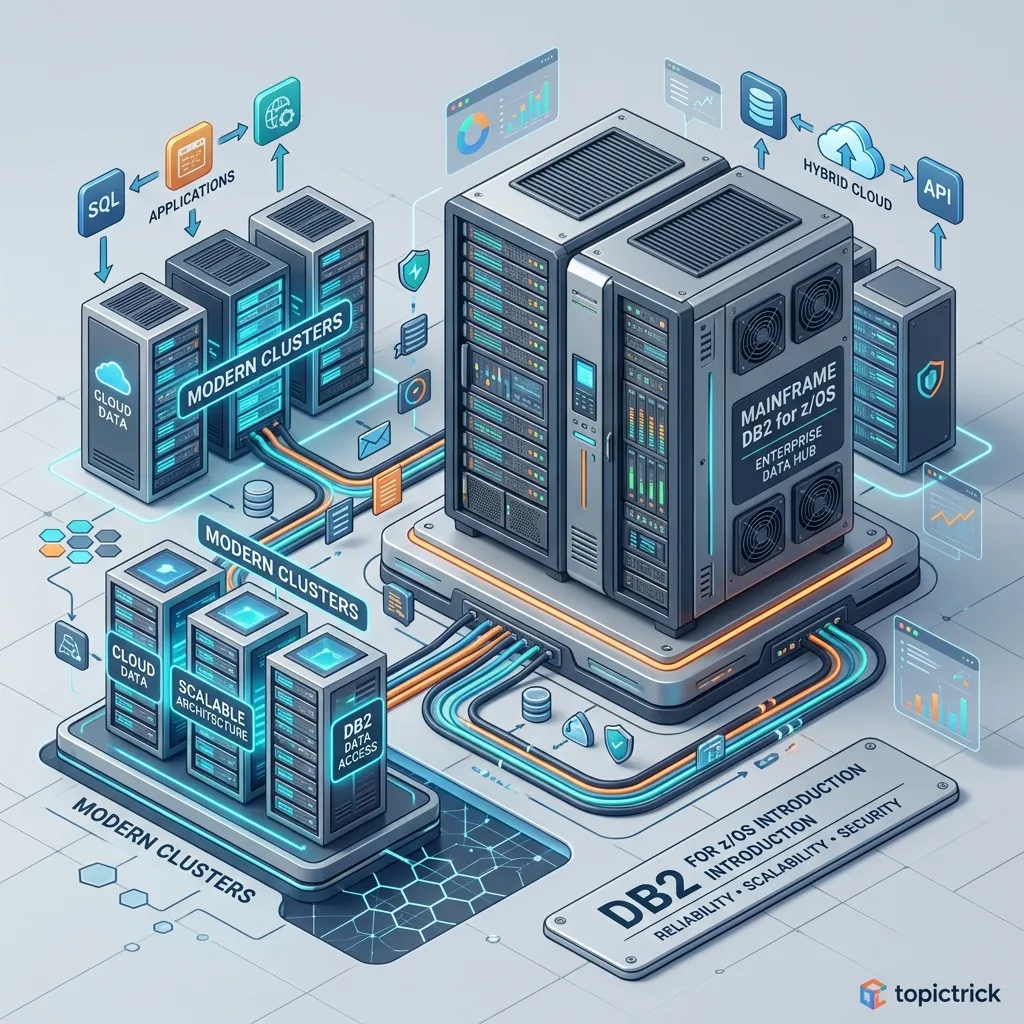
DB2 for z/OS: Introduction and Architecture
IBM DB2 for z/OS is the world's most battle-tested enterprise relational database. Running on IBM Z mainframe hardware, it processes a staggering proportion of the world's most critical transactions — banking settlements, insurance claims, airline reservations, and government benefit payments. If you have used an ATM, bought airline tickets, or paid taxes in a developed country, your transaction almost certainly passed through a DB2 for z/OS database.
Understanding DB2 for z/OS is essential for any developer or DBA working in mainframe environments. This guide covers the architecture, key components, and the practical differences from DB2 LUW that you need to know before writing your first DB2 z/OS query.
Why DB2 for z/OS Exists
The IBM Z mainframe is designed for extreme reliability, throughput, and security. It can sustain millions of transactions per second with five-nines (99.999%) availability. DB2 for z/OS is built specifically to exploit these capabilities — it is tightly integrated with the z/OS operating system, the hardware I/O subsystem, and IBM clustering technology (Parallel Sysplex).
DB2 for z/OS is not simply a port of DB2 LUW onto a different platform. The two share ANSI SQL compatibility but differ substantially in architecture, administration, and deployment. Understanding these differences is critical before you start working in a mainframe environment.
The DB2 z/OS Architecture
z/OS LPAR
├── z/OS Operating System
│   ├── JES2/JES3 (Job Entry Subsystem — batch)
│   ├── CICS (Customer Information Control System — OLTP)
│   ├── IMS (Information Management System)
│   └── TSO/ISPF (Time Sharing Option — interactive)
│
└── DB2 Subsystem (e.g., DSN1)
    ├── System Services Address Space (SSAS)
    ├── Database Services Address Space (DBAS)
    ├── Internal Resource Lock Manager (IRLM)
    ├── Distributed Data Facility (DDF) ← TCP/IP access
    ├── Buffer Pools (BP0, BP1, BP8K0, BP16K0, BP32K)
    ├── Catalog (DSNDB06)
    ├── Directory (DSNDB01)
    └── User Databases
        └── Tablespaces → Table Spaces → Pages → Rows
Address Spaces
DB2 for z/OS runs as multiple address spaces (separate memory regions) under z/OS:
System Services Address Space (SSAS): Manages logging, checkpoints, utilities, and connections from non-CICS environments like TSO and batch.
Database Services Address Space (DBAS): The core engine — handles SQL execution, buffer pool management, locking, and data access.
Internal Resource Lock Manager (IRLM): Manages locking across all DB2 address spaces. On Parallel Sysplex, the IRLM coordinates locks across multiple LPARs.
Distributed Data Facility (DDF): Handles DRDA (Distributed Relational Database Architecture) connections from remote clients — Java applications, JDBC, ODBC, and connections from DB2 on other platforms.
Subsystems and SSIDs
A DB2 subsystem is a running instance of DB2 on a single z/OS LPAR. Each subsystem is identified by a four-character subsystem identifier (SSID):
| SSID | Typical Use |
|---|---|
| DSN1 | Development |
| DSN2 | Test / QA |
| DSN3 | UAT |
| DBPP | Production |
Commands are prefixed with the SSID:
-DSN1 DISPLAY DATABASE(*)
-DSN1 START DATABASE(EMPDB)
-DSN1 STOP  DATABASE(EMPDB) MODE(QUIESCE)
These commands are issued from SDSF (System Display and Search Facility) in TSO/ISPF, or included in operator command JCL.
Storage Hierarchy
Understanding how DB2 z/OS stores data is fundamental to everything else:
Database
└── Tablespace (physical storage container)
    └── Data Set (VSAM ESDS on DASD)
        └── Pages (4KB, 8KB, 16KB, or 32KB)
            └── Rows
Databases
A DB2 database is a named group of tablespaces and indexes. It is primarily an administrative grouping — you start and stop access to data at the database level.
-- List databases
SELECT NAME, DBID, STATUS
FROM   SYSIBM.SYSDATABASE
ORDER BY NAME;
Tablespaces
A tablespace is the physical storage unit that holds table data. DB2 z/OS supports several tablespace types:
Simple tablespace: Legacy type, allows multiple tables in one tablespace. Deprecated — avoid for new development.
Segmented tablespace: One or more tables, with segments reserved per table. Better space management than simple.
Partitioned tablespace: The table is split across multiple partitions for parallelism and manageability. Preferred for large tables.
Universal tablespace (PBR): Partition By Range — the modern standard. One table per tablespace, partitioned by a range key. DB2 10+ default.
Universal tablespace (PBG): Partition By Growth — partitions are added automatically as data grows. DB2 10+.
CREATE TABLESPACE EMPTS01
    IN EMPDB
    USING STOGROUP SYSDEFLT
    PRIQTY 720
    SECQTY 720
    FREEPAGE 5
    PCTFREE 10
    LOCKSIZE ROW
    BUFFERPOOL BP0
    CLOSE NO
    COMPRESS YES;
Buffer Pools
Buffer pools are in-memory caches where DB2 holds recently accessed data pages. Reading from memory is thousands of times faster than reading from disk (DASD). DB2 z/OS has named buffer pools, each of which handles a specific page size:
| Buffer Pool | Page Size |
|---|---|
| BP0 | 4 KB (default for most data) |
| BP1–BP9 | 4 KB (additional user-defined pools) |
| BP8K0 | 8 KB |
| BP16K0 | 16 KB |
| BP32K | 32 KB |
Separate buffer pools let DBAs tune memory allocation per workload. LOB (Large Object) data uses separate LOB buffer pools.
-DSN1 DISPLAY BUFFERPOOL(BP0) DETAILThe DB2 Catalog
The catalog is a set of IBM-owned tables in DSNDB06 that store metadata about all database objects. Developers query the catalog constantly:
-- List all tables in a specific database
SELECT CREATOR, NAME, DBNAME, TSNAME
FROM   SYSIBM.SYSTABLES
WHERE  DBNAME = 'EMPDB'
ORDER BY NAME;

-- List columns for a table
SELECT NAME, COLTYPE, LENGTH, NULLS, COLNO
FROM   SYSIBM.SYSCOLUMNS
WHERE  TBNAME   = 'EMPLOYEE'
AND    TBCREATOR = 'EMPSCHM'
ORDER BY COLNO;

-- List indexes on a table
SELECT NAME, CREATOR, UNIQUERULE, CLUSTERING
FROM   SYSIBM.SYSINDEXES
WHERE  TBNAME    = 'EMPLOYEE'
AND    TBCREATOR = 'EMPSCHM';

-- List all stored procedures
SELECT NAME, SCHEMA, LANGUAGE, PARMCOUNT
FROM   SYSIBM.SYSROUTINES
WHERE  ROUTINETYPE = 'P'
ORDER BY NAME;
Connecting to DB2 z/OS
Applications connect to DB2 z/OS in several ways:
Batch COBOL/PL/I: JCL submits a batch job; the DB2 precompiler processes embedded SQL and binds a package/plan.
CICS: Online transaction programs (COBOl or PL/I) issue EXEC CICS and EXEC SQL calls. CICS manages thread allocation to DB2.
TSO/ISPF: Interactive users invoke DB2 Interactive (DB2I) or SPUFI (SQL Processor Using File Input) to execute SQL ad hoc.
JDBC/ODBC (via DDF): Java applications, reporting tools, and remote DB2 LUW instances connect via TCP/IP through the Distributed Data Facility using standard JDBC or ODBC drivers.
DRDA: IBM's Distributed Relational Database Architecture protocol — used for DB2-to-DB2 connections across platforms.
Key Differences from DB2 LUW
| Aspect | DB2 for z/OS | DB2 LUW |
|---|---|---|
| Platform | IBM Z mainframe, z/OS only | Linux, UNIX, Windows |
| Storage | VSAM ESDS datasets | Files in tablespace containers |
| Admin commands | -SSID DISPLAY/START/STOP | db2 CLI commands |
| Catalog schema | SYSIBM | SYSCAT |
| RUNSTATS | JCL utility | db2 RUNSTATS command |
| Backup/Recovery | JCL utilities (COPY, RECOVER) | db2 BACKUP/RESTORE |
| High availability | Parallel Sysplex, Data Sharing | DB2 HADR, pureScale |
| Batch access | JCL with EXEC SQL | N/A (no native batch layer) |
| CICS integration | Native | Not applicable |
| Pricing model | MIPS/MSU based | Server based |
DB2 Data Sharing (Parallel Sysplex)
DB2 Data Sharing is a Parallel Sysplex feature that allows multiple DB2 subsystems (on different LPARs in a Sysplex) to access the same data simultaneously. This provides both horizontal scalability (add more subsystems as load grows) and continuous availability (if one LPAR fails, the others continue serving requests).
Sysplex
├── LPAR1 — DB2 Subsystem DB2A
├── LPAR2 — DB2 Subsystem DB2B
└── LPAR3 — DB2 Subsystem DB2C
    └── All three share the same coupling facility (CF) for lock management
        and the same DASD for data
For large banks, Data Sharing with 8-32 DB2 members processing hundreds of thousands of transactions per second is common.
Practical: Your First DB2 z/OS Query via SPUFI
SPUFI (SQL Processor Using File Input) is the standard TSO/ISPF tool for executing SQL interactively on z/OS. To run a query:
- Open ISPF → DB2 Interactive (DB2I) → SPUFI
- Enter your SQL in a PDS member or sequential dataset
- Set CHANGE DEFAULTS to adjust output options
- Press ENTER to execute
A basic query in the SPUFI input dataset:
SELECT EMPNO, FIRSTNME, LASTNAME, SALARY
FROM   EMPSCHM.EMPLOYEE
WHERE  WORKDEPT = 'A00'
ORDER BY SALARY DESC;
SPUFI writes the result to a SYSOUT dataset that you can browse in ISPF.
Next Steps
Now that you understand the DB2 z/OS landscape, the next step is mastering JCL utilities — the batch programs that perform RUNSTATS, REORG, COPY, and RECOVER operations on DB2 data. See DB2 JCL Utilities Guide. For the full learning path, visit the DB2 Mastery course hub.
Frequently Asked Questions
Q: What makes DB2 for z/OS different from DB2 on Linux/Unix/Windows (LUW)? DB2 for z/OS is a separate product line optimised for IBM Z mainframe hardware — it exploits z/OS's 64-bit addressing, hardware cryptography, parallel sysplex clustering, and the SAF security framework. DB2 LUW is designed for distributed systems and cloud. While both speak SQL, they differ in system utilities (REORG, RUNSTATS, COPY vs. db2look/db2move), monitoring tools, and many configuration parameters. Code written for one platform often requires adaptation for the other.
Q: What industries and use cases rely on DB2 for z/OS? DB2 for z/OS is prevalent in banking, insurance, retail, healthcare, and government agencies that require extreme reliability, throughput, and data integrity for mission-critical workloads. It processes trillions of transactions daily in systems like ATM networks, core banking platforms, insurance claim processing, and airline reservation systems where downtime is not an option.
Q: What SQL dialect does DB2 for z/OS use?
DB2 for z/OS implements a superset of standard SQL (SQL-92, SQL:1999, and later standards). It supports ANSI SQL joins, subqueries, CTEs, window functions, and XML/JSON extensions. Mainframe-specific extensions include special registers (CURRENT DATE, CURRENT SQLID), catalog tables in the SYSIBM schema, and utilities triggered via JCL rather than interactive commands.