
DB2 Indexes: Types, CREATE INDEX & Design (2026)
Unique, composite, and clustering index types, CREATE INDEX syntax, and how indexes affect INSERT and UPDATE performance. DB2 SQL examples. 2026.
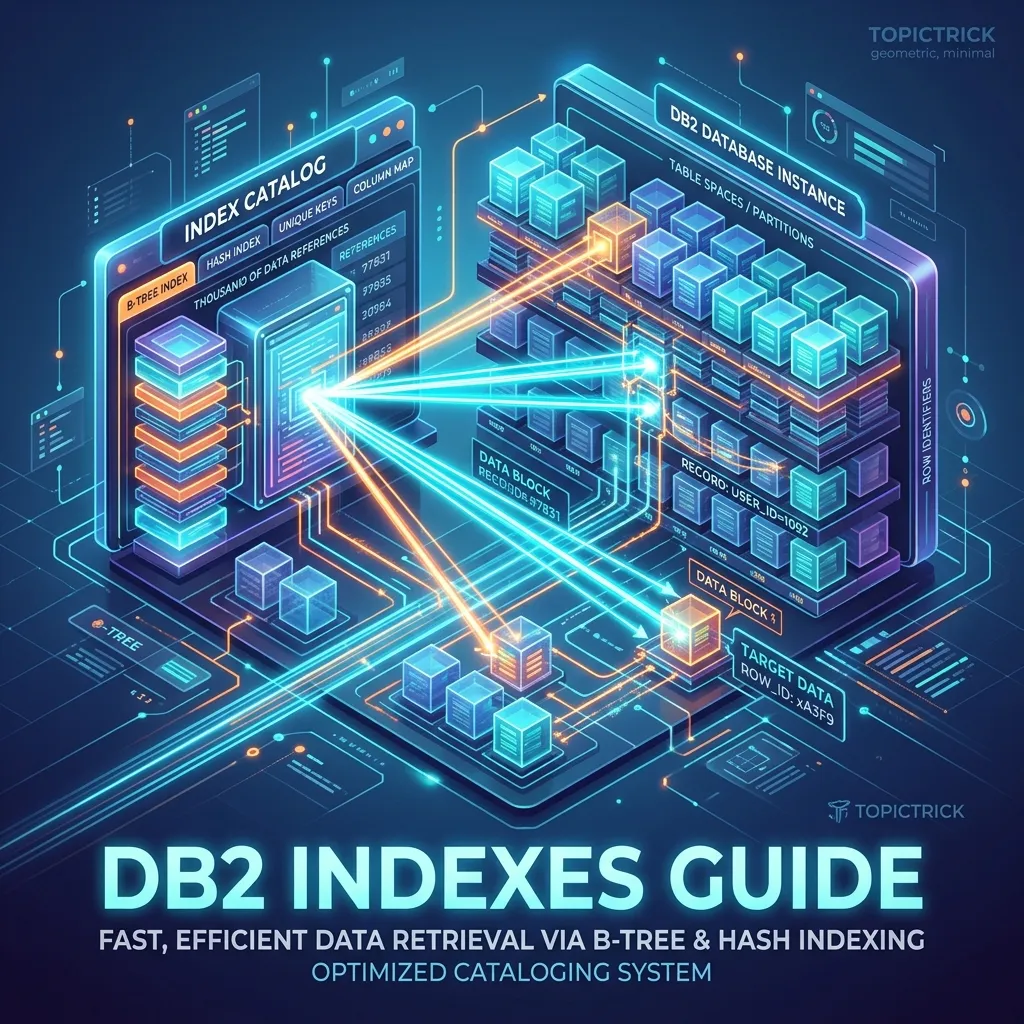
DB2 Indexes: Complete Guide to Types, Design, and Optimization
An index is a separately maintained data structure that provides fast access to table rows based on the values of one or more columns. Without indexes, DB2 must scan every page of a tablespace to find qualifying rows — which works fine for small tables but becomes catastrophically slow as data volumes grow. Good index design is one of the highest-impact performance activities available to DB2 developers and DBAs.
How DB2 Indexes Work
DB2 indexes are B-tree (balanced tree) structures. Each leaf page in the B-tree contains index key values and the corresponding Row IDs (RIDs) — pointers to the actual data pages containing the full rows.
When DB2 uses an index to satisfy a query:
- It traverses the B-tree from root to leaf to find the matching key value(s)
- It reads the RIDs from the leaf pages
- It uses the RIDs to fetch the actual data pages (data page access)
- It returns the qualifying rows
If all columns needed by the query are present in the index (index-only access), step 3 is skipped entirely — this is the fastest possible access path.
Basic CREATE INDEX Syntax
-- Simple single-column index
CREATE INDEX EMP_DEPT_IDX ON EMPLOYEE (WORKDEPT);

-- With explicit ordering
CREATE INDEX EMP_SAL_IDX ON EMPLOYEE (SALARY DESC);

-- Unique index (also enforces uniqueness constraint)
CREATE UNIQUE INDEX EMP_PHONE_IDX ON EMPLOYEE (PHONENO);

-- Drop an index
DROP INDEX EMP_DEPT_IDX;
Composite Indexes (Multi-Column)
A composite index has two or more key columns. The order of columns is critical:
CREATE INDEX EMP_DEPT_JOB_IDX ON EMPLOYEE (WORKDEPT, JOB, SALARY DESC);This index is most useful when queries filter on WORKDEPT first. The optimizer can use the index for:
- Predicates on WORKDEPT alone (MATCHCOLS = 1)
- Predicates on WORKDEPT + JOB (MATCHCOLS = 2)
- Predicates on WORKDEPT + JOB + SALARY (MATCHCOLS = 3)
It is NOT useful for queries that filter only on JOB or only on SALARY without also filtering on WORKDEPT — the leading column must be present.
Column Ordering Rules for Composite Indexes
- Put equality predicate columns first (
WHERE dept = 'A00') - Put range predicate columns after equality columns (
WHERE salary BETWEEN 50000 AND 80000) - Put ORDER BY columns last if they match the filter columns
-- Query: WHERE workdept = 'A00' AND salary > 60000 ORDER BY salary DESC
-- Optimal composite index:
CREATE INDEX EMP_OPT_IDX ON EMPLOYEE (WORKDEPT, SALARY DESC);
Clustering Index
The clustering index defines the physical row storage order. On DB2 for z/OS, only one clustering index is allowed per tablespace. On DB2 LUW, clustering is achieved through CLUSTER keyword or by loading/reorganising in index key order.
-- z/OS: mark the index as the clustering index
CREATE INDEX EMP_CLUSTER_IDX ON EMPLOYEE (WORKDEPT, HIREDATE)
    CLUSTER;

-- LUW: clustering is specified during index creation
CREATE INDEX EMP_DEPT_IDX ON EMPLOYEE (WORKDEPT)
    CLUSTER;
Why clustering matters: When rows are stored in WORKDEPT order, a query for all employees in department A00 can use sequential prefetch — DB2 reads a long consecutive run of pages in one I/O operation. Without clustering, rows for A00 are scattered across the tablespace and DB2 must perform random I/O to fetch each one.
After significant updates, run REORG to restore clustering:
//SYSIN DD *
  REORG TABLESPACE EMPDB.EMPTS01
    SHRLEVEL CHANGE
/*
Unique Indexes
A unique index enforces that no two rows can have the same combination of key column values:
-- Enforce uniqueness on employee number
CREATE UNIQUE INDEX EMP_PK_IDX ON EMPLOYEE (EMPNO);

-- Composite unique constraint
CREATE UNIQUE INDEX EMP_DEPT_PHONE ON EMPLOYEE (WORKDEPT, PHONENO);
DB2 creates unique indexes automatically when you define PRIMARY KEY or UNIQUE constraints:
ALTER TABLE EMPLOYEE ADD CONSTRAINT PK_EMPLOYEE PRIMARY KEY (EMPNO);
-- DB2 implicitly creates a unique index on EMPNO
Include Columns (Covering Indexes)
Include columns (non-key columns stored in the index leaf pages) enable index-only access for queries that need more than just the key columns:
-- Index for the query: SELECT LASTNAME, SALARY FROM EMPLOYEE WHERE WORKDEPT = 'A00'
-- Without INCLUDE: needs index access + data page fetch
-- With INCLUDE: index-only access (no data page needed)
CREATE INDEX EMP_DEPT_COVER_IDX ON EMPLOYEE (WORKDEPT)
    INCLUDE (LASTNAME, SALARY);
The INCLUDE columns do not affect the key ordering — they are just stored alongside the key for retrieval. They add to index size but can eliminate data page reads entirely for the right queries.
Partitioned Indexes (DB2 z/OS)
On DB2 z/OS with partitioned tablespaces, indexes can be:
Partitioned (Data-Partitioned Secondary Index — DPSI): The index is partitioned in the same way as the tablespace. Each partition of the index covers the corresponding partition of the data.
Non-partitioning index (NPI): A single unpartitioned index that spans all tablespace partitions. Provides global uniqueness but can be a contention point.
-- Partitioning index for a range-partitioned tablespace
CREATE INDEX EMP_DATE_IDX ON EMPLOYEE (HIREDATE)
    PARTITION BY RANGE
    (PARTITION 1 ENDING AT ('1990-12-31'),
     PARTITION 2 ENDING AT ('2000-12-31'),
     PARTITION 3 ENDING AT ('2010-12-31'),
     PARTITION 4 ENDING AT ('2026-12-31'));
Index Design Principles
Index the columns in your WHERE clauses
Identify the most frequently executed queries. For each, identify the filtering columns and create indexes that cover those columns with appropriate ordering.
Avoid over-indexing
Every index on a table adds overhead to INSERT, UPDATE (when indexed columns change), and DELETE. A table receiving 10,000 inserts per second with 10 indexes pays 10x the index maintenance cost. For high-write tables, keep indexes to a minimum.
Use EXPLAIN to verify index use
After creating an index, always EXPLAIN the target queries to verify DB2 is using the new index and check MATCHCOLS to confirm the depth of index match.
Run RUNSTATS after creating indexes
New indexes have no statistics until RUNSTATS is run. The optimizer cannot properly evaluate the index cost without statistics.
//SYSIN DD *
  RUNSTATS INDEX(EMPSCHM.EMP_DEPT_IDX)
    KEYCARD
    SHRLEVEL CHANGE
/*
Monitor index effectiveness
Check the SYSCAT.INDEXES (DB2 LUW) or SYSIBM.SYSINDEXES (z/OS) catalog tables for index usage statistics. Indexes that are never used by the optimizer waste space and add DML overhead — drop them.
When NOT to Use an Index
Indexes are not always beneficial. Avoid them in these situations:
Small tables: If a table has fewer than ~1,000 rows, a tablespace scan is often faster than an index lookup because the entire table fits in a few buffer pool pages.
Low-selectivity predicates: A query that returns 50% of a table's rows should use a tablespace scan. The cost of reading the index and then fetching random data pages for 50% of rows exceeds the cost of a sequential scan.
Write-heavy tables: Log tables, staging tables, and queue tables that receive continuous high-volume inserts should have minimal indexes.
Viewing Index Information
-- DB2 LUW: list indexes on a table
SELECT INDNAME, COLNAMES, UNIQUERULE, CLUSTERING, NLEAF, NLEVELS
FROM   SYSCAT.INDEXES
WHERE  TABNAME = 'EMPLOYEE';

-- DB2 z/OS: list indexes on a table
SELECT NAME, CREATOR, UNIQUERULE, CLUSTERING, NLEAF, NLEVELS
FROM   SYSIBM.SYSINDEXES
WHERE  TBNAME    = 'EMPLOYEE'
AND    TBCREATOR = 'EMPSCHM';

-- Check if indexes need reorganisation (z/OS)
SELECT NAME, LEAFDIST, CLUSTERRATIO
FROM   SYSIBM.SYSINDEXES
WHERE  TBNAME = 'EMPLOYEE';
LEAFDIST > 50 or CLUSTERRATIO < 80% are signals that REORG INDEX is needed.
Next Steps
With indexes designed and in place, locking and concurrency become the next performance concern — particularly for high-volume OLTP systems. Read the DB2 Locking and Concurrency guide to understand how DB2 manages concurrent access. For the full learning path, visit the DB2 Mastery course hub.
Frequently Asked Questions
Q: What types of indexes does DB2 for z/OS support? DB2 z/OS supports unique and non-unique indexes, clustered indexes (which physically order table space data), partitioned indexes aligned to table space partitions, and data-partitioned secondary indexes (DPSIs). There are also XML indexes for querying XML columns. Each index is stored as a separate VSAM KSDS, and the query optimiser chooses which to use based on statistics gathered by RUNSTATS.
Q: How does a clustering index affect performance in DB2? A clustering index controls the physical order of rows in the table space — pages with logically adjacent key values are stored close together on disk. This dramatically improves range scans and partial-key lookups by reducing the number of random I/Os. Only one clustering index is possible per table space. Over time, inserts can cause clustering to deteriorate; REORG restores physical order.
Q: When should you run RUNSTATS and REORG on a DB2 index? Run RUNSTATS whenever the data distribution changes significantly (large batch loads, mass deletes) so the optimiser has accurate statistics. Run REORG when the CLUSTERRATIO drops below acceptable thresholds (typically below 80%) or when NEAR_INDREF and FAR_INDREF counts grow large, indicating excessive non-clustered access. Both are typically scheduled as regular maintenance jobs in production environments.