
Git Branching Strategies: GitFlow vs. Trunk-Based
Master high-velocity development. Learn the difference between GitFlow, GitHub Flow, and Trunk-Based Development, and choose the right strategy for your team.
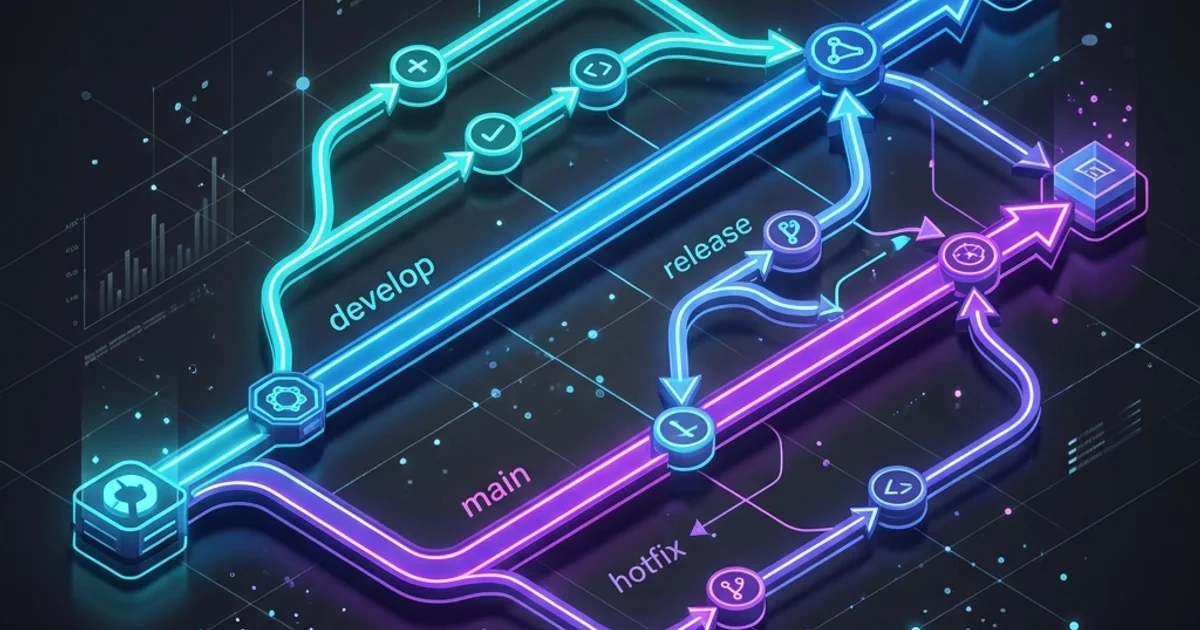
Git Branching Strategies: GitFlow vs. Trunk-Based
1. What is a Branch? (The Pointer Model)
In Git, a "Branch" is not a copy of your files. It is a tiny $40$-byte Pointer to a specific commit.
- Main/Master: The stable version that users see.
- Feature Branch: A temporary branch where you write new code. When you finish your feature, you Merge the pointer back into the main branch.
2. Strategy 1: GitFlow (The Enterprise Standard)
Created for large teams with slow, scheduled releases.
- Complexity: High. Use separate branches for
Main,Develop,Feature,Release, andHotfix. - Pros: Extreme safety. Every line of code is reviewed multiple times before reaching production.
- Cons: Slow. It can take weeks to merge a simple change.
3. Strategy 2: Trunk-Based Development (The High-Velocity Model)
Used by Google, Facebook, and modern startups.
- Philosophy: Everyone works on the
mainbranch (The Trunk). Branches are tiny and only last 1-2 days. - Pros: Extremely fast. Zero "Merge Hell."
- Cons: Requires very high Automated Testing (Module 282). If you push bad code, the whole site goes down instantly.
4. Strategy 3: GitHub Flow (The 2026 Practical Choice)
A middle ground between the two.
- Branch: Create a branch from
main. - Commit: Write your code.
- Pull Request: Ask for review (Module 276).
- Merge: Once approved, merge back to
mainand delete the branch. This is the Recommended Strategy for most TopicTrick students.
Frequently Asked Questions
What is a 'Merge Conflict'? This happens when two people change the same line of the same file in different branches. Git doesn't know who is right, so it stops and asks you to choose. (Don't panic! We cover this in Module 275).
Should I delete branches after merging? YES. A repo with 1,000 dead branches is a management nightmare. GitHub even has a setting to "Automatically delete head branches" after a PR is merged. Always keep your workspace clean.
Key Takeaway
Your branching strategy is the "Speed Limit" of your engineering team. By choosing GitHub Flow or Trunk-Based development, you prioritize speed and feedback. By using GitFlow, you prioritize safety and compliance. Choose the one that matches your company's culture and the complexity of your release cycle.
Read next: Mastering the Pull Request: Professional Code Review ->
Part of the GitHub Mastery Course - engineering the velocity.