
GitHub Issues and Projects: Agile Management
Master the task. Learn how to use GitHub Issues for bug tracking, Milestones for deadlines, and GitHub Projects for powerful Kanban-style automation.
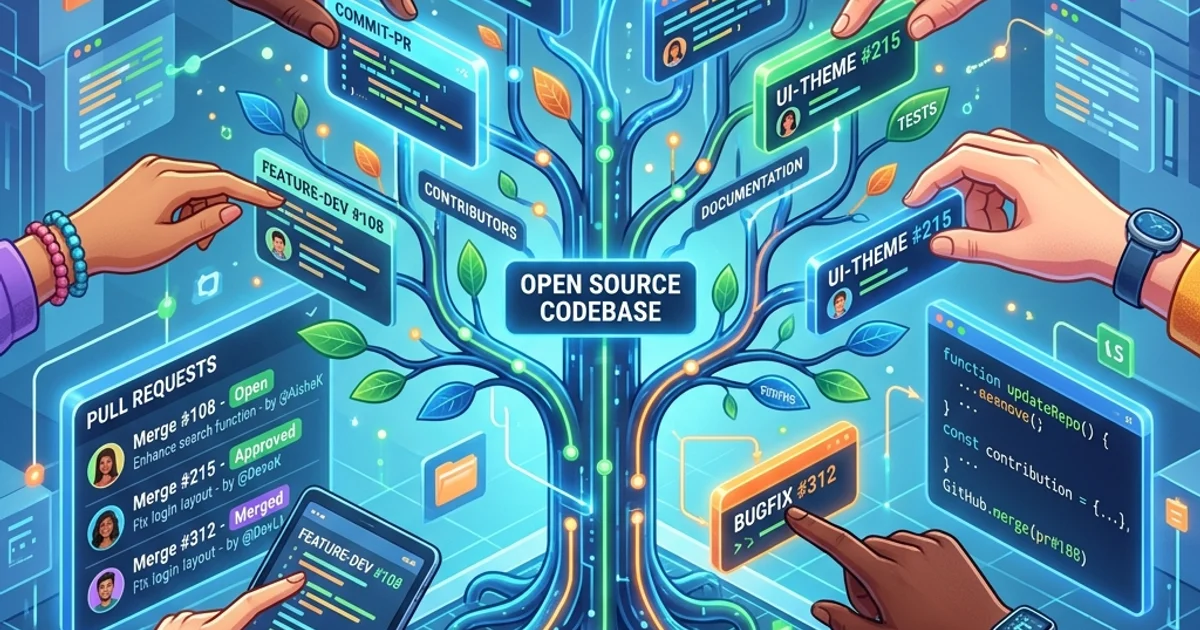
GitHub Issues and Projects: Agile Management
GitHub Issues and Projects give development teams a fully integrated project management system that lives alongside the code. Unlike external tools (Jira, Trello, Asana), GitHub Projects updates automatically when pull requests are merged, issues are closed, and labels are changed - no manual status updates required.
This guide covers the full Issues workflow with templates and labels, Milestones for release planning, GitHub Projects (the new board experience), automation rules, custom fields, and the patterns engineering teams use to run effective agile sprints.
GitHub Issues: Beyond Bug Tracking
An Issue represents any unit of work: a bug, a feature request, a technical debt item, a documentation task, or a question. Every issue has a number, an assignee, labels, milestone, linked pull requests, and a full comment thread.
Creating Effective Issues
A useful issue contains four elements:
Title: [Bug] Login form submits with empty email on Safari 17
(Prefix with type, be specific about the symptom)

Description:
**Behaviour**: Clicking Submit with an empty email field does not show a
validation error on Safari 17.0. The form submits and returns a 422 from the API.

**Expected**: The browser-native validation should prevent submission.

**Steps to reproduce**:
1. Open the login page on Safari 17.0 macOS Ventura
2. Leave the email field empty
3. Enter any password
4. Click Submit

**Environment**:
- Browser: Safari 17.0
- OS: macOS 14.1
- App version: 2.4.1

**Additional context**: Works correctly on Chrome 124 and Firefox 125.
Issue Labels
Labels are searchable, filterable metadata. Define a consistent label taxonomy:
Type labels:
  bug          - Something is broken
  enhancement  - New feature or improvement
  question     - Discussion or help request
  chore        - Non-user-facing maintenance

Priority labels:
  priority: critical   - Blocks users from core functionality
  priority: high       - Degrades user experience significantly
  priority: medium     - Normal priority
  priority: low        - Nice to have

Status labels:
  status: blocked      - Cannot progress without external dependency
  status: needs-info   - Waiting for more information from reporter
  status: in-progress  - Being actively worked on

Audience labels:
  good first issue     - Low complexity, good for new contributors
  help wanted          - Open for community contributions
Create these labels in: Repository -> Issues -> Labels -> New label (or via CLI):
# Create labels via GitHub CLI
gh label create "priority: critical" --color "D93F0B" --description "Blocks users from core functionality"
gh label create "priority: high" --color "E4E669" --description "Significant UX degradation"
gh label create "good first issue" --color "7057FF" --description "Good for newcomers"
Issue Templates
Templates enforce completeness. Without them, users submit "it doesn't work" with no reproduction steps.
# .github/ISSUE_TEMPLATE/bug_report.yml
name: Bug Report
description: Report a bug or unexpected behaviour
labels: ["bug", "status: needs-info"]
assignees: []

body:
  - type: markdown
    attributes:
      value: "Thanks for reporting a bug. Please fill in all sections."

  - type: textarea
    id: description
    attributes:
      label: What happened?
      description: A clear description of the bug
    validations:
      required: true

  - type: textarea
    id: steps
    attributes:
      label: Steps to reproduce
      placeholder: |
        1. Go to...
        2. Click on...
        3. See error
    validations:
      required: true

  - type: textarea
    id: expected
    attributes:
      label: Expected behaviour
    validations:
      required: true

  - type: dropdown
    id: severity
    attributes:
      label: Severity
      options:
        - Critical (blocks all users)
        - High (blocks some users)
        - Medium (workaround exists)
        - Low (cosmetic only)
    validations:
      required: true

  - type: input
    id: version
    attributes:
      label: App version
      placeholder: "2.4.1"
    validations:
required: true# .github/ISSUE_TEMPLATE/feature_request.yml
name: Feature Request
description: Propose a new feature or enhancement
labels: ["enhancement"]
body:
- type: textarea
id: problem
attributes:
label: What problem does this solve?
description: Describe the user problem, not the solution
validations:
required: true
- type: textarea
id: solution
attributes:
label: Proposed solution
validations:
required: true
- type: textarea
id: alternatives
attributes:
label: Alternatives considered
description: What other solutions did you consider?Milestones: Release Planning
A milestone groups issues and pull requests that must be complete before a release. It shows a progress bar: issues closed vs. total.
Creating a milestone
# Via GitHub CLI
gh api repos/my-org/my-repo/milestones \
  --method POST \
  --field title="v2.5.0" \
  --field description="Payment redesign and mobile performance improvements" \
  --field due_on="2026-06-01T00:00:00Z"
Sprint planning with milestones
Sprint 23 (2026-05-05 -> 2026-05-16)
+-- Bug: Login Safari validation (3 points)
+-- Feature: Dark mode toggle (5 points)
+-- Chore: Upgrade Node.js to 22 (2 points)
+-- Bug: PDF export encoding (2 points)
+--- Feature: Export to CSV (8 points)
                    Progress: 7/20 points (35%)
Filter by milestone in the issues list to see exactly what is left. The due date shows how many days remain. Milestones do not replace your detailed capacity planning, but they give every team member instant context: "Is this in the current sprint?"
GitHub Projects: The New Board
GitHub Projects (v2) is a spreadsheet-meets-Kanban board with custom fields, filtering, grouping, and workflow automation.
Creating a project
- Navigate to your organisation or repository
- Click Projects -> New project
- Choose a template: Board (Kanban), Table (spreadsheet), or Roadmap (timeline)
Custom fields
Add custom fields to issues beyond the defaults:
Field name: Story Points     Type: Number
Field name: Team             Type: Single select (Frontend, Backend, Platform, QA)
Field name: Quarter          Type: Single select (Q1, Q2, Q3, Q4)
Field name: Start Date       Type: Date
Field name: Due Date         Type: Date
Custom fields are visible in the board and filterable - you can create views that show only Backend team issues, or only Q2 items.
Workflow automation
Automate status transitions so developers never have to manually move cards:
Built-in automations (Settings -> Workflows):
- When an issue is created -> set Status to Todo
- When a PR is merged -> set Status to Done
- When an issue is closed -> set Status to Done
- When an issue is reopened -> set Status to In Progress
Custom automation via GitHub Actions:
# .github/workflows/project-automation.yml
name: Project Automation

on:
  pull_request:
    types: [opened, converted_to_draft, ready_for_review]

jobs:
  update-project:
    runs-on: ubuntu-latest
    steps:
      - uses: actions/github-script@v7
        with:
          github-token: ${{ secrets.PROJECT_AUTOMATION_TOKEN }}
          script: |
            const prNumber = context.payload.pull_request.number;
            const status = context.payload.action === 'opened' ||
                           context.payload.action === 'ready_for_review'
                           ? 'In Review'
                           : 'In Progress';

            // Find linked issues and update their project status
            const linkedIssues = await github.rest.issues.listEventsForTimeline({
              owner: context.repo.owner,
              repo: context.repo.repo,
              issue_number: prNumber
            });

            console.log(`Setting status "${status}" for PR #${prNumber}`);
Project views
Create multiple saved views for different purposes:
| View | Purpose | Filter/Group |
|---|---|---|
| Sprint board | Current sprint Kanban | Milestone = current sprint, Group by Status |
| Backlog | Prioritised queue | No milestone, Sort by priority |
| My work | Personal task list | Assignee = @me |
| Blocked items | Items needing attention | Label = status:blocked |
| Release tracker | Items for next release | Milestone = v2.5.0 |
Linking Issues and Pull Requests
Closing keywords in PR descriptions or commit messages automatically close the linked issue when the PR is merged:
# In a PR description or commit message
Fixes #123
Closes #456
Resolves #789

# Multiple issues
Closes #123, closes #456
When the PR merges to the default branch, GitHub automatically:
- Closes the referenced issues
- Moves them to Done in any linked project
- Adds a "Closed by PR #X" reference to each issue
Querying Issues with GitHub CLI
The gh CLI provides powerful issue querying for automation and reporting:
# List open bugs assigned to the current user
gh issue list --label bug --assignee @me --state open

# List all critical issues across the organisation
gh issue list \
  --repo my-org/api-service \
  --label "priority: critical" \
  --json number,title,assignees,createdAt

# Find issues not updated in 30+ days (stale issues)
gh issue list \
  --state open \
  --json number,title,updatedAt \
  | jq '[.[] | select(.updatedAt < (now - 2592000 | todate))]'

# Create an issue from a template
gh issue create \
  --title "API returns 500 on /users endpoint" \
  --body-file ./templates/bug-report.md \
  --label "bug,priority: high" \
  --assignee alice
Agile Sprint Workflow
A complete sprint workflow using GitHub Issues and Projects:
Sprint Planning (Monday morning):
1. Create milestone "Sprint 24" with end date
2. Review backlog issues, assign points via custom field
3. Add selected issues to the sprint milestone
4. Assign each issue to a developer
5. Set all sprint issues to "Todo" status in project

During Sprint:
- Developer picks an issue -> moves to "In Progress"
- Developer opens a PR linking the issue -> moves to "In Review"
- PR is reviewed and merged -> issue automatically closes and moves to "Done"

Sprint Review (Friday afternoon):
- Filter project by milestone = Sprint 24
- Velocity: count closed story points
- Carryover: move unclosed issues to Sprint 25 milestone

Retrospective actions:
- "Blocked" items -> create chore issues for removing blockers
- Recurring bug type -> create label and template for it
Frequently Asked Questions
Q: Should I use GitHub Projects or Jira?
GitHub Projects is the right choice for most engineering teams: it is free, deeply integrated with the code (auto-close issues on merge, link PRs to issues), and keeps project management in the same context as the work. Jira is better when non-technical stakeholders need complex reporting, custom dashboards, or deep integration with other Atlassian tools (Confluence, Bitbucket, ServiceDesk). If your team is primarily engineers and you are already using GitHub for code, GitHub Projects eliminates the context switch.
Q: How do I prevent issues from being filed without using templates?
Add a config.yml to your issue template folder to disable blank issue creation and redirect users:
# .github/ISSUE_TEMPLATE/config.yml
blank_issues_enabled: false
contact_links:
  - name: Security vulnerability
    url: https://github.com/my-org/my-repo/security/advisories/new
    about: Report a security issue privately
  - name: Ask a question
    url: https://github.com/my-org/my-repo/discussions
    about: Use Discussions for questions
Q: Can I use GitHub Projects across multiple repositories?
Yes. Organisation-level projects (created from the org page, not a specific repo) can contain issues and pull requests from any repository in the organisation. This is how platform teams track work across 20+ microservice repositories in a single board.
Q: How do I handle recurring tasks like weekly deployments or monthly security reviews?
Create issue templates for recurring tasks and use GitHub Actions to automatically open them on a schedule:
# .github/workflows/recurring-issues.yml
on:
  schedule:
    - cron: '0 9 * * 1'   # Every Monday at 9am

jobs:
  create-sprint-issue:
    runs-on: ubuntu-latest
    steps:
      - uses: actions/github-script@v7
        with:
          script: |
            await github.rest.issues.create({
              owner: context.repo.owner,
              repo: context.repo.repo,
              title: `Weekly deployment checklist - ${new Date().toISOString().slice(0, 10)}`,
              labels: ['chore'],
              body: '- [ ] Check Dependabot alerts\n- [ ] Review error rates\n- [ ] Deploy to staging\n- [ ] Smoke test\n- [ ] Deploy to production'
            });
Key Takeaway
GitHub Issues and Projects replace the need for an external project management tool by keeping task tracking in the same place as the code. Issue templates enforce quality by requiring reproduction steps for bugs and context for features. Labels and milestones provide filtering and release grouping. GitHub Projects automations eliminate manual status updates - issues move through the board automatically as pull requests are opened and merged. For most engineering teams, this integrated workflow eliminates tool-switching overhead and keeps the team's attention in one place.
Read next: GitHub Wiki and Discussions: Building a Community ->
Part of the GitHub Mastery Course - engineering the task.