
Go Modules vs Packages: go.mod File Explained (2026)
One package is a folder of .go files sharing a declaration. One module is a versioned group of packages defined by go.mod. Import cycles too. 2026.
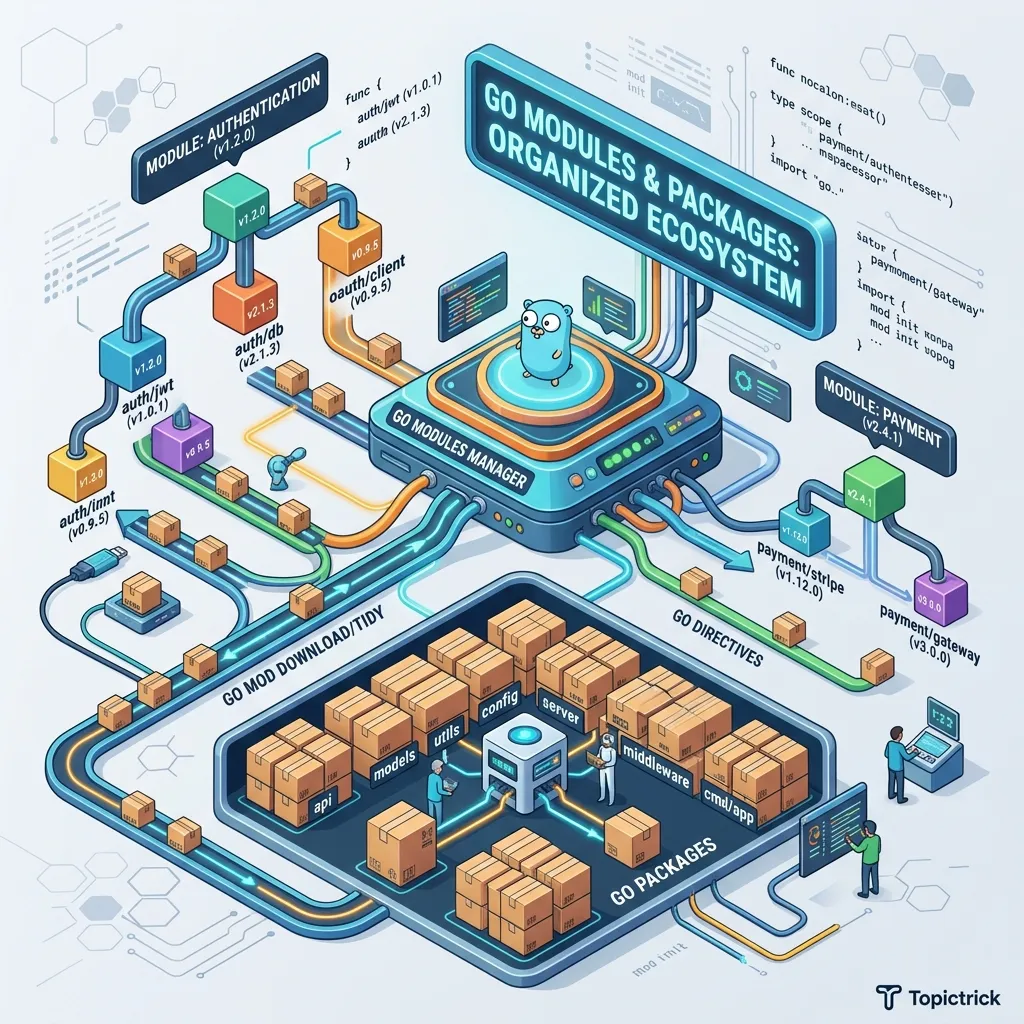
Go Modules and Packages: Organizing Your Code
As your application grows beyond a single main.go file, organization becomes critical. In Go, code is organized into Packages, and a collection of packages is managed as a Module.
What Are Go Modules and Packages?
A Go package is a directory of .go files that share the same package declaration. A Go module is a collection of packages versioned together, defined by a go.mod file at the project root. The module system, introduced in Go 1.11, replaced the old GOPATH workflow and enables reproducible, versioned builds for any project.
The go.mod file is the heart of your Go project. It defines the module's path (its identity) and lists all the specific versions of dependencies your project needs to build successfully. It replaces the old GOPATH system and makes dependency management reliable.
1. The Package Mirror: Visibility and Compiled Symbols
In Go, "Exporting" a function is not a keyword-it is a Naming Convention that maps directly to the binary's symbol table.
The Visibility Physics
- The Case Mirror: If a function/variable starts with an Uppercase letter, it is "Exported."
- The Global Symbol Table: When the Go compiler builds your binary, it includes the names of all exported functions in the binary's public symbol table. Unexported (lowercase) names are stripped or kept internal.
- The Architecture: This forces you to be deliberate about your Public API. You are literally deciding which parts of your logic will be visible as entry points for the CPU's execution flow.
2. The Building Block: Packages
Every file in Go belongs to a package. All files in the same directory must belong to the same package. By convention, the package name matches the directory name.
Visibility (Exported vs. Unexported)
Go has a unique, simple rule for visibility:
- Capitalized names (e.g.,
GetUser) are Exported (public) and can be accessed from other packages. - Lowercase names (e.g.,
validateUser) are Unexported (private) and are only visible inside their own package.
// In package "auth" (auth/auth.go)
package auth

// Exported - Visible to others
func Login(user string) { ... }

// Unexported - Private to auth package
func hashPassword(pw string) { ... }
Managing Modules with go mod
To start a new project in Go, you must initialize a module. This creates the go.mod file.
# Initialize a new module
go mod init github.com/yourusername/myproject

# Add an external dependency (e.g., the Gin web framework)
go get github.com/gin-gonic/gin

# Clean up unused dependencies
go mod tidy
Recommended Project Structure
While Go doesn't enforce a rigid directory structure, the community has settled on a "Standard Layout" for most professional projects.
Standard Directory Layout
Import Cycles: The Golden Rule
Go strictly forbids circular dependencies. If Package A imports Package B, and Package B imports Package A, the code will not compile. This forces you to design a clear, unidirectional flow of data through your application, typically leading to a much better architecture.
| Task / Feature | Internal Packages | External Modules |
|---|---|---|
| No comparison data available | ||
4. The Dependency Mirror: Reproducibility Physics
Go's module system is designed for one thing: Deterministic Reproducibility.
The Module Physics
go.modStability: Unlike other package managers that use "Ranges" (e.g.,^1.2.0), Go uses Minimum Version Selection (MVS). It selects the exact minimum version required to make the graph build.- The Checksum Mirror: The
go.sumfile acts as a mirror of the data's integrity. If someone modifies a remote GitHub repository after you've used it, yourgo.sumhash will fail, preventing a "Silent Infection" of your supply chain. - Zero-Trust Networking: Go doesn't trust the network. It only trusts the hash.
5. The go.sum File and Security
When you run go get, Go also creates (or updates) a go.sum file. This file records the cryptographic hash of every dependency download. It acts as a tamper-detection mechanism - if a dependency's content ever changes on the proxy (malicious or accidental), Go will refuse to build until the mismatch is resolved.
Always commit both go.mod and go.sum to version control.
Workspace Mode (Go 1.18+)
Go workspaces allow you to develop and test multiple local modules simultaneously without changing each module's go.mod to use replace directives.
# Initialize a workspace containing two local modules
go work init ./service-a ./service-b
This creates a go.work file at the root, letting both modules reference each other during local development while keeping their go.mod files unchanged for production builds. See the official Go modules reference for the complete workspace specification.
Aliasing Imports
When two imported packages share the same name, or when a package name is ambiguous, you can alias the import:
import (
    "fmt"
    crand "crypto/rand"   // alias to disambiguate from math/rand
    mrand "math/rand"
)
Clear aliasing improves readability and avoids silent shadowing bugs, especially in large codebases with many third-party dependencies.
Replacing Dependencies Locally
During debugging or when contributing to an open-source library, you can redirect a dependency to a local copy using a replace directive in go.mod:
replace github.com/some/library => ../local-forkRemove the directive before committing to avoid breaking CI pipelines that do not have the local path available.
Version Selection: Minimum Version Selection (MVS)
Go's dependency resolver uses Minimum Version Selection (MVS) instead of semantic version range resolution. This means Go always picks the minimum version that satisfies all module requirements - resulting in reproducible builds without a lock file beyond go.sum. This design is explained in detail in the Go team's module blog series.
Internal linking is also important: the Go installation and setup guide covers bootstrapping your first module from scratch, and Go variables, types, and constants explains the language basics you will organize inside these packages.
Phase 10: Ecosystem & Organization Mastery Checklist
- Verify Module Identity: Ensure your
go.modpath matches your repository URL to avoid symbol resolution conflicts in the global Go proxy. - Audit Export Surfaces: Identify Every public function in your packages and confirm that internal details are kept lowercase (unexported).
- Implement Dependency Hygiene: Run
go mod tidybefore Every commit to ensure your dependency mirror is purged of unused artifacts. - Test Import Unidirectionality: Confirm that you have zero circular imports by visualizing your package graph with
go mod graph. - Use "Internal" Boundaries: Place sensitive logic inside
/internaldirectories to prevent external packages from importing stable but private abstractions.
Read next: Go Standard Library: The Built-in Mirror ->
Common Mistakes and How to Avoid Them
Mastering Go modules comes with a learning curve. These five pitfalls trip up developers at every experience level.
1. Committing code without running go mod tidy. The go.mod file can drift out of sync with your import statements when you add or remove packages manually. Running go mod tidy before every commit keeps go.mod and go.sum accurate, prevents CI failures, and removes unused indirect dependencies that bloat your build graph.
2. Using replace directives in shared code. A replace directive in go.mod overrides a dependency with a local path. This is useful for debugging, but if you commit it, every developer who clones the repository breaks their build because the local path does not exist on their machine. Always remove replace directives before opening a pull request.
3. Ignoring import cycles until it is too late. Import cycles are a compiler error in Go, but they are a symptom of a design problem - package A and package B are too tightly coupled. The fix is to extract the shared types into a third package (often named models or domain) that both A and B can import without creating a cycle. Design your package boundaries early.
4. Naming packages after their parent directory inconsistently. By convention the package name in the package declaration must match the directory name. Exceptions (package main in cmd/, or package foo_test for external test packages) exist but should be deliberate. Mismatches confuse tooling like gopls and go test. The Go specification on package names is the authoritative reference.
5. Using GOPATH mode on modern Go. The GOPATH workflow is obsolete since Go 1.11. If you set GO111MODULE=off or work outside a module, you lose reproducible builds, versioned dependencies, and the security of go.sum checksums. Always initialize a module with go mod init for any new project.
FAQ
Q: What is the difference between go get and go install?
go get adds or upgrades a package in your current module's go.mod. go install compiles and installs a binary to $GOPATH/bin without modifying go.mod. Use go install for CLI tools you want available globally (e.g., go install golang.org/x/tools/gopls@latest), and go get for adding library dependencies to a project.
Q: Can I use private modules with go get?
Yes. Set GONOSUMCHECK and GONOSUMDB environment variables to bypass the public sum database for your private module path prefix. For fully private registries, configure GOPROXY to point at a self-hosted proxy like Athens. The Go module authentication documentation explains the complete trust model.
Q: How do I avoid vendor lock-in to a single module proxy?
Set GOPROXY=direct to bypass the proxy entirely and download from version control systems directly. For production CI, running go mod download at build time with GONOSUMCHECK pointing at your own sum database gives you full control over the supply chain.
Next Steps
Now that you can organize your own code, it's time to see what tools the Go creators have already provided for you. In our next tutorial, we will take a Deep Dive into the Go Standard Library, exploring the "batteries-included" toolkit that powers modern backend engineering.
Common Mistakes with Go Modules and Packages
1. Mixing package names and directory names
Go requires the package name at the top of a file (package mypackage) to match the directory name. Mismatches cause confusing import errors. By convention, keep them identical and use lowercase, single-word names.
2. Circular imports
Go does not allow package A to import package B if package B also imports package A. Resolve this by extracting the shared types into a third package (often called types or models) that both A and B can import without creating a cycle.
3. Forgetting to run go mod tidy
After adding or removing imports, go mod tidy updates go.sum and removes unused dependencies from go.mod. Skipping this leaves stale entries that can cause version conflicts in CI. See the go mod tidy documentation for details.
4. Using relative imports
Unlike Python, Go does not support relative imports (./utils). Always use the full module path as defined in go.mod - for example github.com/yourname/project/utils.
5. Vendoring without a clear strategy
go mod vendor copies all dependencies into a vendor/ directory for offline or audited builds. Committing this directory to version control is a deliberate choice - do it intentionally, not by accident.
Frequently Asked Questions
What is the difference between a module and a package in Go?
A package is a single directory of .go files that share the same package declaration. A module is a collection of packages with a go.mod file at the root that defines the module path and Go version. One module can contain many packages. The official Go modules reference covers the full specification.
When should I split code into multiple packages? Split when a concern is reusable across the application (e.g. database access, HTTP middleware, domain models) or when a file grows large enough that finding functions becomes difficult. A good rule of thumb: if you find yourself importing an internal package from many places, it belongs in its own well-named package.
How do I use a private module with go get?
Set the GONOSUMCHECK and GOFLAGS environment variables to point at your internal module proxy and sum database, or use GOFLAGS=-mod=mod with GOPRIVATE=your.internal.domain to bypass the public checksum database for private modules.