
HLASM Linkage Conventions: Standard Linkage and Save Areas
The standard IBM linkage convention, saving and restoring registers, the save area chain, BALR and BASR for branching and linking, and passing parameters between programs in HLASM.
HLASM Linkage Conventions: Standard Linkage and Save Areas
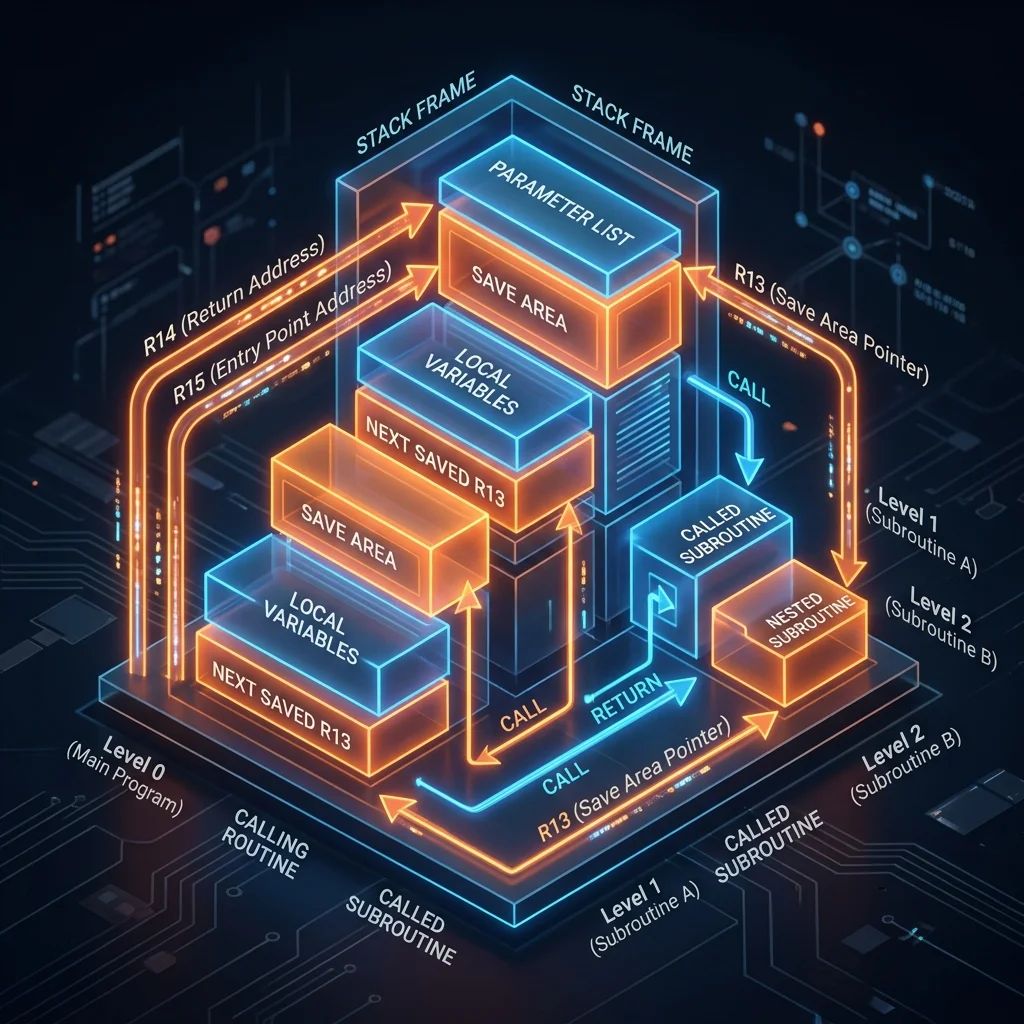
The IBM Standard Linkage Convention defines how programs call each other on z/OS. Following it ensures your HLASM routines can be called by COBOL, PL/I, Java, and other programs. This module explains every aspect of the standard linkage.
The Save Area
The save area is an 18-fullword (72-byte) region that stores register values across a program call. Every program that calls another must provide a save area.
Save area layout:
| Offset | Size | Contents |
|---|---|---|
| 0 | 4 | Reserved (sometimes used for eye-catcher) |
| 4 | 4 | Address of caller's save area (backward chain) |
| 8 | 4 | Address of called routine's save area (forward chain) |
| 12 | 4 | Saved register 14 (return address) |
| 16 | 4 | Saved register 15 (entry point) |
| 20 | 4 | Saved register 0 |
| 24 | 4 | Saved register 1 |
| 28-68 | 4 each | Saved registers 2-12 |
Standard Entry Sequence
MYROUTINE CSECT
* Step 1: Save caller's registers into caller's save area
         STM   14,12,12(13)    Store regs 14-12 at offset 12 of caller's save area
*                              reg 13 = caller's save area address
*
* Step 2: Set up our own base register
         LR    12,15           reg 15 = our entry point address
         USING MYROUTINE,12
*
* Step 3: Establish our own save area
         LA    11,SAVEAREA     Address of our save area
         ST    13,4(11)        Store caller's save area address at our +4 (backward chain)
         ST    11,8(13)        Store our save area address at caller's +8 (forward chain)
         LR    13,11           reg 13 = our save area address
Standard Exit Sequence
* Step 1: Set return code in register 15
         SR    15,15           Return code 0 = success
*        LA    15,4            Return code 4 = warning
*        LA    15,8            Return code 8 = error
*
* Step 2: Restore caller's registers
         L     13,4(13)        Reload caller's save area address
         L     14,12(13)       Restore return address from caller's save area
         LM    0,12,20(13)     Restore regs 0-12 from caller's save area
*
* Step 3: Return to caller
         BR    14              Branch to return address
*
SAVEAREA DS    18F             Our 18-fullword save area
The RETURN Macro
IBM provides the RETURN macro as a shortcut for the exit sequence:
RETURN (14,12),RC=0 Equivalent to the manual exit sequence abovePassing Parameters
Register 1 points to a parameter list - a series of addresses (one per parameter):
Calling Side (Caller)
* Pass two parameters: address of input field and address of output field
PARMLIST DC    A(INFIELD)      Address of parameter 1
         DC    A(OUTFIELD)     Address of parameter 2
         LA    1,PARMLIST      Register 1 = parameter list address
         L     15,=V(MYROUTINE)   Load entry point address
         BALR  14,15           Branch and link (saves return address in reg 14)
Receiving Side (Called Routine)
MYROUTINE CSECT
         STM   14,12,12(13)
         LR    12,15
         USING MYROUTINE,12
         LA    11,SAVEAREA
         ST    13,4(11)
         ST    11,8(13)
         LR    13,11
*
* Access parameters via register 1
         L     2,0(1)          reg 2 = address of parameter 1 (INFIELD)
         L     3,4(1)          reg 3 = address of parameter 2 (OUTFIELD)
*
         MVC   0(80,3),0(2)    Copy 80 bytes from infield to outfield
*
         RETURN (14,12),RC=0
SAVEAREA DS    18F
         END
The CALL Macro
The CALL macro simplifies calling external routines:
         CALL  MYROUTINE,(INFIELD,OUTFIELD),VL
*        VL = variable-length parameter list (sets high bit of last address)
CALL generates:
- A parameter list with addresses of each argument
- Load of the parameter list address into register 1
- Load of the routine's address into register 15
- BALR 14,15 to branch
Reentrant Programs
A reentrant program can be executed simultaneously by multiple tasks. Requirements:
- No self-modifying code
- All modifiable data in getmained storage (not in the CSECT)
- Consistent save area handling
RENTPROG CSECT
         STM   14,12,12(13)
         LR    12,15
         USING RENTPROG,12
*
* Get storage for our workarea (reentrant - no static data modified)
         GETMAIN R,LV=WORKLEN
         LR    11,1
         USING WORKAREA,11
         LA    2,WORKAREA_SAVE          Our save area is in getmained storage
         ST    13,4(2)
         ST    2,8(13)
         LR    13,2
*        ...work using fields in WORKAREA DSECT ...
         FREEMAIN R,LV=WORKLEN,A=(11)
         RETURN (14,12),RC=0

WORKAREA DSECT
WORKAREA_SAVE DS 18F
*        ... other work fields ...
WORKLEN  EQU   *-WORKAREA
Frequently Asked Questions
Q: Why must I save registers 14 through 12 in the caller's save area, not my own? The caller owns the save area pointed to by register 13. The convention is: the called routine saves into the save area it receives (caller's), establishes its own save area, and updates the chain. On return, it restores from the caller's save area. This means the called routine must not modify the caller's save area contents after saving - and the caller must not touch the save area it passed until the routine returns.
Q: What does setting the high bit of the last parameter address mean?
In the standard parameter list convention, the high bit (bit 0) of the last parameter address is set to 1 to mark the end of the variable-length list. This allows called routines to scan the parameter list without knowing in advance how many parameters were passed. The CALL macro's VL option does this automatically. The called routine tests bit 0: TM 0(reg),X'80' - if set, this is the last parameter.
Q: What is the difference between BALR and BASSM for calling?
BALR 14,15 branches to the address in register 15 and saves the return address in register 14. It switches AMODE based on the high bit of register 15. BASSM 14,15 (Branch and Save and Set Mode) explicitly sets the AMODE of the target. For most AMODE 31 to AMODE 31 calls, BALR works correctly. For cross-AMODE calls (e.g., 31-bit caller calling 24-bit routine), use BASSM.
Part of HLASM Mastery Course - Module 17 of 22.