
HLASM and z/OS: SVCs, MVS Macros, and System Services
Calling z/OS services with SVC instructions, common MVS macros (WTO, GETMAIN, FREEMAIN, OPEN, GET, PUT, CLOSE), and writing a simple z/OS utility program in HLASM.
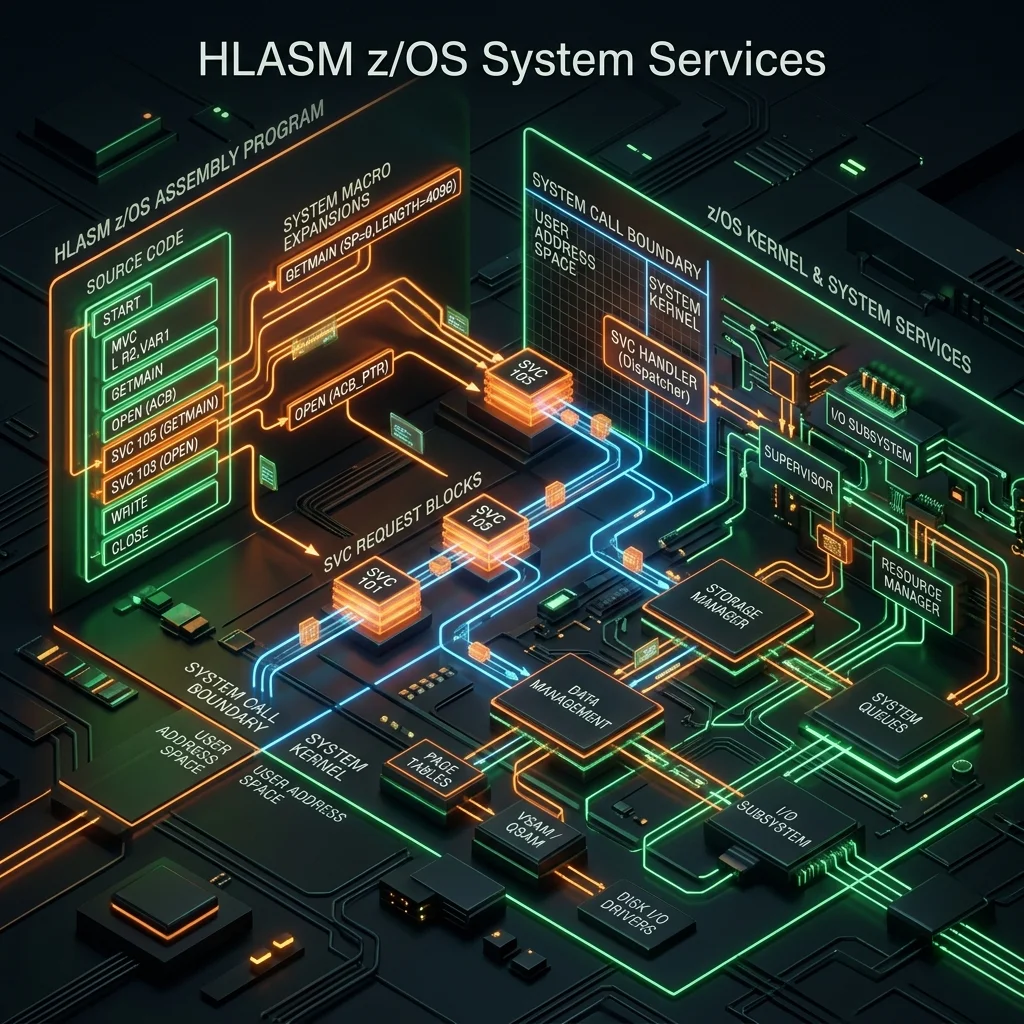
HLASM and z/OS: SVCs, MVS Macros, and System Services
HLASM programs on z/OS use system services - I/O, memory allocation, message writing, and more - through SVC instructions and MVS macros. This module covers the most important system services with working examples.
SVCs - Supervisor Calls
An SVC instruction transfers control from problem state (user mode) to supervisor state (kernel mode). z/OS provides over 200 SVC routines, each identified by a number 0-255:
         SVC   3               SVC 3 = EXIT (terminate program)
         SVC   120             SVC 120 = CSVQUERY (load module information)
Most SVCs are invoked indirectly through MVS macros, which generate the correct register setup and SVC instruction.
WTO - Write To Operator
WTO writes a message to the operator console (and JES job log):
         WTO   'PROGRAM STARTED SUCCESSFULLY',ROUTCDE=11
         WTO   'ERROR: INVALID INPUT RECORD',ROUTCDE=(1,11)
WTO with a variable message:
MSGAREA  DS    0H
MSGLEN   DC    Y(MSGEND-MSGTEXT)   Message length
MSGTEXT  DC    C'JOB TOTAL: '
MSGNUMB  DC    CL10' '             Number field (filled at runtime)
MSGEND   EQU   *
*
         MVC   MSGNUMB,FORMTNUM    Move formatted number
         WTO   MF=(E,MSGAREA)      Execute-form WTO
GETMAIN / FREEMAIN - Dynamic Storage Allocation
* Allocate 4096 bytes of storage
         GETMAIN R,LV=4096         R = register form, LV = length
*        After: reg 1 = address of allocated storage

         LR    9,1                 Save address in reg 9
         USING MYDSECT,9           Map DSECT over allocated storage

* Use the storage ...

* Free the storage
         FREEMAIN R,LV=4096,A=(9)  A= address register
For AMODE 31 storage above the line:
GETMAIN RU,LV=65536,LOC=ANY Allocate 64KB anywhereFile I/O: OPEN, GET, PUT, CLOSE
Sequential file processing uses the QSAM (Queued Sequential Access Method) macros:
* DCB - Data Control Block (file descriptor)
INFILE   DCB   DSORG=PS,MACRF=GM,DDNAME=SYSUT1,EODAD=ATEOF,        X
               RECFM=FB,LRECL=80

OUTFILE  DCB   DSORG=PS,MACRF=PM,DDNAME=SYSUT2,                     X
               RECFM=FB,LRECL=80

INREC    DS    CL80
OUTREC   DS    CL80

* Open files
         OPEN  (INFILE,(INPUT),OUTFILE,(OUTPUT))

* Read loop
READLOOP DS    0H
         GET   INFILE,INREC         Read next record into INREC
*                                   EODAD=ATEOF handles end-of-file
*        ... process INREC ...
         MVC   OUTREC,INREC         Copy to output
         PUT   OUTFILE,OUTREC       Write output record
         B     READLOOP

ATEOF    DS    0H                   End-of-file routine
         CLOSE (INFILE,,OUTFILE)
SNAP - Storage Dump for Debugging
SNAP writes a formatted storage dump to a DD:
SNAPDCB  DCB   DSORG=PS,MACRF=W,DDNAME=SNAPDUMP,RECFM=VBA,LRECL=125

         OPEN  (SNAPDCB,(OUTPUT))
         SNAP  DCB=SNAPDCB,PDATA=REGS,ID=1    Dump registers
         SNAP  DCB=SNAPDCB,STORAGE=(MYAREA,MYAREA+256),ID=2  Dump storage
         CLOSE (SNAPDCB)
TIME - Get Current Date and Time
         TIME  BIN                  Get time and date
*        After: reg 0 = time (binary: hundredths of seconds since midnight)
*               reg 1 = date (packed: 00YYDDDF where DDD=Julian day)

         ST    0,TIMEVAL
         ST    1,DATEVAL
TIMEVAL  DS    F
DATEVAL  DS    F
Complete z/OS Utility Program
* LISTFILE: Read SYSUT1 and count records
LISTFILE CSECT
         STM   14,12,12(13)
         LR    12,15
         USING LISTFILE,12
         LA    11,SAVEAREA
         ST    13,4(11)
         ST    11,8(13)
         LR    13,11
*
         OPEN  (INFILE,(INPUT))
         SR    5,5                  Record counter = 0
*
READLOOP GET   INFILE,INREC
         LA    5,1(5)               Increment counter
         B     READLOOP
*
ATEOF    CLOSE (INFILE)
*
* Format count and write message
         CVD   5,WORKDBL            Convert binary to packed
         UNPK  COUNTFLD,WORKDBL+4(4)  Format as zoned
         OI    COUNTFLD+7,X'F0'    Fix sign byte
         WTO   MF=(E,WTOLIST)
*
         L     13,4(13)
         LM    14,12,12(13)
         SR    15,15                Return code 0
         BR    14
*
INFILE   DCB   DSORG=PS,MACRF=GM,DDNAME=SYSUT1,EODAD=ATEOF,         X
               RECFM=FB,LRECL=80
INREC    DS    CL80
WORKDBL  DS    D
SAVEAREA DS    18F
*
WTOLIST  DS    0H
         DC    Y(WTOEND-WTOTEXT)
WTOTEXT  DC    C'RECORDS READ: '
COUNTFLD DC    CL8' '
WTOEND   EQU   *
         END   LISTFILE
Frequently Asked Questions
Q: Why do MVS macros often come in "list form" and "execute form"? Many MVS macros (WTO, OPEN, CLOSE) generate both a parameter list (list form, MF=L) and an execute instruction (execute form, MF=E). The list form creates a static parameter area in your program. The execute form issues the SVC using that list. This separation allows reentrant programs to keep the parameter list in getmained storage (thread-safe) rather than in static program storage. For simple programs, the standard (generate-both) form is sufficient.
Q: What is the difference between GETMAIN and STORAGE OBTAIN? GETMAIN is the older macro that allocates storage from the default subpool below the 16MB line. STORAGE OBTAIN is the modern replacement that supports 31-bit and 64-bit addresses, multiple subpools, and more options. For new programs, use STORAGE OBTAIN/RELEASE. GETMAIN/FREEMAIN remain valid for compatibility with existing code.
Q: How does z/OS I/O differ from UNIX file I/O? z/OS sequential I/O is record-oriented, not byte-stream. Each GET returns one complete logical record (e.g., 80 bytes for LRECL=80). There's no concept of reading arbitrary byte counts. The DCB (Data Control Block) describes the file characteristics (RECFM, LRECL, BLKSIZE). The OPEN macro connects the DCB to the actual dataset (via the JCL DD name). This is fundamentally different from UNIX open()/read() but maps naturally to COBOL's file handling, which uses the same QSAM architecture underneath.
Part of HLASM Mastery Course - Module 16 of 22.