
SQL Performance: Indexing and Optimization
Master the speed. Learn how B-Tree, Hash, and GIN indexes work, and how to use EXPLAIN ANALYZE to find and fix slow queries.
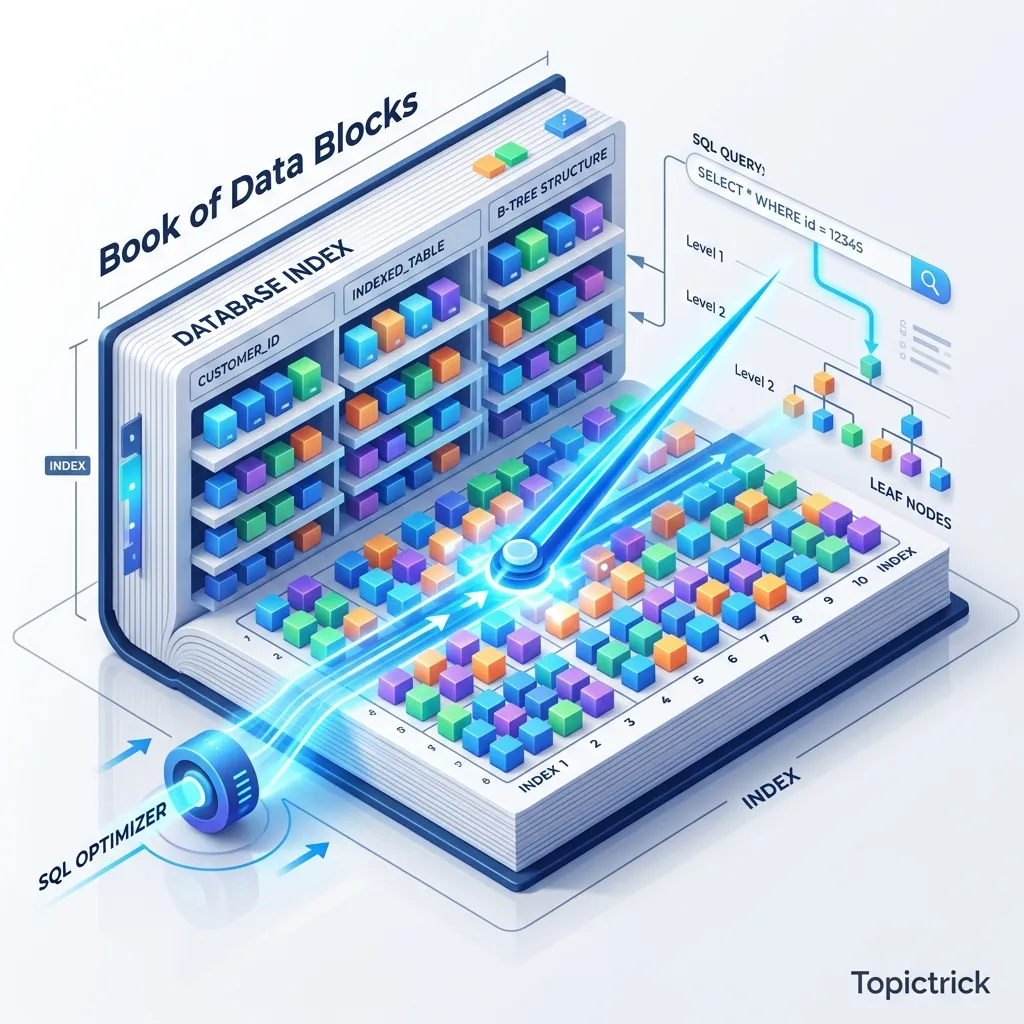
SQL Indexing & Query Optimization: The Hardware Mirror
Imagine a library with 1 million books but No Catalog. To find a book about "Zig," you have to start at the very first shelf and look at every single title sequentially. This is a Sequential Scan. Now, imagine a library with an Index. You look at the "Z" section, find "Zig," and it tells you exactly: "Shelf 45, Book 12." You walk there instantly.
In SQL, an Index is that catalog. But use too many, and your "Library" becomes too slow to add new books (because you have to update every catalog entry for every new acquisition). This 1,500+ word guide is your blueprints for the Mathematics of Efficiency.
1. Hardware-Mirror: The Battle of I/O
The single slowest thing in a modern computer is reading from a disk. Even a blazingly fast NVMe SSD takes thousands of CPU cycles to find a piece of data. To understand indexing, you must understand how data is physically arranged on the storage controller.
Sequential vs. Random I/O Physics
- Sequential I/O: The disk reads one block after another in a straight physical line. The database engine loves this because it can "Pre-fetch" the next blocks into the buffer cache before you even ask for them.
- Random I/O: The disk has to "Jump" around to different memory addresses to find rows. This is the killer of performance. Every jump is a latency hit that stalls the CPU.
The Index Miracle: An index allows the database to perform a Point Seek (Jumping straight to the location of the data). Without it, the engine must read every single 8KB page in the table-a Sequential Scan. On a massive table, a Sequential Scan is a death sentence for your application's responsiveness.
2. B-Tree Geometry: The Fan-Out Physics
The B-Tree (Balanced Tree) is the mathematical crown jewel of relational databases. It is designed specifically to minimize disk I/O by keeping the tree short and wide.
Nodes, Pages, and Fan-Out
A B-Tree isn't a simple binary tree. It is a Multi-way Tree.
- The Page Mirror: Each node in the tree is exactly one "Page" on the disk (standardized at 8KB).
- Fan-Out: Because a page is 8KB, it can store hundreds of "Pointers" to other child pages. This high "Fan-out" (number of children per node) is the secret to B-Tree speed.
- Depth: Because of the high fan-out, a B-Tree can index 1 billion rows with a depth of only 3 or 4 levels. This means to find any row among a billion, the CPU only needs to perform 4 high-speed lookups.
Page Splits: The Cost of Entropy
When you insert a row into a full index page, the database must perform a Page Split.
- The engine creates a new physical 8KB page.
- It moves half the entries from the old page to the new one.
- This is an expensive operation that can cause "Fragmentation" where physical pages are no longer sequential, slowly degrading your index's efficiency.
3. The Index-Only Scan: The Speed of Light
The pinnacle of query optimization is the Index-Only Scan. This is where the database ignores the table entirely.
The Heap Avoidance Mirror
Normally, an index search follows this path:
-
Search the Index (Fast RAM/SSD).
-
Get the physical address (Pointer) of the row.
-
Jump to the Heap (The actual table file) to get the data you need (e.g.,
username). -
The engine writes the row to the WAL (Write-Ahead Log).
-
The engine must update 5 separate B-Trees.
- Random I/O Spikes: While heap writes are often sequential, index updates are almost always random I/O because indices are sorted. If you have too many indices, your "Write path" will become a bottleneck, causing your server's CPU to wait for the disk to finish its million tiny jumps.
5. Composite Index Order: The "Leftmost" Rule
A composite index (an index on multiple columns) is a powerful tool, but its order is physical law.
The Phonebook Analogy
Imagine a phonebook indexed by (Lastname, Firstname).
- Searchable: You can find everyone with the last name "Smith."
- Searchable: You can find "Smith, John."
- NOT Searchable: You cannot find everyone with the first name "John" without reading the entire book from start to finish. The Takeaway: The database can use a composite index for the first column, or the first + second, but NEVER for the second column alone. Always put the column with the highest Selectivity (the most unique values) first.
6. Reading the mind of the Engine: EXPLAIN ANALYZE
To optimize, you must move beyond guessing. You must use the EXPLAIN command.
EXPLAIN (ANALYZE, BUFFERS)
SELECT username FROM users WHERE email = 'architect@topictrick.com';
Decoding the Report
- Index Scan: The engine used the index to find the row pointers and then visited the heap.
- Index Only Scan: The engine stayed entirely within the index. Perfect.
- Bitmap Heap Scan: The engine read many rows from the index into a "Bitmap" and then did a bulk read of the heap. This is often used for medium-selectivity queries.
- Sequential Scan: The "Facepalm" of performance. The engine ignored (or didn't have) an index and read the entire table.
7. Specialized Indexing: GIN and BRIN
GIN (Generalized Inverted Index)
Best for JSONB and Full-Text Search. It doesn't store a sorted list of rows; it stores a map of every "Token" (word or key) to the list of rows where it appears.
- The Physics: GIN is slow to update (high write amplification) but incredibly fast for complex "Contains" queries.
BRIN (Block Range Index)
Best for Time-Series data (billions of rows sorted by time).
- The Concept: Instead of indexing every row, it stores the
minandmaxvalues for every 1MB block of data. - The Geometry: While a B-Tree for a billion rows might take 50GB, a BRIN index for the same data might only take 50KB. It allows the engine to quickly "Skip" entire blocks of data that don't match the time range.
8. Summary: The Performance Architecture
- Selectivity is King: Only index columns that differentiate rows (e.g.,
email,user_id). Don't index agendercolumn (Low selectivity); it will just slow down writes without helping the optimizer. - Order your Composites: Put your most specific filters first.
- Audit Write Load: If your database's disk I/O is at 100% during peak hours, check for redundant or unused indexes.
- Covering Content: Use the
INCLUDEkeyword to add non-indexed columns to an index to facilitate Index-Only Scans. - Predicate Pushdown: Understand that the database tries to "Push" filters as close to the storage layer as possible. An index is the ultimate pushdown.
Indexing is the bridge between Logic and Hardware. By mastering the geometry of B-Trees and the physics of visibility maps, you gain the power to build systems that scale to billions of records while maintaining millisecond latency. You graduate from "Writing SQL" to "Architecting High-Performance Engines."
Phase 19: Action Items
- Run
EXPLAIN ANALYZEand look for the Shared Hit buffer count to see if your data is in RAM. - Implement a Partial Index (
WHERE status = 'active') to save disk space and cache locality. - Use
INCLUDEto create a covering index and measure the performance gain of removing the heap jump. - Monitor Index Usage Stats via
pg_stat_user_indexesto identify and delete "Zombie" indexes that are slowing down your writes.
Read next: SQL Views and Materialized Views: The Logic Cache ->
Frequently Asked Questions
Q: What is a database index and how does it work?
An index is a separate data structure (usually a B-tree) that the database maintains alongside a table, storing the indexed column values in sorted order with pointers to the corresponding table rows. When a query filters or joins on an indexed column, the database navigates the B-tree to find matching values in O(log n) time rather than scanning every row sequentially in O(n). The trade-off: indexes speed up reads but slow down writes (every INSERT, UPDATE, and DELETE must also update the index) and consume additional disk space. Index the columns most commonly used in WHERE, JOIN, and ORDER BY clauses.
Q: How do I interpret the output of EXPLAIN ANALYZE?
EXPLAIN ANALYZE shows the query execution plan with actual runtime statistics. Key things to look for: Seq Scan means a full table scan (possible missing index). Index Scan or Bitmap Index Scan means an index is being used (good). The rows estimate vs actual rows shows how accurate the planner's statistics are - large discrepancies suggest running ANALYZE to update statistics. cost shows the planner's estimated relative cost (not milliseconds). actual time shows real execution time in milliseconds. A high-cost node that takes most of the actual time is where to focus optimisation.
Q: What is the difference between a B-tree index and a partial index?
A standard B-tree index covers all rows in a table for the indexed column. A partial index includes only rows matching a WHERE condition - CREATE INDEX idx ON orders (created_at) WHERE status = 'pending'. Partial indexes are smaller and faster to scan because they contain fewer entries. They are ideal when queries consistently filter on a high-selectivity condition alongside the indexed column: an index on active users, pending orders, or unprocessed events covers far fewer rows than a full index and fits better in memory. The query must include the partial index's WHERE condition to benefit from it.
Part of the SQL Mastery Course - engineering the speed.