
SQL Subqueries: Mastering Nested Data Logic
Master the logic. Deep-dive into Scalar, Correlated, and Derived subqueries to solve complex data relationship problems at scale.
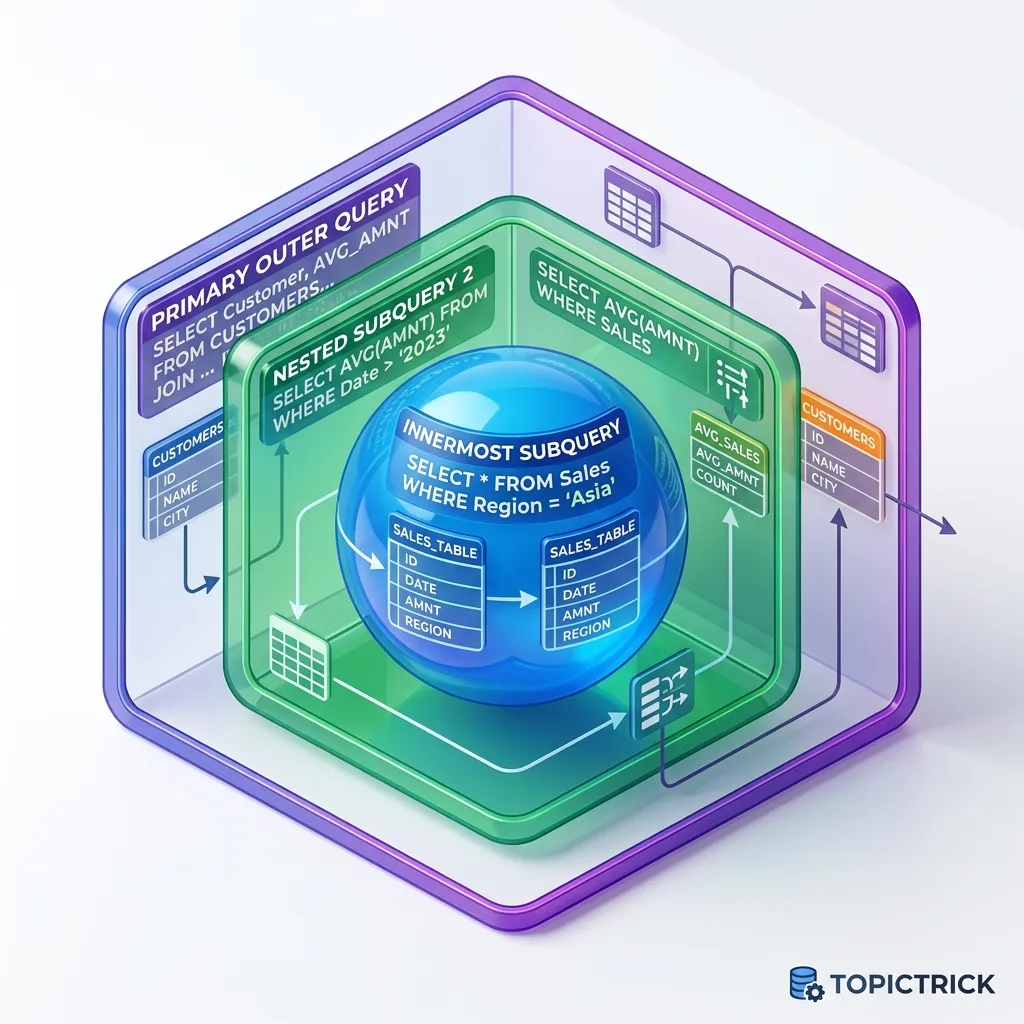
SQL Subqueries: Mastering Nested Data Logic
"Subqueries are the variables of the SQL world."
In your journey from a junior SQL developer to a master architect, the ability to "Nest" logic is the single most important skill you will acquire. A Subquery is simply a query inside another query. It allows you to use the result of one calculation as the filter for another.
Whether you are calculating the "Average order value per customer" or finding "Users who have never purchased a product," subqueries provide the surgical precision required for high-level data analysis. In this 1,500+ word guide, we will break down the three fundamental types of subqueries, analyze their performance impact, and learn when to use them versus JOINs or CTEs.
1. The Scalar Subquery: The Single-Value Constant
A Scalar Subquery is a query that returns exactly One Row and One Column. It behaves like a single constant value (a number, a string, or a date).
Use Case: Comparing Against the Global Average
Imagine you are building a dashboard for an e-commerce platform. You want to see every order that is "Above Average" in price. You can't just say WHERE price > AVG(price) because aggregate functions aren't allowed in the WHERE clause. You must use a subquery.
-- Scalar Subquery in the WHERE clause
SELECT
    order_id,
    customer_name,
    total_amount
FROM orders
WHERE total_amount > (
    SELECT AVG(total_amount)
    FROM orders
);
The Logic Breakdown
- Inner Query Runs First: The database calculates the average price of all orders (e.g., 45.20).
- Output Passed to Outer Query: The main query now effectively becomes:
SELECT ... WHERE total_amount > 45.20. - Result: You get a dynamically filtered list that updates automatically as new orders are placed.
Scalar Subqueries in SELECT
You can also use scalar subqueries to add a "Calculation Column" to every row.
SELECT
    product_name,
    price,
    (SELECT MAX(price) FROM products) - price AS distance_from_max
FROM products;
Performance Note: Be careful! Using a subquery in the SELECT clause can be slow if the table is large, as the database might try to run that subquery for every single row.
2. The Correlated Subquery: The "Looping" Logic
A Correlated Subquery is one that References a column from the outer query. Think of it like a for-each loop in programming. The inner query runs once for every row processed by the outer query.
Use Case: Finding the Most Recent Order per Customer
If you want to find the latest order for every user, you need to "Correlate" the inner order search with the outer customer ID.
SELECT
    c.customer_name,
    o1.order_date,
    o1.total_amount
FROM customers c
JOIN orders o1 ON c.id = o1.customer_id
WHERE o1.order_date = (
    -- This inner query refers to the 'c.id' from the outer query
    SELECT MAX(o2.order_date)
    FROM orders o2
    WHERE o2.customer_id = c.id
);
Why it's Powerful
The inner query isn't finding the "Global Max Order Date." It is finding the "Max Order Date for THIS specific customer." This allows you to perform row-by-row comparisons that are impossible with standard JOINs.
The "EXISTS" Operator
The most common use of correlated subqueries is the EXISTS clause. It is often much faster than IN because it stops searching as soon as it finds a single match.
-- Find customers who HAVE placed an order
SELECT customer_name
FROM customers c
WHERE EXISTS (
    SELECT 1
    FROM orders o
    WHERE o.customer_id = c.id
);
3. Subquery Unnesting: The Optimizer Mirror
In 2026, you often hear that "Subqueries are slow." This is a half-truth. Modern engines perform Subquery Unnesting (Decorrelation).
The Physics of Transformation
If you write WHERE id IN (SELECT user_id FROM orders), the database doesn't actually run the subquery for every user.
- The Semi-Join Mirror: The optimizer turns the subquery into a Semi-Join.
- The Win: This allows the engine to use standard Join algorithms (like Hash Join or Merge Join) instead of a slow nested loop.
- Architect's Standard: Trust the optimizer for simple
INorEXISTSclauses, but always check theEXPLAINplan to ensure the "Subplan" has been unnested into a join node.
4. The Derived Table (Subquery in FROM)
A Derived Table is a subquery used in the FROM clause. You are essentially creating a "Temporary Table" on the fly that exists only for the duration of that query.
Use Case: Aggregating Before Joining
Sometimes you need to "Sum up" data before you join it to another table to prevent "Data Doubling."
SELECT
    c.category_name,
    stats.total_sales,
    stats.avg_price
FROM categories c
JOIN (
    -- This is our Derived Table
    SELECT
        category_id,
        SUM(price) as total_sales,
        AVG(price) as avg_price
    FROM products
    GROUP BY category_id
) AS stats ON c.id = stats.category_id;
Why use a Derived Table?
Derived tables allow you to "Clean" or "Group" your data into a simplified format before the main query starts its work. It keeps your logic organized and prevents the main query from becoming a "Spaghetti" of complex JOINs.
4. Performance: Subquery vs. JOIN vs. CTE
In modern engines (PostgreSQL 16+, SQL Server 2024), the Query Optimizer is very smart. It often turns your subqueries into JOINs automatically. However, there are some "Rules of Thumb" for the architect:
When to use a Subquery
- When you only need to check for the Existence of data (EXISTS).
- When you are calculating a Single global constant (Scalar).
- When the logic is "Inside-Out" (You are looking for specific rows based on a calculation).
When to use a JOIN
- When you need to Return columns from both tables.
- When you are dealing with very large datasets where the
EXISTSlogic might struggle with index utilization.
When to use a CTE (Common Table Expression)
- When the logic is Top-Down and complex.
- When you need to reference the same sub-calculation multiple times in one query.
- When you value Readability over absolute micro-optimization.
Benchmarking Tip: EXPLAIN ANALYZE
Never guess about performance. Use the EXPLAIN ANALYZE command to see the "Execution Plan."
- If you see a "Sequential Scan" inside a subquery, you have a performance problem.
- If you see an "Index Scan", your subquery is likely optimized perfectly.
5. The LATERAL Join: Correlated Subqueries on Steroids
A LATERAL Join is a special type of join that allows a subquery to "See" columns from the table joined before it. It is essentially a modernized, high-performance correlated subquery.
The Problem: The "Top-N" Limit
Imagine you want to find the 3 Most Expensive Products for EVERY category. A standard Join cannot do this because LIMIT applies to the whole result set.
The LATERAL Solution
SELECT
    c.category_name,
    p.product_name,
    p.price
FROM categories c
LEFT JOIN LATERAL (
    SELECT name AS product_name, price
    FROM products
    WHERE category_id = c.id
    ORDER BY price DESC
    LIMIT 3
) AS p ON TRUE;
Why this is revolutionary: Without LATERAL, you would have to fetch ALL products into your app and sort them manually, or use complex Window Functions. LATERAL allows the database to do the work efficiently at the hardware level.
- ** The Probe Physics**: The engine treats the LATERAL subquery like a "Parametric Probe." It loops through categories and, for each one, executes a highly optimized index seek on the products table.
A bank was calculating a user's balance after every transaction by using a correlated subquery to sum up all previous transactions.
SELECT balance = (SELECT SUM(amount) FROM txns t2 WHERE t2.id ≤ t1.id)
The Failure: When a user had 1,000 transactions, the query was fast. When they hit 50,000 transactions, the query took 20 seconds. Why? Because for the last transaction, the database had to sum up 49,999 previous rows. The Solution: They switched from a nested subquery to a Window Function (Module 18), which calculates the sum in a single pass (O(N) instead of O(N²)).
7. Common Pitfalls: The NULL Trap
The #1 mistake in SQL Subqueries involves the NOT IN operator and NULLs.
-- DANGER ZONE
SELECT name
FROM users
WHERE id NOT IN (SELECT manager_id FROM departments);
The Bug: If there is even a SINGLE NULL in the manager_id column of the departments table, the entire query will return zero results.
The Fix: Always use NOT EXISTS instead of NOT IN. NOT EXISTS handles NULLs correctly and is usually faster.
The Scalar Result Cache Mirror
How does the database handle a subquery in the SELECT clause for 10 million rows?
- The Logic: If the subquery is uncorrelated (Scalar), the database calculates the value once and stores it in a memoization cache.
- The Physics: Subsequent rows don't "Run" the query; they simply read the result from the CPU L1 cache.
- DANGER: If the subquery is correlated, this cache is often bypassed, leading to the legendary O(N²) performance wall.
Masterclass Subquery Checklist
- Audit NULL Safety: Replace all
NOT INoperators withNOT EXISTSto avoid the NULL-masking bug. - Implement LATERAL Probes: Use Lateral Joins for "Top-N per Group" reports to bypass the Window Function buffer.
- Verify Unnesting: Run
EXPLAINand ensure yourINsubqueries have been converted toSemi-Joins. - Map Correlated Costs: Identify any subquery that references an outer column and evaluate if it can be refactored into a
JOIN.
Mastering the nested landscape is the transition from "Fetching data" to "Architecting Intelligence." By mastering the distinction between Scalar and Correlated execution and utilizing modern features like LATERAL, you gain the power to solve complex, multi-layered business problems directly at the source.
Masterclass Summary Checklist
- Write a subquery that finds "Users with more than 5 orders."
- Re-write that query using a
JOINand compare the execution times. - Implement a
LATERALjoin to find the "Latest 2 comments" for every post.
Read next: SQL Common Table Expressions (CTE): The Logic Fence ->
Frequently Asked Questions
Q: What is the difference between a correlated and a non-correlated subquery?
A non-correlated subquery executes once and its result is used by the outer query - WHERE id IN (SELECT id FROM table2) runs the inner query once. A correlated subquery references columns from the outer query, so it re-executes for every row the outer query processes - WHERE salary > (SELECT AVG(salary) FROM employees e2 WHERE e2.department = e1.department) runs the inner query once per row of the outer query. Correlated subqueries can be very slow on large tables; they are often replaceable with a JOIN to a pre-aggregated subquery or a window function for better performance.
Q: What is the difference between IN, EXISTS, and ANY/ALL in subquery predicates?
IN (subquery) checks if the value appears in the subquery's result set - it returns NULL if the value is NULL or if the subquery contains a NULL, which can cause unexpected no-match results. EXISTS (subquery) tests whether the subquery returns any rows at all - it is NULL-safe and often more efficient because the database stops as soon as it finds the first matching row. ANY and ALL compare a value against all results using a comparison operator: salary > ANY (subquery) is true if salary exceeds at least one result; salary > ALL (subquery) is true only if salary exceeds every result.
Q: When should I use a subquery in the FROM clause (derived table)?
A derived table (subquery in FROM) lets you filter, aggregate, or transform data before joining it to other tables. Common uses: joining to a pre-aggregated summary (JOIN (SELECT dept, AVG(salary) AS avg_sal FROM employees GROUP BY dept) AS dept_avgs ON ...), applying LIMIT before joining, or using a window function result as a join target. Derived tables must be given an alias. In modern SQL, CTEs are often preferred over derived tables for readability, but derived tables are fully valid and sometimes necessary when the query optimiser needs to see the subquery's structure explicitly.
Part of the SQL Mastery Course - engineering the logic.