
What is Version Control? Git vs. GitHub Explained
Master the foundations of modern collaboration. Learn the difference between CVCS and DVCS, the history of Linus Torvalds' creation, and why GitHub is the world's most powerful developer platform.
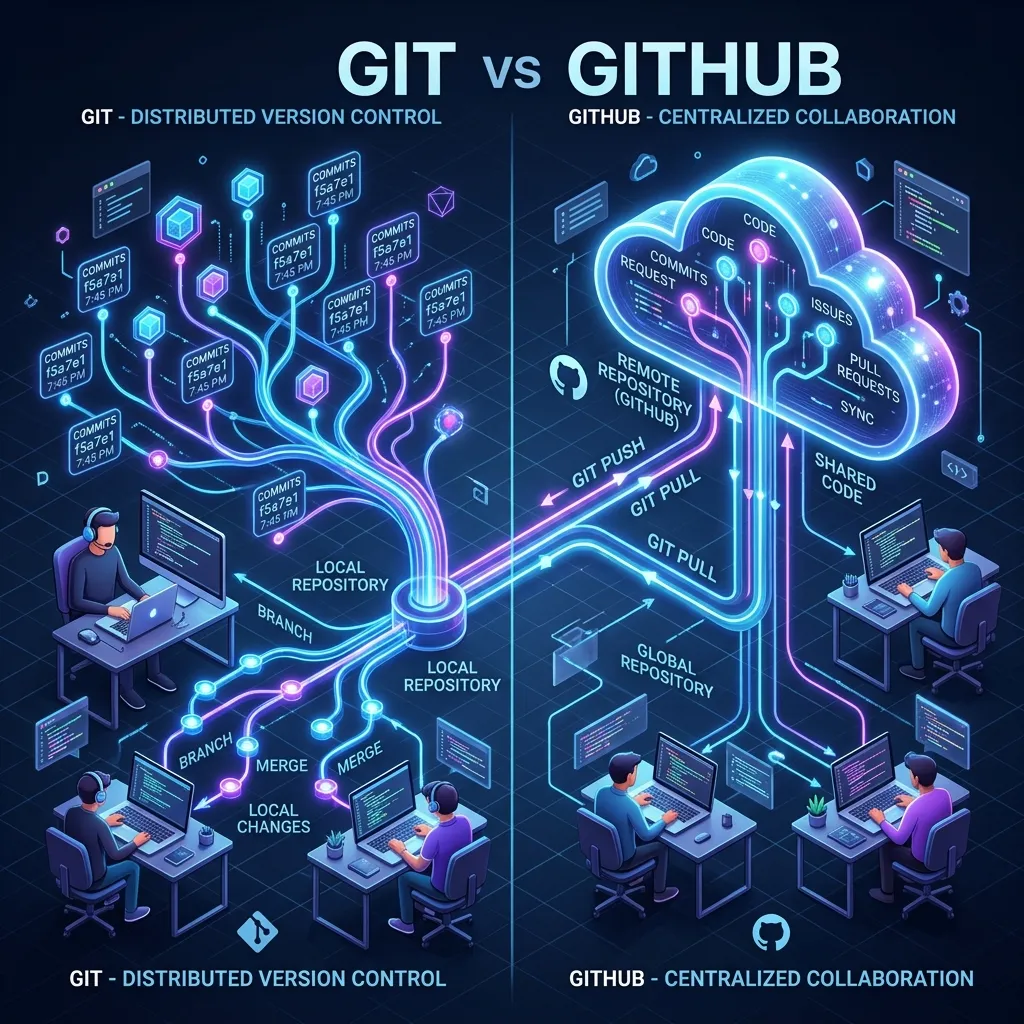
What is Version Control? Git vs. GitHub Explained
1. The Chaos Before Version Control
Before Version Control Systems (VCS), developers lived in a world of "Final_v2_Revision_3_FIXED.zip". Sharing code meant emailing files or using shared network drives. If two people edited the same file at the same time, the person who saved last deleted all the work of the first person. This was the "Dark Ages" of software engineering.
A VCS solves three critical problems:
- History: Knowing EXACTLY what changed, when, and why.
- Collaboration: Allowing 100 people to work on the same 100 files simultaneously.
- Traceability: Finding the "Root Cause" of a bug by traveling back in time to the moment it was introduced.
2. CVCS vs. DVCS: The Architectural Shift
There are two main ways to build a version control system:
A. Centralized Version Control (CVCS)
Examples: Subversion (SVN), Perforce.
- Model: One central server holds the entire history. You "Check out" only the file you are working on.
- The Failure: If the server goes down, NOBODY can work. If the hard drive dies, the entire history is lost.
B. Distributed Version Control (DVCS)
Examples: Git, Mercurial.
- Model: Every developer has a FULL COPY of the entire repository and its history on their own laptop.
- The Benefit: You can commit, branch, and see history while offline (on a plane or a train). The "Central Server" (GitHub) is just a convenient place to sync everyone's copies.
3. Git: The Local Engine
Created by Linus Torvalds (the creator of Linux) in 2005, Git was designed for extreme speed and data integrity.
- Data Integrity: Git uses SHA-1 Hashes (Module 193) to protect your code. You cannot change a single character in a file without the hash changing. It is mathematically impossible to "Secretly" corrupt a Git repository.
- Snapshots, not Diffs: Unlike older systems that only saved "What changed," Git saves a "Snapshot" of the entire file tree every time you commit. This is why Git is so incredibly fast at switching between branches.
4. GitHub: The Social Network for Code
If Git is the tool you use on your computer, GitHub is the place where you share your work. GitHub adds layers of value that Git alone doesn't have:
- Pull Requests: An "Interview" for your code before it gets merged.
- Actions: The robots that test and deploy your code (Module 280).
- Security: Dependabot (Module 288) which scans your libraries for hackers.
- Community: 100 Million+ developers sharing open-source projects.
Frequently Asked Questions
Is Git just for code? No. You can version control anything that is "Text" (Markdown, CSV, LaTeX). However, Git is Terrible at versioning large binary files like Videos or Photos. For those, you should use Git LFS (Large File Storage).
What is the difference between GitLab and Bitbucket?
- GitHub: The standard for Open Source and Modern Enterprise.
- GitLab: Famous for its "DevOps in a box" and Self-Hosted options.
- Bitbucket: Owned by Atlassian; integrates perfectly with JIRA. The Git commands you learn in this course are identical across all three platforms.
Key Takeaway
Understanding the "Distributed" nature of Git is the key to mental clarity. You aren't just sending files to a server; you are managing a local database of history that you periodically "Sync" with the rest of the world via GitHub. Mastering this handshake is the first step toward becoming a world-class collaborator.
Read next: Essential Git Commands: The Daily Workflow Guide ->
Part of the GitHub Mastery Course - engineering the flow.