
Zig Cross-Compile: ARM, x86, RISC-V Targets (2026)
Cross-compile Zig for ARM, x86, and RISC-V with one -Dtarget flag - no external toolchains needed. Target triples and musl vs glibc explained. 2026.
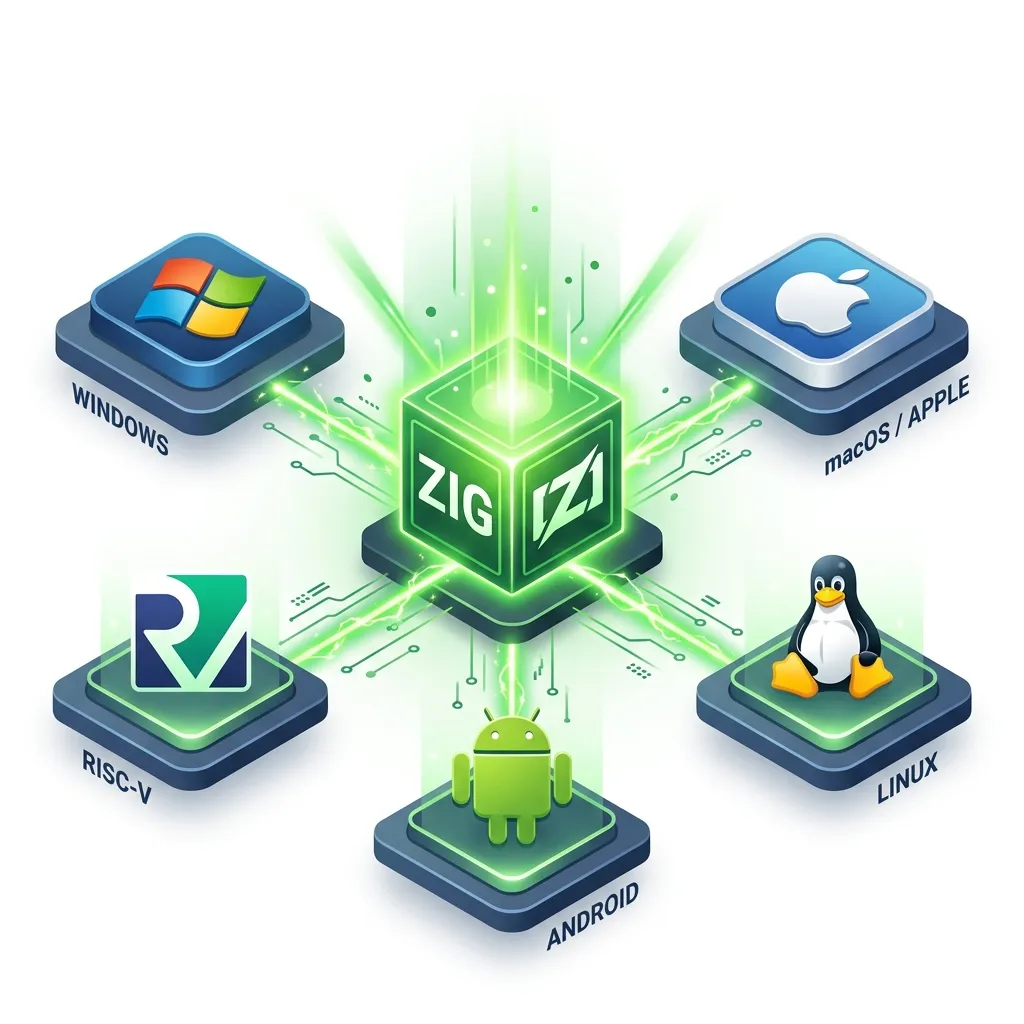
Zig Cross-Compilation: The Target Guide
In traditional systems languages like C++ or Go, cross-compilation is one of the most painful experiences a developer can face. If you want to build a Linux application from your Windows laptop, you usually have to install a "Toolchain," navigate the "Sysroot Hell" of missing header files, and debug opaque linker errors for hours. You often end up just renting a Linux cloud server because it's easier than setting up the cross-compiler.
Zig changes this paradigm forever. In Zig, cross-compilation is not an added feature—it is the default mode of operation. Zig is a "native" compiler that contains the headers and linkers for every major platform inside its own binary. This 1,500+ word guide explores the architecture of Target Triples and why Zig is the most portable language ever created.
1. The Anatomy of a Target Triple
A target in Zig is defined by a triplet: Architecture - OperatingSystem - ABI.
- Architecture: This is the CPU's language (
x86_64,aarch64,riscv64,wasm32). - Operating System: The environment your code runs in (
linux,windows,macos,freestanding,uefi). - ABI (Application Binary Interface): The "Rules" for how programs talk to the OS. On Linux, this is usually
gnu(GLIBC) ormusl(Static).
Example: aarch64-linux-musl means: "Build a 64-bit ARM binary for Linux that is 100% self-contained with no external dependencies."
2. The Physics of the Target: ISA Translation and Instruction Mapping
Cross-compilation isn't just "changing a flag"; it is changing the Instruction Set Architecture (ISA) the CPU understands.
The ISA Mirror
- The Concept: An x86_64 CPU (Intel/AMD) speaks a different language than an AArch64 CPU (Apple M1/Raspberry Pi).
- The Physics: When you cross-compile, Zig's LLVM backend translates your logic into the specific binary opcodes (e.g.,
MOVvsLDR) of the target silicon. - The Result: Because Zig includes machine-code emitters for every major architecture, you can generate optimized ARM binaries from an x86 host with Zero Emulation. It is a direct, native transformation that preserves every drop of performance.
3. The Sysroot Mirror: Why Zig Bundles the World
The true power of Zig is that you don't need to install anything. Zig includes the "Standard Libraries" and "Header Files" for Windows, macOS, and Linux within its own source code.
The One-Command Ship
To compile your Zig project for an ARM-based Raspberry Pi while sitting on a Windows machine, you simply run:
zig build-exe main.zig -target aarch64-linuxZig doesn't "search" your C: drive for Linux headers. It pulls them from its internal cache. It is the only compiler in the world that gives you "One-Shot Portability" with zero environmental setup.
4. The GLIBC "Time Travel" Feature
One of the greatest frustrations in Linux development is "Symbol Versioning." If you compile a program on a modern Ubuntu machine, it won't run on an older CentOS server because your app expects a newer version of the glibc library than the server possesses.
Explicit Version Targeting
Zig solves this by allowing you to target a specific GLIBC version numerically.
zig build-exe main.zig -target x86_64-linux-gnu.2.28By adding .2.28, Zig uses its internal database of GLIBC symbols to ensure that your binary uses only the functions available in that older version of Linux. This makes Zig the ultimate tool for shipping "Cloud Native" software that works on 10-year-old enterprise servers.
5. Optimization Physics: Feature Flags and Micro-Architectures
Zig allows you to go beyond the "Base Architecture" and target specific CPU Micro-Architectures (like skylake or zen3).
The Optimization Mirror
- The Process: By adding a feature flag (e.g.,
+avx2), you tell the compiler to use specialized hardware instructions. - The Physics: AVX2 allows the CPU to process 8 integers in a single clock cycle using SIMD (Single Instruction Multiple Data).
- The Outcome: In traditional compilers, managing these flags across platforms is a nightmare. In Zig, it is built into the
-targetstring, allowing you to architect "High-Precision" software that perfectly mirrors the capabilities of your deployment hardware.
6. Static Binaries with musl
For Docker users and DevOps engineers, the musl target is the "Holy Grail." By targeting x86_64-linux-musl, Zig produces a binary that includes its own Standard Library.
- Result: A single file with 0 dependencies.
- Benefit: You can use a
FROM scratchDocker image, resulting in a container that is 5 MB instead of 500 MB.
7. Bare Metal: The freestanding and uefi Targets
If you are writing an Operating System kernel or a low-level Bootloader, you have no OS to help you. You are on "Bare Metal."
freestanding: This target tells the compiler: "Do not expect an OS. No files, no network, just raw CPU and Memory."uefi: Zig can compile directly into.efifiles, allowing you to write software that runs before Windows or Linux even start.
8. CPU Extensions: Optimization to the Metal
Zig allows you to go beyond just the "Architecture." You can specify exactly which CPU features you want to use.
zig build-exe main.zig -target x86_64-linux-gnu+avx2This command ensures the compiler uses "AVX2" vector instructions for maximum mathematical speed. Zig handles the complexity of ensuring these instructions are used safely across the entire build.
Cross-compilation is the "Freedom of the Developer." By mastering the Target triple and the discipline of versioned GLIBC compatibility, you gain the ability to deploy your software to the whole world, from the smallest IoT chip to the largest cloud server, without ever leaving your chair. You graduate from "Writing desktop apps" to "Architecting Global Binaries."
Phase 26: Platform Sovereignty Checklist
- Audit your Target Matrix: Define the core set of
arch-os-abitriplets your application must support in production. - Implement GLIBC Version Locking: Use the
.versionsuffix (e.g.,.2.17) to ensure your Linux binaries run on older enterprise kernels. - Use
muslstatic linking for Docker containers to minimize attack surface and image size. - Setup
freestandingtargets for specialized IoT hardware where no operating system is present. - Verify Instruction Parity: Build for a target with specific CPU features (e.g.,
+aes) and use a disassembler to verify the compiler correctly emitted the hardware-accelerated opcodes.
Read next: Zig Final Assessment: The Systems Master Graduation →
Frequently Asked Questions
Q: How do you cross-compile a Zig program for a different OS or CPU architecture?
Pass -target <cpu>-<os>-<abi> to zig build-exe or set target in build.zig using b.standardTargetOptions or a hardcoded CrossTarget. For example, zig build-exe main.zig -target aarch64-linux-musl produces a statically linked ARM64 Linux binary from any host. No external toolchain is needed because Zig bundles Clang and the necessary libc headers.
Q: What target triples does Zig support for cross-compilation?
Run zig targets to list every supported CPU, OS, and ABI combination. Commonly used targets include x86_64-linux-gnu, aarch64-linux-musl, x86_64-windows-gnu, aarch64-macos, and wasm32-freestanding. The musl ABI produces fully static binaries that run on any Linux system regardless of installed libc version.
Q: Can you cross-compile C dependencies alongside Zig code?
Yes — this is one of Zig's standout features. Because zig cc uses the same bundled Clang and target headers, you can compile vendored C source files for the cross-compilation target inside build.zig using addCSourceFiles. The entire build — Zig code, C libraries, and linking — is handled by a single zig build invocation targeting the foreign platform.
Part of the Zig Mastery Course — engineering the targets.