
Agentic AI Architecture: Memory, Tools, Control Loops & Multi-Agent Orchestration
Complete guide to Agentic AI Architecture in 2026. Understand how the ReAct control loop works, design multi-layer memory systems (working memory, episodic, semantic, procedural), implement tool-calling with MCP and function schemas, build safe sandboxed code execution environments, design agentic workflows with LangGraph state machines, implement supervisor multi-agent patterns, handle agent failures with retry/fallback, and measure agentic system reliability.
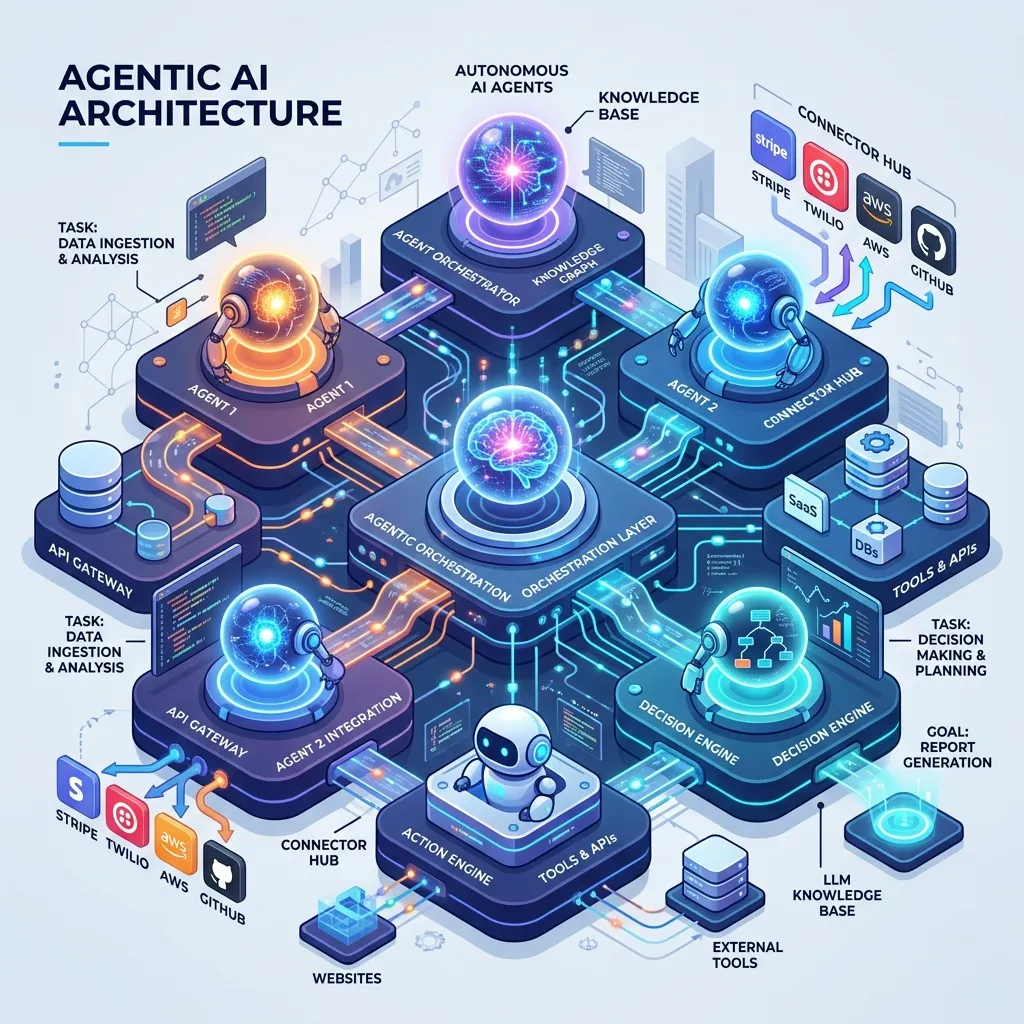
Agentic AI Architecture: Memory, Tools, Control Loops & Multi-Agent Orchestration
Table of Contents
- What Makes a System "Agentic"?
- The ReAct Control Loop: Think -> Act -> Observe
- The Four Memory Layers
- Tool Calling: Architecture and Security
- The Model Context Protocol (MCP)
- Building Agentic Workflows with LangGraph
- Multi-Agent Patterns: Supervisor and Swarm
- Failure Modes and Reliability Engineering
- Evaluating Agentic Systems
- Frequently Asked Questions
- Key Takeaway
What Makes a System "Agentic"?
The word "agentic" describes a spectrum of autonomy:
| Level | Description | Example |
|---|---|---|
| 0 — Static | Single prompt -> single response | ChatGPT one-shot answer |
| 1 — Tool Use | LLM calls tools, gets results, responds | LLM calls a weather API |
| 2 — RAG | LLM retrieves context before responding | LLM searches documents |
| 3 — Multi-Step | LLM plans and executes multiple steps | LLM researches, drafts, reviews |
| 4 — Autonomous | LLM decides its own tool sequence, recovers from errors | AI coding agent that writes, tests, debugs |
| 5 — Multi-Agent | Multiple specialised LLMs collaborate with handoffs | Researcher + Coder + Reviewer agents |
Level 3+ requires deliberate architectural design — naive implementations at this level hallucinate tool calls, loop infinitely, and produce unauditable results.
The ReAct Control Loop: Think -> Act -> Observe
ReAct (Reasoning + Acting) is the foundational pattern for agentic control:
from anthropic import Anthropic

client = Anthropic()

def run_agent(task: str, tools: list[dict], max_iterations: int = 10) -> str:
    messages = [{"role": "user", "content": task}]
    iteration = 0

    while iteration < max_iterations:
        iteration += 1

        # THINK: LLM reasons about what to do next
        response = client.messages.create(
            model="claude-opus-4-5",
            max_tokens=4096,
            tools=tools,
            messages=messages,
        )

        # Check stop condition:
        if response.stop_reason == "end_turn":
            # Extract text response — agent is done
            return next(b.text for b in response.content if hasattr(b, 'text'))

        # ACT: Extract tool calls from response
        tool_uses = [b for b in response.content if b.type == "tool_use"]

        if not tool_uses:
            break  # No tools called, no end — unexpected state

        # Append assistant's reasoning + tool calls to conversation:
        messages.append({"role": "assistant", "content": response.content})

        # OBSERVE: Execute each tool and collect results
        tool_results = []
        for tool_use in tool_uses:
            result = execute_tool(tool_use.name, tool_use.input)  # Your tool router
            tool_results.append({
                "type": "tool_result",
                "tool_use_id": tool_use.id,
                "content": str(result),
            })

        # Feed observations back to LLM:
        messages.append({"role": "user", "content": tool_results})

    # Max iterations reached — return partial result with warning
    return f"[Agent reached max_iterations={max_iterations}] Last state: {messages[-1]}"
The max_iterations guard is non-negotiable — without it, infinite loops burn tokens and money.
The Four Memory Layers
Effective agents require different memory systems for different timescales:
Practical implementation:
class AgentMemory:
    def __init__(self, vector_store, session_store):
        self.vector_store = vector_store   # Long-term semantic memory (Pinecone/Chroma)
        self.session_store = session_store  # Episodic memory (Redis/database)
        self.working_memory: list = []     # In-context window (messages list)

    def remember(self, content: str, metadata: dict):
        """Store to long-term semantic memory."""
        embedding = embed(content)
        self.vector_store.upsert(embedding, content, metadata)

    def recall(self, query: str, k: int = 5) -> list[str]:
        """Retrieve relevant long-term memories."""
        embedding = embed(query)
        results = self.vector_store.query(embedding, k=k)
        return [r.content for r in results]

    def inject_relevant_context(self, task: str) -> str:
        """Build context-enriched system prompt from long-term memory."""
        memories = self.recall(task)
        if memories:
            return f"Relevant past context:\n" + "\n".join(f"- {m}" for m in memories)
        return ""
Tool Calling: Architecture and Security
Tools are the agent's interface to the real world. Every tool must be:
- Defined with a precise schema (the LLM must understand inputs/outputs)
- Idempotent where possible (safe to retry on timeout)
- Sandboxed (execution cannot escape its security boundary)
# Tool schema (sent to the LLM):
tools = [
    {
        "name": "run_python",
        "description": "Execute Python code and return stdout/stderr. Use for calculations, data processing.",
        "input_schema": {
            "type": "object",
            "properties": {
                "code": {
                    "type": "string",
                    "description": "Python code to execute. No imports of os, subprocess, sys."
                }
            },
            "required": ["code"]
        }
    },
    {
        "name": "web_search",
        "description": "Search the web for current information. Returns top 5 result snippets.",
        "input_schema": {
            "type": "object",
            "properties": {
                "query": {"type": "string"},
                "max_results": {"type": "integer", "default": 5}
            },
            "required": ["query"]
        }
    }
]

# Sandboxed code execution (using E2B or Firecracker VMs):
import e2b

def execute_tool(name: str, inputs: dict) -> str:
    if name == "run_python":
        with e2b.Sandbox() as sandbox:
            # Runs in isolated microVM — cannot access host filesystem
            result = sandbox.process.start_and_wait(
                f"python3 -c '{inputs['code']}'"
            )
            return result.stdout or result.stderr
    elif name == "web_search":
        return search_api.query(inputs["query"], inputs.get("max_results", 5))
    raise ValueError(f"Unknown tool: {name}")
The Model Context Protocol (MCP)
MCP (Anthropic, 2024) is an open standard for connecting LLM agents to tools, data sources, and services through a unified protocol:
Without MCP:                        With MCP:
Each agent integrates tools         Agent connects to MCP servers
individually (bespoke code):        (standardised protocol):

Agent -> custom Slack code           Agent -> MCP Client -> MCP Server (Slack)
Agent -> custom DB code              Agent -> MCP Client -> MCP Server (PostgreSQL)
Agent -> custom Calendar code        Agent -> MCP Client -> MCP Server (Google Calendar)

Tools are not reusable across        Any MCP-compatible agent can use
agents or frameworks                any MCP server — plug and play
In 2026, major IDEs (VS Code, JetBrains), cloud providers, and SaaS tools publish MCP servers, creating an ecosystem of standardised agent tools.
Multi-Agent Patterns: Supervisor and Swarm
Supervisor Pattern: A coordinator agent routes tasks to specialised subagents:
# Supervisor decides which specialist to call:
AGENTS = {
    "researcher":  ResearchAgent(),   # Web search + summarisation
    "coder":       CoderAgent(),      # Code generation + execution
    "writer":      WriterAgent(),     # Long-form content generation
    "reviewer":    ReviewerAgent(),   # Quality checking + critique
}

def supervisor(task: str) -> str:
    # Supervisor LLM decides the workflow:
    plan = supervisor_llm.plan(task)
    # e.g.: ["researcher", "coder", "reviewer"]

    context = task
    for agent_name in plan:
        agent = AGENTS[agent_name]
        result = agent.run(context)
        context = f"{context}\n\nAgent ({agent_name}) output:\n{result}"

    return context
Swarm Pattern: Agents autonomously hand off to each other based on context — no central coordinator:
# Each agent decides if it should transfer to another agent:
def research_agent(messages, context):
    response = llm.call(messages, tools=[web_search, transfer_to_coder])
    if response.tool == "transfer_to_coder":
        return coder_agent(messages + [response], context)
    return response.content
Failure Modes and Reliability Engineering
| Failure Mode | Cause | Mitigation |
|---|---|---|
| Infinite loop | Agent retries failing tool forever | max_iterations limit + exponential backoff |
| Hallucinated tool calls | LLM invents tool names/parameters | Strict tool schema validation before execution |
| Context window overflow | Long tasks fill the context window | Episodic memory summarisation, sliding window |
| Goal drift | Agent forgets original task after many steps | Inject original goal into every iteration prompt |
| Irreversible actions | Agent deletes files, sends emails | Confirmation step for destructive tools |
| Token cost explosion | Complex tasks with many tool calls | Budget limits (max_tokens_per_task), cost alerts |
Frequently Asked Questions
When should I use an agent vs a fixed workflow? Use a fixed workflow (LangGraph conditional edges, prompt chaining) when the steps are known and the sequence is predictable. Use an agent when the steps are unknown upfront and the LLM needs to decide its own strategy based on intermediate results. Agents are powerful but expensive and hard to debug — always prefer the simpler fixed workflow unless genuine autonomy is required.
How do I evaluate if my agent is actually working correctly? Agentic evaluation requires trajectory evaluation — not just the final answer, but whether the agent took reasonable steps to get there. Tools like LangSmith, Braintrust, or custom evaluation harnesses let you record agent traces (all tool calls, reasoning steps, observations) and score them. Minimum viable evaluation: a test suite of representative tasks with expected outcomes, run after every code change.
Key Takeaway
Agentic AI architecture is where software engineering and AI research converge. The ReAct loop, multi-layer memory, sandboxed tool execution, and multi-agent orchestration are not optional refinements — they are load-bearing architectural components that determine whether your agent is reliable or a liability. As LLMs become more capable in 2026, the bottleneck shifts from model intelligence to system design: the quality of your tool schemas, your memory retrieval strategy, your failure handling, and your evaluation framework are what separate production-grade agents from impressive demos.
Structured learning: For a hands-on implementation of the agent patterns covered here, see LangChain Agents & Tools — the LLM Engineering course lesson that builds a working multi-tool agent from scratch — and Building a RAG Pipeline for the retrieval architecture layer.
Read next: RAG Architecture Patterns: Building Knowledge-Grounded AI →
Part of the Software Architecture Hub — comprehensive guides from architectural foundations to advanced distributed systems patterns.