
CEDA vs CEMT: CICS Resource Definitions Guide (2026)
Define PROGRAM, TRANSACTION, and FILE entries in the CSD with CEDA, then manage them live with CEMT. Full z/OS command syntax, with examples. 2026.
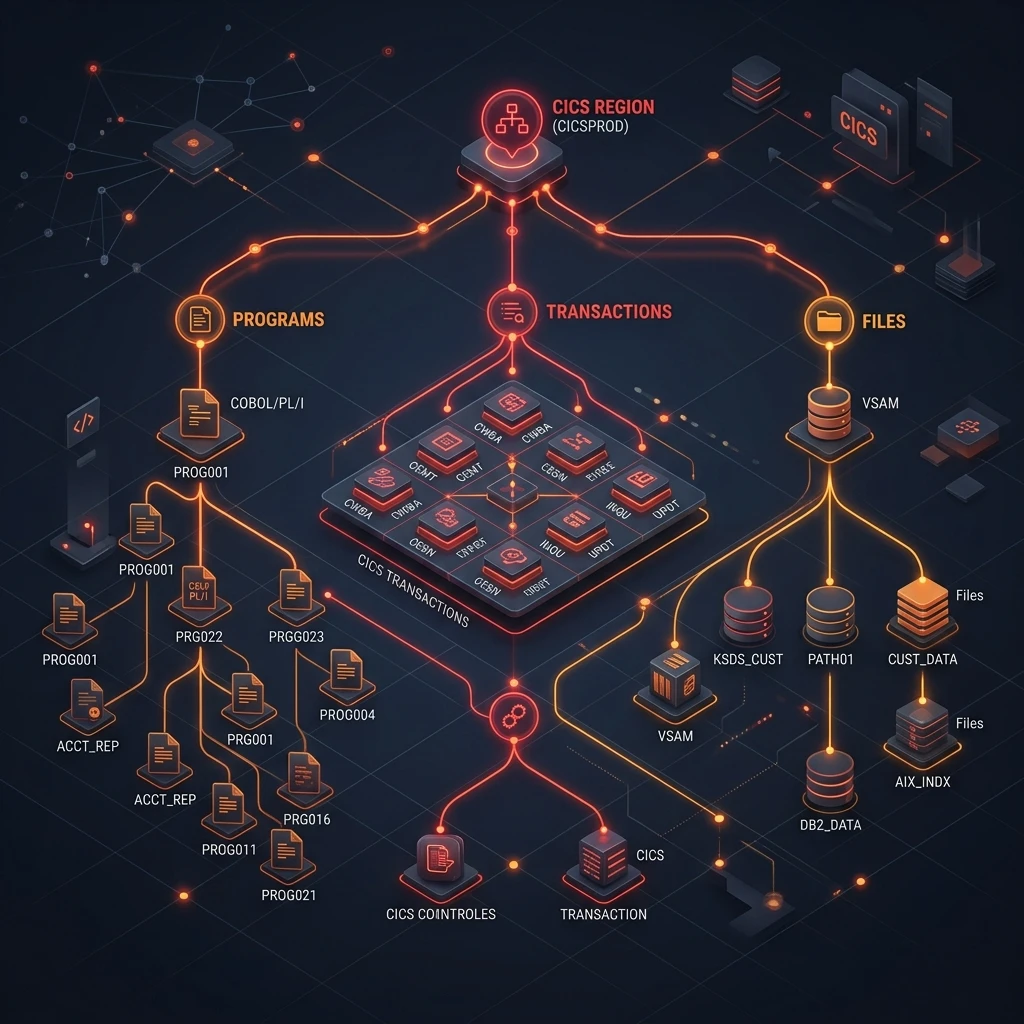
Introduction: Resource Definitions — The Foundation of CICS Administration
Every resource that a CICS program uses — the program itself, the transaction that invokes it, the files it reads, the maps it displays — must be defined in CICS before it can be used. These definitions live in the CSD (CICS System Definition) dataset and are managed through the CEDA transaction (online) or the DFHCSDUP utility (batch). At runtime, the CEMT transaction manages the operational state of installed resources.
Understanding how to define, install, alter, and manage CICS resources is essential for CICS administrators and for developers who need to deploy their own programs into a CICS environment. This guide covers every major resource type with syntax examples and production best practices.
The CSD: CICS System Definition Dataset
The CSD is a VSAM KSDS dataset that stores CICS resource definitions. It is organised into Groups (logical containers for related definitions) and Lists (ordered sequences of groups that CICS processes at startup to install resources).
CSD Structure
CSD
├── GROUP: MYAPP
│   ├── PROGRAM: EMPINQ
│   ├── PROGRAM: EMPGET
│   ├── TRANSACTION: EMPI
│   ├── FILE: EMPFILE
│   └── MAPSET: EMPIMAPS
├── GROUP: MYDB2
│   ├── DB2CONN: CICSA2DB
│   └── DB2ENTRY: EMPIENTR
└── LIST: MYLIST
    ├── GROUP: MYAPP (position 10)
    └── GROUP: MYDB2 (position 20)
At CICS startup, the SIT (System Initialisation Table) specifies which Lists to process. CICS installs all groups in those lists in order.
CEDA: Online CSD Management
CEDA is the interactive CICS transaction for managing the CSD. All operations follow the pattern: CEDA verb RESOURCE(name) GROUP(grpname).
Defining a PROGRAM Resource
CEDA DEFINE PROGRAM(EMPINQ)
     GROUP(MYAPP)
     LANGUAGE(COBOL)
     EXECKEY(USER)           /* Run in user key (default) */
     RELOAD(NO)              /* Don't reload for each task */
     RESIDENT(NO)            /* Don't keep permanently in memory */
     STATUS(ENABLED)         /* Available for use */
     DESCRIPTION(Employee Inquiry Main Program)
Key PROGRAM options:
- LANGUAGE: COBOL, ASSEMBLER, C, PL1
- EXECKEY: USER (application programs) or CICS (system programs)
- RELOAD(YES): Forces reload from load library on every invocation — useful in development, never in production (severe performance impact)
- RESIDENT(YES): Keeps program in memory permanently — use for very frequently called programs
Defining a TRANSACTION Resource
CEDA DEFINE TRANSACTION(EMPI)
     GROUP(MYAPP)
     PROGRAM(EMPINQ)         /* Entry-point program */
     TWASIZE(0)              /* Transaction Work Area size */
     PROFILE(DFHCICST)       /* Transaction profile */
     STATUS(ENABLED)
     TASKDATALOC(ANY)        /* Task storage location */
     PRIORITY(1)             /* Dispatch priority (1-255) */
     DESCRIPTION(Employee Inquiry Transaction)
Defining a FILE Resource (VSAM KSDS)
CEDA DEFINE FILE(EMPFILE)
     GROUP(MYAPP)
     DSNAME(MYAPP.VSAM.EMPFILE)   /* VSAM dataset name */
     KEYLENGTH(6)                  /* KSDS key length */
     RECORDSIZE(43)                /* Fixed record length */
     ADD(YES)                      /* Allow WRITE */
     BROWSE(YES)                   /* Allow STARTBR/READNEXT */
     DELETE(YES)                   /* Allow DELETE */
     READ(YES)                     /* Allow READ */
     UPDATE(YES)                   /* Allow READ UPDATE/REWRITE */
     STATUS(ENABLED)
     OPENTIME(STARTUP)             /* Open at CICS startup */
     STRINGS(3)                    /* Concurrent access strings */
Defining a MAPSET Resource
CEDA DEFINE MAPSET(EMPIMAPS)
     GROUP(MYAPP)
     STATUS(ENABLED)
     RESIDENT(NO)
     DESCRIPTION(Employee Inquiry Screen Maps)
The MAPSET load module must be in the DFHRPL library concatenation in the CICS JCL.
CEDA INSTALL: Activating Definitions
After defining resources, install them into the running CICS region:
*── Install a single resource ────────────────────────────────────
CEDA INSTALL PROGRAM(EMPINQ) GROUP(MYAPP)

*── Install an entire group (all resources in the group) ─────────
CEDA INSTALL GROUP(MYAPP)

*── View a definition ────────────────────────────────────────────
CEDA VIEW PROGRAM(EMPINQ) GROUP(MYAPP)

*── Alter an existing definition (change RELOAD from YES to NO) ──
CEDA ALTER PROGRAM(EMPINQ) GROUP(MYAPP) RELOAD(NO)
CEDA INSTALL PROGRAM(EMPINQ) GROUP(MYAPP)

*── Delete a definition from the CSD ─────────────────────────────
CEDA DELETE PROGRAM(EMPINQ) GROUP(MYAPP)
DFHCSDUP: Batch CSD Management
DFHCSDUP is the batch utility for CSD operations — essential for migration, backup, and mass updates. Run it as a batch job:
//CSDUP    EXEC PGM=DFHCSDUP
//STEPLIB  DD DSN=CICSTS56.CICS.SDFHLOAD,DISP=SHR
//DFHCSD   DD DSN=CICSTS56.CICS.DFHCSD,DISP=SHR
//SYSPRINT DD SYSOUT=*
//SYSIN    DD *
  LIST ALL INTO(MYAPP.CSD.LISTING)
  COPY GROUP(MYAPP) TO(MYAPP.TEST.CSD)
  MIGRATE CSD(MYAPP.OLD.CSD)
/*
Common DFHCSDUP operations:
- LIST ALL: Document all CSD definitions (produces a report)
- COPY GROUP(name) TO(target-csd): Copy a group to another CSD (e.g., from test to production)
- EXTRACT: Generate CEDA commands that reproduce a definition (useful for documentation and migration)
- MIGRATE: Migrate definitions from an older CICS CSD format
CEMT: Runtime Resource Management
CEMT (CICS Master Terminal) manages the operational state of installed resources. Unlike CEDA (which changes the CSD), CEMT changes the live CICS region and are not persistent across CICS restarts.
File Operations
*── Open a file that was closed ─────────────────────────────────
CEMT SET FILE(EMPFILE) OPEN

*── Close a file for maintenance (e.g., before VSAM REORG) ──────
CEMT SET FILE(EMPFILE) CLOSED

*── Make a file read-only (prevent updates) ──────────────────────
CEMT SET FILE(EMPFILE) READONLY

*── Re-enable a disabled file ────────────────────────────────────
CEMT SET FILE(EMPFILE) ENABLED

*── Inquire on file status ───────────────────────────────────────
CEMT INQUIRE FILE(EMPFILE)
Program Operations
*── Disable a program (stop new uses, existing tasks continue) ───
CEMT SET PROGRAM(EMPINQ) DISABLED

*── Re-enable it ─────────────────────────────────────────────────
CEMT SET PROGRAM(EMPINQ) ENABLED

*── Force CICS to reload the program next time it is needed ──────
CICS SET PROGRAM(EMPINQ) NEWCOPY
NEWCOPY is the most frequently used CEMT command during development — it forces CICS to load a fresh copy of the program from the load library, picking up recent compilations without cycling the CICS region.
Transaction Operations
*── Disable a transaction (new starts rejected) ──────────────────
CEMT SET TRANSACTION(EMPI) DISABLED

*── Re-enable ────────────────────────────────────────────────────
CEMT SET TRANSACTION(EMPI) ENABLED
Task Management
*── List all running tasks ───────────────────────────────────────
CEMT INQUIRE TASK ALL

*── Cancel a specific task by task number ────────────────────────
CEMT SET TASK(00037) PURGE

*── Force cancel (use when PURGE doesn't work) ───────────────────
CEMT SET TASK(00037) FORCEPURGE
EXEC CICS SET: Programmatic Resource Management
CICS resources can also be managed programmatically from COBOL programs using EXEC CICS SET commands — useful for automated operations and self-healing applications:
*── Open a file programmatically ─────────────────────────────────
EXEC CICS SET FILE('EMPFILE')
              OPEN
              RESP(WS-RESP)
END-EXEC.

*── Force NEWCOPY on a program ───────────────────────────────────
EXEC CICS SET PROGRAM('EMPINQ')
              NEWCOPY
              RESP(WS-RESP)
END-EXEC.

*── Disable a transaction ────────────────────────────────────────
EXEC CICS SET TRANSACTION('EMPI')
              STATUS(DISABLED)
              RESP(WS-RESP)
END-EXEC.
CSD Group and List Management
Organising definitions into groups and lists is a discipline that prevents CSD sprawl:
*── Add a group to a list (done once when creating new application) ─
CEDA ADD GROUP(MYAPP) LIST(MYLIST)

*── Remove a group from a list ───────────────────────────────────
CEDA REMOVE GROUP(MYAPP) LIST(MYLIST)

*── View all groups in a list ────────────────────────────────────
CEDA VIEW LIST(MYLIST)
Best practices for CSD organisation:
- One group per application subsystem (EMPGRP, ORDGRP, INVGRP)
- Separate groups for shared infrastructure (DBCONN, WEBSVCS, COMMON)
- One list per CICS region SIT startup (PRODLIST for production, TESTLIST for test)
- Never mix test and production definitions in the same group
- Use DFHCSDUP EXTRACT regularly to document CSD contents in source control
Key Takeaways
CICS resource definitions are the administrative foundation of every CICS application. CEDA manages the persistent CSD — DEFINE to create, ALTER to modify, INSTALL to activate, DELETE to remove. CEMT manages the runtime state — OPEN/CLOSE files, ENABLE/DISABLE programs and transactions, NEWCOPY to pick up recompiled programs, PURGE to cancel runaway tasks. DFHCSDUP provides batch CSD management for production migrations and documentation. Mastering these tools allows you to deploy, manage, and troubleshoot CICS applications confidently in any mainframe environment.
For understanding how to monitor CICS performance and diagnose problems in production, continue with CICS Monitoring and Performance. For the complete CICS course, visit the CICS Mastery Course.
Frequently Asked Questions
Q: What are CICS resource definitions and where are they stored? Resource definitions describe every object CICS manages — programs, transactions, files, queues, terminals, and connections. They are stored in the CICS System Definition (CSD) file, a VSAM KSDS managed with the CEDA and DFHCSDUP utilities. At region startup, CICS reads the CSD groups listed in the startup SIT (System Initialization Table) to install resources into the active catalogue. IBM also supports CICS bundles (XML-based definitions deployed from z/FS) for DevOps workflows.
Q: What is the difference between CEDA DEFINE, INSTALL, and NEWCOPY?
CEDA DEFINE creates a resource definition in the CSD without making it active. CEDA INSTALL makes a CSD definition active in the running CICS region — the resource becomes immediately available to transactions. CEDA NEWCOPY reloads a program from the load library into CICS storage — it is used after program maintenance to pick up a new version without restarting the region. INSTALL is for resource metadata; NEWCOPY is for refreshing the program module itself.
Q: What is a CICS GROUP and why is it important? A CICS GROUP is a named collection of resource definitions in the CSD that are installed together. Grouping related resources (a transaction, its program, its files, and its DB2 connection) into one GROUP lets you install or remove an entire application component atomically. A LIST in the CSD specifies the order in which GROUPs are installed at startup. Keeping GROUP definitions clean and well-named is essential for change management and recovery in large CICS environments.