
How CICS Transaction Processing Works: Complete Lifecycle Guide
Understand the complete lifecycle of a CICS transaction — from terminal input through program dispatch, resource access, SYNCPOINT, and task termination. Covers task creation, program loading, and recovery for CICS developers.
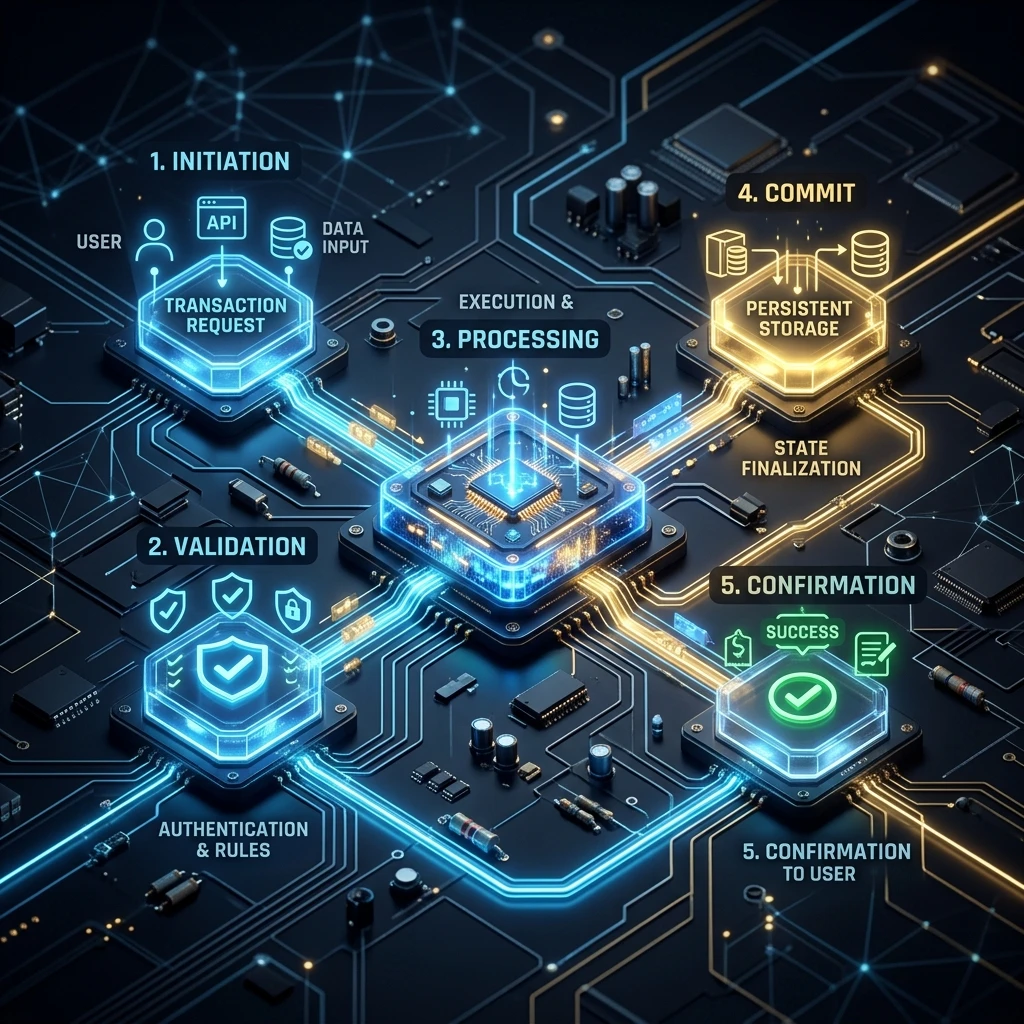
How CICS Transaction Processing Works
The transaction is the fundamental unit of CICS. Everything CICS does — every EXEC CICS command, every file access, every terminal write — happens within the context of a transaction. Understanding the complete lifecycle of a CICS transaction, from the moment a user presses ENTER to the moment the task terminates and resources are freed, is the foundation of writing correct and efficient CICS programs.
What Is a CICS Transaction?
A CICS transaction has two faces:
The resource definition: A static entry in the CICS CSD (CICS System Definition) that associates a 1-4 character transaction ID (e.g., EMPL) with a program name, security key, timeout value, and other attributes. This is defined once and persists across region restarts.
The task: A running instance of that transaction definition. When a user types EMPL and presses ENTER, CICS creates a task — a dynamically allocated execution context with its own storage, its own position in execution, and its own unit of work.
The distinction matters: 500 users can all invoke the EMPL transaction simultaneously. CICS creates 500 tasks, all running the same EMPINQ program, all sharing the same executable code (if the program is reentrant), each with their own working storage and data.
Step-by-Step: A CICS Transaction Lifecycle
Let us trace a balance inquiry transaction from start to finish.
Step 1: Transaction Identification
A teller types BALINQ 123456789 on a 3270 terminal and presses ENTER. The terminal sends the data to CICS via the VTAM (Virtual Telecommunications Access Method) network.
CICS's Terminal Management component receives the data. It extracts the transaction ID — the first 1-4 non-blank characters: BALI. It looks up BALI in the transaction definition table.
CICS Transaction Table lookup:
BALI → PROGRAM(BALINQP), PRIORITY(1), TWASIZE(0), TIMEOUT(30)
Step 2: Security Check
CICS checks whether the terminal user's RACF (or ESM) identity is authorised to run the BALI transaction. If not, CICS issues a security violation message and the task is not created.
Step 3: Task Creation
CICS creates a Task Control Block (TCB) for the new task. Storage is allocated:
- Transaction Work Area (TWA): Fixed-size storage unique to this task, defined by TWASIZE in the transaction definition. Available throughout the task's life.
- Common System Area pointer: Gives the task access to CICS system information via DFHCSADS.
- Execute Interface Block (EIB): Populated with task metadata (transaction ID, terminal ID, date, time). The program accesses EIB fields throughout execution.
Step 4: Program Load and Initial Dispatch
CICS checks whether program BALINQP is already in its program storage (from a previous invocation). If so, it reuses the shared executable (ERDSA). If not, it loads BALINQP from the CICS LOADLIB into storage.
The CICS dispatcher queues the new task and, when a TCB becomes available, dispatches it — giving it CPU control. Program BALINQP begins executing at its PROCEDURE DIVISION.
Step 5: EXEC CICS RECEIVE — Reading Input
The first thing BALINQP does is read the data the user typed:
EXEC CICS RECEIVE
    INTO(WS-INPUT-AREA)
    LENGTH(WS-INPUT-LEN)
END-EXEC.
CICS passes the terminal input (the account number 123456789) from its internal buffer into WS-INPUT-AREA. The task now has the account number to query.
Step 6: Resource Access — DB2 Query
The program queries the account balance from DB2:
EXEC SQL
    SELECT BALANCE, ACCOUNT_TYPE, LAST_TRANS_DATE
    INTO  :WS-BALANCE, :WS-ACCT-TYPE, :WS-LAST-DATE
    FROM   ACCOUNTS
    WHERE  ACCOUNT_NBR = :WS-ACCOUNT-NBR
END-EXEC.
CICS-DB2 Attachment Facility allocates a DB2 thread from the pool, executes the SQL, returns results, and returns the thread to the pool. DB2 places a share lock on the account row during the read (depending on isolation level).
Step 7: EXEC CICS SEND MAP — Displaying Results
The program formats the balance and sends it to the terminal:
MOVE WS-BALANCE TO BALANCEO.
EXEC CICS SEND MAP('BALINQM')
    MAPSET('BALINQS')
    FROM(BALINQ-MAP-AREA)
    ERASE
END-EXEC.
CICS formats the data into a 3270 data stream and sends it to the terminal. The terminal displays the balance screen.
Step 8: EXEC CICS RETURN — Task Termination
The program ends with:
EXEC CICS RETURN
    TRANSID('BALI')
    COMMAREA(WS-COMMAREA)
    LENGTH(LENGTH OF WS-COMMAREA)
END-EXEC.
This is pseudo-conversational design — the task ends here. CICS:
- Commits all recoverable resource changes (implicit SYNCPOINT)
- Releases all VSAM file locks held by the task
- Frees all task storage
- Associates the COMMAREA with the terminal for the next transaction
- Recycles the TCB
The user sees the balance on their screen. The CICS task is completely gone.
Step 9: Next User Interaction
When the teller presses ENTER again, CICS creates a NEW task. This new task picks up the COMMAREA saved from the previous step — giving it context (e.g., which account was being viewed) without having held any resources during the wait.
SYNCPOINT — Committing Resources
The SYNCPOINT is the point at which CICS commits all changes to recoverable resources:
* Explicit commit mid-transaction
EXEC CICS SYNCPOINT END-EXEC.

* Rollback to last syncpoint
EXEC CICS SYNCPOINT ROLLBACK END-EXEC.
Every EXEC CICS RETURN without a TRANSID causes an implicit SYNCPOINT — changes are committed when the task ends. If the task abends before reaching RETURN, CICS performs an automatic backout — rolling back all uncommitted changes.
Two-Phase Commit
When a CICS task modifies both VSAM data (a CICS-managed resource) and DB2 data (a separate resource manager), CICS uses a two-phase commit protocol to ensure both commit together or neither does:
Phase 1 (Prepare):  CICS asks DB2: "Can you commit?" → DB2: "Yes, prepared"
Phase 2 (Commit):   CICS tells DB2: "Commit now"     → DB2 commits
                     CICS commits its own resources
If CICS or DB2 fails between Phase 1 and Phase 2, the transaction is in-doubt. CICS Recovery Manager resolves in-doubt transactions on restart based on its log.
ABEND Handling
An abend (abnormal end) terminates a task unexpectedly. CICS assigns each abend a 4-character abend code:
| Abend Code | Cause |
|---|---|
| ASRA | Program check (data exception, addressing error) |
| ASRB | Program check in reentrant code |
| AICA | Interval Control Abend (infinite loop detected) |
| ATNI | Terminal not connected |
| AEY9 | DB2 not available |
| AFCA | File not found |
| AEI0 | Transaction not defined |
When an abend occurs:
- CICS backs out all uncommitted changes (automatic backout)
- CICS logs the abend in the CICS system log (CSMT) and CICS journal
- An error message is sent to the terminal (or caller)
- The task terminates
Programs can intercept abends before CICS terminates the task:
EXEC CICS HANDLE ABEND
    LABEL(9900-ABEND-HANDLER)
END-EXEC.

...

9900-ABEND-HANDLER.
    EXEC CICS ASSIGN ABCODE(WS-ABEND-CODE) END-EXEC.
    DISPLAY 'ABEND: ' WS-ABEND-CODE.
    EXEC CICS SYNCPOINT ROLLBACK END-EXEC.
    EXEC CICS RETURN END-EXEC.
Transaction Timeout
Every CICS transaction definition includes a TIMEOUT value (in seconds). If a task has not completed within this time (typically because it is stuck waiting for a lock or in an infinite loop), CICS abends the task with AICA.
Timeout protects the system: a hung task consuming a DB2 thread and holding file locks indefinitely would eventually exhaust shared resources for all other users.
Conversational vs Pseudo-Conversational
The most important design choice in CICS programming is whether to use conversational or pseudo-conversational design.
Conversational: One task handles the entire user session — it sends a screen, waits for the user to respond (seconds or minutes), reads the response, sends another screen, etc. During the wait, the task holds its storage, DB2 thread (if SQL was issued), and all locks. On a system with 10,000 concurrent users, this means 10,000 tasks each holding a DB2 thread — far exceeding what DB2 can support.
Pseudo-conversational: Each user interaction is a separate task. The task sends a screen and immediately ends (EXEC CICS RETURN with TRANSID to redisplay). State for the next interaction is saved in COMMAREA or a TS queue. When the user presses ENTER, a NEW task starts, reads the COMMAREA for context, processes the request, and ends again.
Pseudo-conversational design is mandatory for scalable CICS applications. It is the reason CICS can support tens of thousands of concurrent terminal users with a manageable number of DB2 threads.
Transaction Routing and Function Shipping
In multi-region environments, CICS adds two more mechanisms to the transaction lifecycle:
Transaction Routing: A transaction initiated in the TOR is executed in an AOR. The TOR acts as a proxy — it ships the transaction start request to the AOR, which does all the processing and ships screen I/O back through the TOR.
Function Shipping: A CICS command (e.g., EXEC CICS READ FILE) issued in one region is executed in a different region that owns the resource. Transparent to the program — the FILE call looks local but is actually remoted to the FOR.
Next Steps
With the transaction lifecycle understood, you are ready to start writing CICS programs. The CICS Resources Overview covers the resource definitions you will need before a single EXEC CICS command will work. Then dive into coding with CICS COBOL Programming. Full path at the CICS Mastery course hub.
Frequently Asked Questions
Q: What defines a CICS transaction and how is it invoked?
A CICS transaction is a unit of work identified by a 4-character transaction ID (TRANSID). It is associated with a PROGRAM resource in the CICS CSD. Users invoke transactions by typing the TRANSID on a 3270 terminal and pressing Enter, or by API calls from web services and MQ messages. CICS starts a task, loads the first program, and executes it. The task ends when the program issues EXEC CICS RETURN or transfers to a final exit.
Q: How does CICS ensure atomicity of a transaction across multiple resources?
CICS participates in z/OS Resource Recovery Services (RRS) for two-phase commit coordination. When a task commits with EXEC CICS SYNCPOINT, RRS coordinates the commit across all participating resource managers — DB2, IMS, MQ, VSAM managed by CICS File Control — atomically. If any resource fails to prepare, all others are rolled back. This guarantees that a transaction's changes to files, queues, and databases are committed together or not at all.
Q: What is transaction class (TCLASS) in CICS and how does it control workload? A TCLASS groups transactions and limits how many can run concurrently. For example, setting TCLASS MAXACTIVE(5) means at most 5 transactions in that class run simultaneously; others queue. This prevents resource-intensive report transactions from monopolising the CICS region during peak hours. Assigning online enquiries to one TCLASS and batch-style report transactions to another — with different MAXACTIVE limits — is a common workload management pattern.