
DB2 Backup & Recovery: LUW and z/OS Guide (2026)
Online vs offline backups, archive logging, HADR failover, and point-in-time recovery using ROLLFORWARD — explained for both LUW and z/OS. 2026.
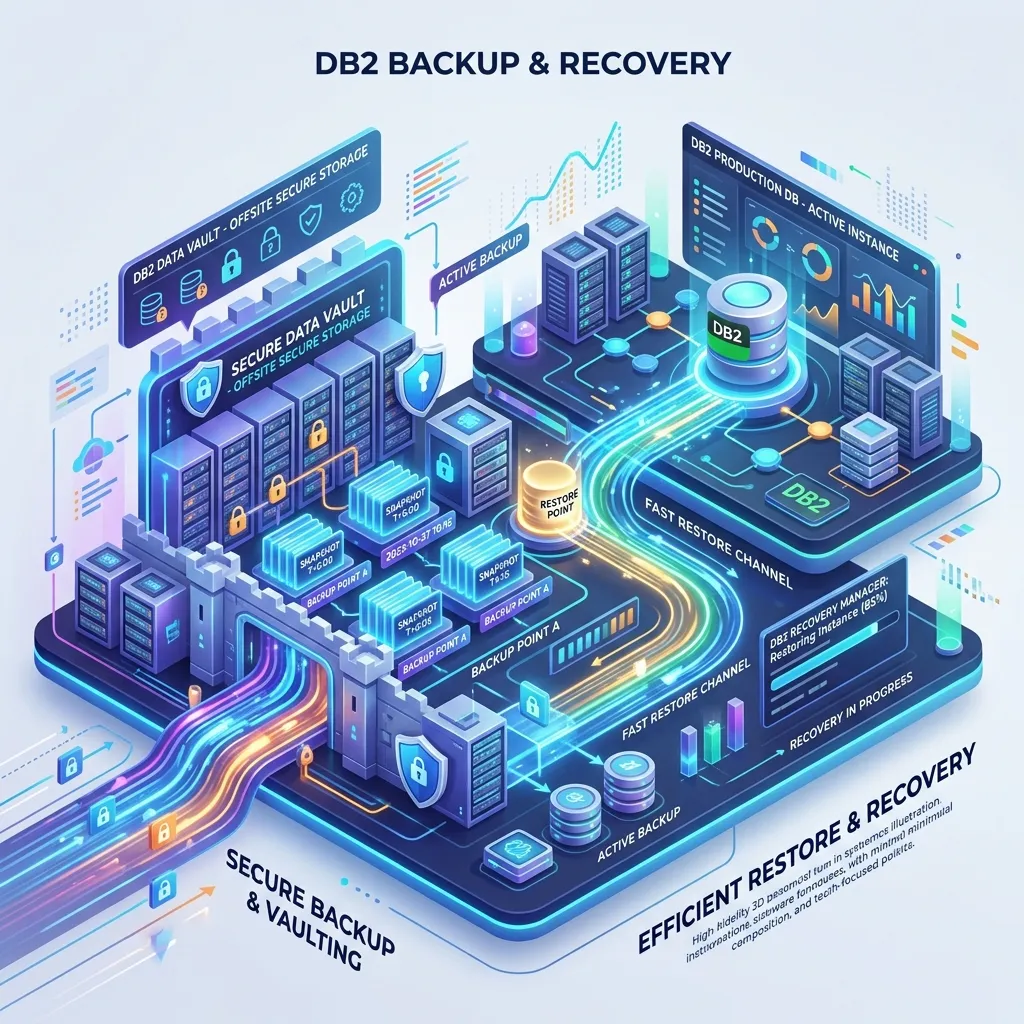
DB2 Backup and Recovery: Complete Guide
Data loss is one of the most catastrophic events a database system can face. A robust backup and recovery strategy is not optional — it is a fundamental operational requirement. DB2 provides a comprehensive set of tools for protecting data, from online backups that run without downtime to sophisticated standby database configurations that can take over in seconds after a failure.
This guide covers backup and recovery for both DB2 LUW and DB2 for z/OS.
DB2 LUW Backup Fundamentals
Logging Modes
Before configuring backup, understand the two logging modes:
Circular logging (default): DB2 reuses log files in a circular fashion. Only the current log and enough history to recover from a crash are retained. You can only recover to the last backup point — point-in-time recovery is not possible. Suitable only for development or data warehouse environments where data can be reloaded.
Archive logging: DB2 archives completed log files to a secondary storage location. This enables point-in-time recovery. Required for all production environments.
Enable archive logging:
db2 UPDATE DB CFG FOR mydb USING LOGARCHMETH1 DISK:/db2/archive/mydb
db2 UPDATE DB CFG FOR mydb USING LOGRETAIN ON
After enabling archive logging, an offline backup is required before the database can be restarted:
db2 BACKUP DATABASE mydb TO /backup/DB2 LUW Backup Types
Full Offline Backup
# Disconnect all users first
db2 FORCE APPLICATION ALL

# Full offline backup
db2 BACKUP DATABASE mydb TO /backup/

# Confirm backup
db2 LIST HISTORY BACKUP ALL FOR DATABASE mydb
Full Online Backup
# Online backup — database remains available
db2 BACKUP DATABASE mydb ONLINE TO /backup/ INCLUDE LOGS

# With compression
db2 BACKUP DATABASE mydb ONLINE TO /backup/ COMPRESS INCLUDE LOGS

# To tape
db2 BACKUP DATABASE mydb ONLINE TO /dev/tape0 INCLUDE LOGS
INCLUDE LOGS packages the required log files with the backup image, making restore simpler — you don't need to separately manage archive logs for this backup.
Incremental Backup
Incremental backups capture only pages changed since the last backup:
# Incremental (since last full backup)
db2 BACKUP DATABASE mydb ONLINE INCREMENTAL TO /backup/ INCLUDE LOGS

# Delta (since last backup of any type — full or incremental)
db2 BACKUP DATABASE mydb ONLINE INCREMENTAL DELTA TO /backup/ INCLUDE LOGS
A common backup strategy:
- Sunday: Full backup
- Monday–Saturday: Incremental backup
- Every 6 hours: Delta backup
DB2 LUW Recovery
Full Database Restore
# Restore from most recent backup
db2 RESTORE DATABASE mydb FROM /backup/

# Restore from a specific backup image
db2 RESTORE DATABASE mydb FROM /backup/ TAKEN AT 20260420120000

# Restore to a different database name
db2 RESTORE DATABASE mydb FROM /backup/ INTO newdb
Point-in-Time Recovery
# Step 1: Restore the database
db2 RESTORE DATABASE mydb FROM /backup/ TAKEN AT 20260420120000

# Step 2: Roll forward to the desired point
db2 ROLLFORWARD DATABASE mydb TO '2026-04-20-14.30.00' USING LOCAL TIME AND STOP

# Step 3: Verify database is usable
db2 CONNECT TO mydb
The ROLLFORWARD command applies archive logs from the backup point to the specified timestamp. The database is in roll-forward pending state until ROLLFORWARD AND STOP is issued.
Restore and Roll Forward in One Command
db2 RESTORE DATABASE mydb FROM /backup/ LOGTARGET /archive/
db2 ROLLFORWARD DATABASE mydb TO END OF LOGS AND STOP
DB2 High Availability Disaster Recovery (HADR)
HADR maintains a hot standby database that receives continuous log updates from the primary:
PRIMARY DATABASE                    STANDBY DATABASE
(Active — reads + writes)          (Passive — receiving logs)
         │                                   │
         └── Log shipping (TCP/IP) ──────────┘
Setting Up HADR
On the primary:
db2 UPDATE DB CFG FOR mydb USING HADR_LOCAL_HOST primary.server.com
db2 UPDATE DB CFG FOR mydb USING HADR_LOCAL_SVC  3700
db2 UPDATE DB CFG FOR mydb USING HADR_REMOTE_HOST standby.server.com
db2 UPDATE DB CFG FOR mydb USING HADR_REMOTE_SVC  3700
db2 UPDATE DB CFG FOR mydb USING HADR_SYNCMODE NEARSYNC
On the standby (after restoring a backup from primary):
db2 START HADR ON DATABASE mydb AS STANDBYOn the primary:
db2 START HADR ON DATABASE mydb AS PRIMARYHADR Synchronisation Modes
| Mode | Data Loss Risk | Performance Impact |
|---|---|---|
| SYNC | Zero (no data loss) | Highest (waits for standby ACK) |
| NEARSYNC | Minimal | Moderate |
| ASYNC | Small (last log buffer) | Lowest |
| SUPERASYNC | Higher | None (fire and forget) |
HADR Takeover
Manual takeover (planned maintenance):
db2 TAKEOVER HADR ON DATABASE mydbFailover (primary has failed):
db2 TAKEOVER HADR ON DATABASE mydb BY FORCEDB2 z/OS Backup — COPY Utility
On DB2 z/OS, backup is performed using the COPY utility, which creates image copies:
Full Image Copy
//COPY     EXEC PGM=DSNUTILB,PARM='DSN1,COPY'
//STEPLIB  DD DSN=DSN.SDSNEXIT,DISP=SHR
//         DD DSN=DSN.SDSNLOAD,DISP=SHR
//SYSPRINT DD SYSOUT=*
//SYSCOPY  DD DSN=BACKUP.EMPDB.EMPTS01.FULL.&DATE,
//            DISP=(NEW,CATLG),
//            UNIT=TAPE,
//            LABEL=(1,SL)
//SYSIN    DD *
  COPY TABLESPACE EMPDB.EMPTS01
    FULL YES
    SHRLEVEL CHANGE
    COPY1
/*
Incremental Image Copy
//SYSIN DD *
  COPY TABLESPACE EMPDB.EMPTS01
    FULL NO
    SHRLEVEL CHANGE
    COPY1
/*
Copying Multiple Tablespaces
//SYSIN DD *
  COPY TABLESPACE EMPDB.EMPTS01 FULL YES SHRLEVEL CHANGE COPY1
  COPY TABLESPACE EMPDB.DEPTS01 FULL YES SHRLEVEL CHANGE COPY1
  COPY TABLESPACE EMPDB.PRJTS01 FULL YES SHRLEVEL CHANGE COPY1
/*
DB2 z/OS Recovery — RECOVER Utility
Recover to Current
//RECOVER  EXEC PGM=DSNUTILB,PARM='DSN1,RECOVER'
//STEPLIB  DD DSN=DSN.SDSNEXIT,DISP=SHR
//         DD DSN=DSN.SDSNLOAD,DISP=SHR
//SYSPRINT DD SYSOUT=*
//SYSIN    DD *
  RECOVER TABLESPACE EMPDB.EMPTS01
/*
Recover to Point in Time
//SYSIN DD *
  RECOVER TABLESPACE EMPDB.EMPTS01
    TOTIME '2026-04-20-14.30.00'
/*
Recover After Disaster
If the BSDS (Bootstrap Dataset) is lost:
//SYSIN DD *
  RECOVER BSDS
/*
Backup Strategy Best Practices
Take image copies before and after REORG: A REORG invalidates the ability to recover using earlier image copies across the REORG boundary. A pre-REORG and post-REORG image copy ensures full recoverability.
Test recovery regularly: A backup that has never been tested is not a backup — it is a hope. Schedule quarterly recovery drills to verify that your backup images are valid and your recovery procedures work.
Retain multiple generations: Keep at least two full backup generations. If the latest full backup is corrupt, the previous generation provides a fallback.
Monitor backup success: Include SYSPRINT checks in your JCL that alert on utility failures. Failed backups that go unnoticed leave your data unprotected.
Document recovery procedures: Recovery under pressure is not the time to figure out procedures. Maintain runbooks for common recovery scenarios — full database loss, individual tablespace corruption, point-in-time rollback.
Next Steps
With backup and recovery covered, the final DBA topic is security and access control. Read the DB2 Security and Authorization guide to learn how to protect your data. For interview preparation and career guidance, see the DB2 Interview Questions. Full learning path at the DB2 Mastery course hub.
Frequently Asked Questions
Q: What are the main backup strategies available in DB2 for z/OS? DB2 z/OS supports full image copies (COPY utility), incremental image copies (only changed pages since the last copy), and concurrent copies (using hardware snapshot). Recovery uses the image copy combined with DB2 active and archive logs to roll forward to a point in time. DFSMShsm or tape management systems typically handle archiving the image copy data sets off primary storage.
Q: What is the DB2 RECOVER utility and when do you use it? The RECOVER utility restores a table space or index space to a consistent state after a failure or data corruption. You point it at the most recent image copy and DB2 applies log records forward to the target point-in-time (or current end-of-log). Use RECOVER for table space failures, accidental data deletion, or after restoring from backup — it is the primary tool for full data recovery.
Q: What is the difference between a FULL and INCREMENTAL image copy in DB2? A FULL image copy copies every allocated page in the table space, providing a self-contained recovery base. An INCREMENTAL image copy copies only pages modified since the last full or incremental copy, making it faster and smaller. Recovery with incrementals requires the last full copy plus all subsequent incrementals applied in order, which is slower at recovery time. The typical strategy is daily full copies with hourly incrementals.