
GitOps Patterns: Autonomous Architecture with Git-Driven Deployments
Master the pipeline. Learn how to use Git as the absolute 'Source of Truth' for your Infrastructure, Networking, and Deployment.
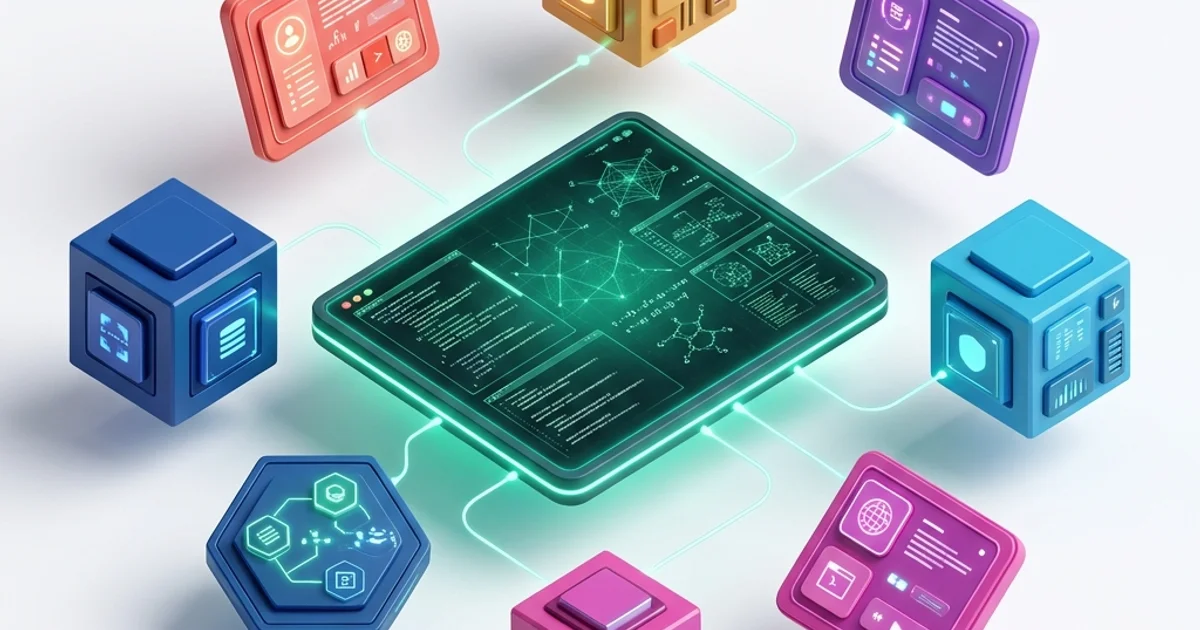
GitOps Patterns: Autonomous Architecture
In the era of Cloud-Native complexity (2026), managing infrastructure through manual scripts or "Click-Ops" is a recipe for disaster. We have transitioned to Autonomous Infrastructure. We no longer "Run deployments"; we define Desired States in Git and let the architecture heal itself until reality matches the code.
This 1,500+ word guide investigates the Science of GitOps. We will move beyond the basic "CI/CD" mindset and explore how to build indestructible, self-correcting networks that manage thousands of clusters across the globe with 100% precision.
1. Hardware-Mirror: The "Desired State" vs. Reality
At its core, GitOps is a Control System (Review Module 15).
- The Physics: Every complex system has a "Current State" (the physical bits on the server) and a "Desired State" (the YAML files in Git).
- The Reconciliation Loop: This is a continuous process that performs a
diffbetween Git and the Cluster. - The Hardware Reality: The GitOps controller (ArgoCD or Flux) is constantly reading the Kubernetes API Server and comparing it to the Git Commits. If a server's memory setting in the API doesn't match the Git commit, the controller issues a "PATCH" command to align the hardware with the code.
2. The Pull-Based Security Advantage
Traditional CI/CD uses the "Push Model."
- The Security Physics: For GitHub Actions to deploy to your VPC, it needs a "Master Password" (API Key) that can write to your data center. If your GitHub repo is compromised, your entire hardware infrastructure is exposed.
GitOps uses the "Pull Model."
- The Architecture: The GitOps operator lives inside your private, firewalled VPC. It only has "ReadOnly" access to the public Git repository.
- The Result: No "Write-Credentials" ever leave your secure perimeter. Even if a hacker gains control of your GitHub instance, they cannot use it to "Log in" to your servers.
3. Drift Detection: Neutralizing "Shadow IT"
One of the biggest causes of production incidents is Configuration Drift.
- The Scenario: A developer fixes a production bug by manually increasing the
lock_timeoutin the cloud console. They forget to tell the team. One month later, the database crashes because that change was never documented. - The GitOps Fix: The moment the manual change is made, the controller detects a Status: OutOfSync. Within 30 seconds, it overwrites the manual change with the "Truth" from Git.
- Governance: GitOps makes manual changes "Disposable." If it isn't in the Git History, it doesn't exist.
4. Multi-Cluster Hub & Spoke
When you have $500$ clusters (Retail stores, Edge PoPs, Regional DBs), you cannot manage them individually.
- The Architecture: You use a Management Cluster (Hub) and multiple Target Clusters (Spokes).
- The Logic: You update a single
cluster-configfile in Git. The Hub sees the update and "Propagates" it across all 500 Spoke clusters globally. - Zero-Touch Ops: This is how companies like Uber and Tesla manage their massive edge fleets without a $5,000$-person DevOps team.
5. Case Study: The "Global Financial Exchange"
A banking group moved its entire $200$-microservice stack to GitOps.
- The Benefit: Audit compliance. The regulators didn't ask for "Logs"; they asked for the Git History. Since every change to the firewall, database, and application was a signed Git commit, the audit took 2 days instead of 3 weeks.
- Disaster Recovery: During a regional AWS failure, the team launched a new cluster in a different region and pointed the GitOps operator at the existing repo. The entire environment-including networking and security-was re-hydrated in 12 minutes.
6. Summary: The GitOps Architect's Checklist
- Immutability First: Ban the "Edit" button in your cloud console. If it's not in Git, it's not production-ready.
- Secret Management: Never put raw passwords in Git. Use Sealed Secrets or HashiCorp Vault (Review Module 63) to inject secrets at runtime.
- Signed Commits: Enforce GPG signing for all infrastructure changes. An unsigned commit should be automatically rejected by the GitOps controller.
- Automatic Drift Reversion: Enable "Auto-Sync" to ensure that drift is corrected instantly, not just "reported."
- Small Commits: Don't change 50 files at once. Each commit should change one thing (e.g., "Bump version of payments-service").
GitOps is the "Source of Truth" for your system's existence. By mastering the distinction between Push and Pull deployment models and the magic of Drift Detection, you gain the ability to manage indestructible, self-healing cloud networks. You graduate from "Managing deployments" to "Architecting Autonomy."
Phase 58: Action Items
- Set up ArgoCD on a local test cluster (Minikube/K3s).
- Connect a repository and perform a "Manual Override" to witness Drift Detection in action.
- Implement a "Revert-Rollback" by undoing a Git commit and verifying the server state.
Read next: Zero Trust Architecture: Identity-Based Security in the Enterprise ->
Part of the Software Architecture Hub - engineering the autonomy.