
Microkernel Architecture: Building Extensible Plugin-Based Systems Like VS Code
Complete guide to Microkernel (Plugin/Extension) Architecture. Understand how VS Code, Chrome, Eclipse, and Jenkins use a stable core with an extensible plugin system, design a plugin registry with versioned hook points, implement plugin isolation (in-process, out-of-process, sandboxed), define plugin contracts using interfaces and schema validation, handle plugin lifecycle (load, activate, deactivate, unload), build a plugin marketplace, and measure the performance impact of plugin chains.
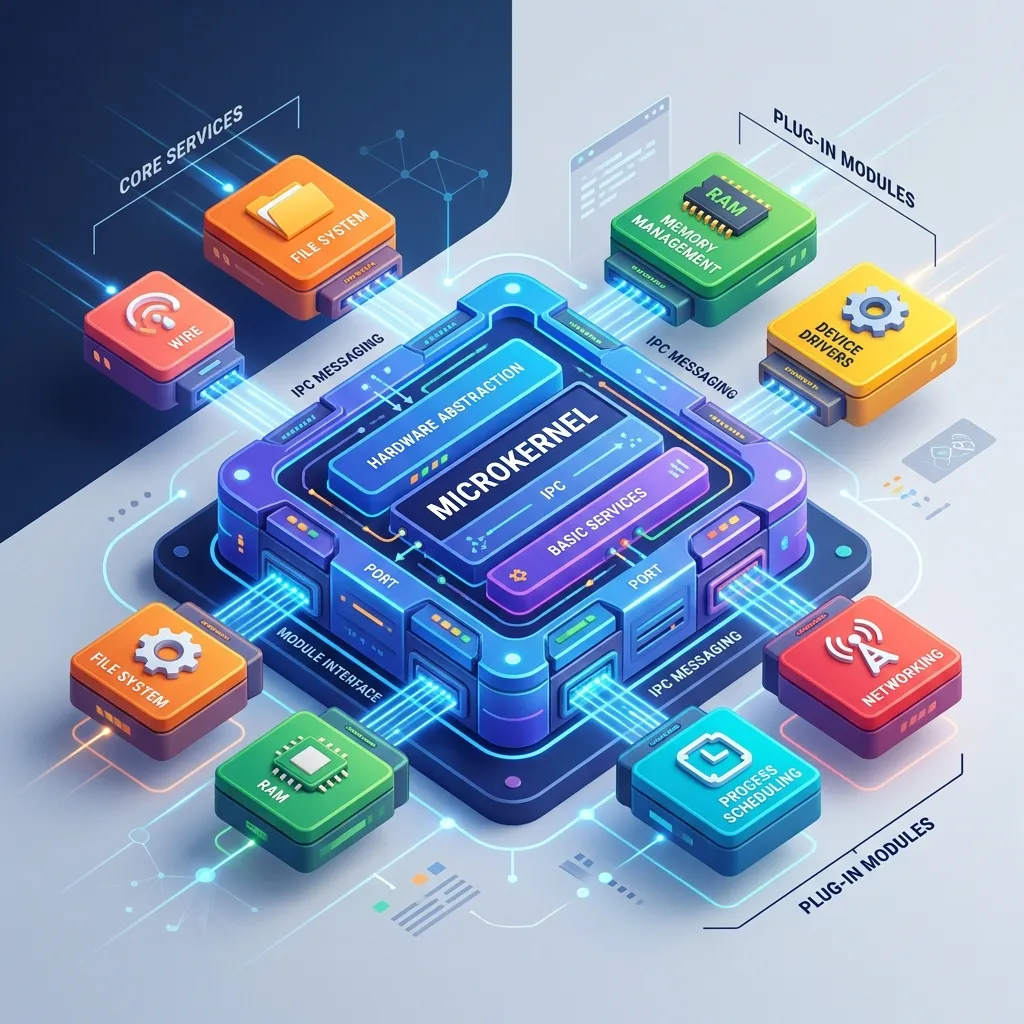
Microkernel Architecture: Building Extensible Plugin-Based Systems Like VS Code
Table of Contents
- Why Microkernel? The Extensibility Problem
- The Two Components: Core and Plugins
- The Plugin Registry and Hook System
- Plugin Contracts: Defining the Interface Boundary
- Plugin Isolation Models: In-Process vs Sandboxed
- Implementation: TypeScript Plugin System
- Real-World Case Study: VS Code Extension Architecture
- Plugin Lifecycle Management
- Testing Plugin-Based Systems
- Frequently Asked Questions
- Key Takeaway
Why Microkernel? The Extensibility Problem
As applications mature, feature requests multiply. There are two ways to accommodate them:
Monolithic growth: Add every feature to the core. Result: the application becomes large, complex, hard to test, and slow to change. A bug in feature A can crash feature B.
Microkernel approach: Define a stable core with extension points (hooks). Features are isolated plugins that attach to hooks. The core never changes; the feature set grows through plugins.
When to choose Microkernel Architecture:
- You want third parties (community, customers, partners) to extend your product
- Your feature set varies significantly per customer (enterprise configuration)
- Features evolve at different rates than the core engine
- You need a plugin marketplace (paid or open source)
- Core stability is paramount - plugins must not destabilise the core
The Two Components: Core and Plugins
Microkernel System:

+-----------------------------------------------------+
|                   CORE SYSTEM                        |
|  +---------------------------------------------+   |
|  |  Minimal, stable, infrequently changed       |   |
|  |  "¢ Plugin Registry (discover + load plugins) |   |
|  |  "¢ Lifecycle Manager (start/stop)            |   |
|  |  "¢ Hook System (event bus / extension points)|   |
|  |  "¢ Core Services (logging, config, auth)     |   |
|  +----------------------------------------------+   |
+------------------------------------------------------+
         ←• Plugin Contract (stable interface)
+----------+  +----------+  +----------+  +----------+
| Plugin A |  | Plugin B |  | Plugin C |  | Plugin D |
|(Git)     |  |(Linting) |  |(Theme)   |  |(Debugger)|
+-----------+  +-----------+  +-----------+  +-----------+
Independently versioned, developed, deployed
Core design rules:
- The core MUST be stable - breaking changes to the core API require a major version bump and deprecation period
- The core provides services to plugins but does not depend on any plugin
- Plugins can communicate through the core's event bus - never by calling each other directly
The Plugin Registry and Hook System
// Core: Plugin Registry - the heart of the system
interface PluginManifest {
    id: string;
    version: string;
    name: string;
    description: string;
    main: string;          // Entry point file
    hooks: string[];       // Which hooks this plugin subscribes to
    permissions: string[]; // What APIs this plugin can access
}

class PluginRegistry {
    private plugins = new Map<string, LoadedPlugin>();
    private hooks = new Map<string, Array<HookHandler>>();

    async register(manifest: PluginManifest, pluginInstance: Plugin): Promise<void> {
        // Validate plugin manifest schema:
        await this.validateManifest(manifest);

        // Register all hook subscriptions:
        for (const hookName of manifest.hooks) {
            if (!this.hooks.has(hookName)) {
                this.hooks.set(hookName, []);
            }
            this.hooks.get(hookName)!.push({
                pluginId: manifest.id,
                handler: pluginInstance.onHook.bind(pluginInstance),
            });
        }

        this.plugins.set(manifest.id, { manifest, instance: pluginInstance });
        console.log(`[Registry] Registered plugin: ${manifest.id}@${manifest.version}`);
    }

    async trigger(hookName: string, context: HookContext): Promise<HookContext> {
        const handlers = this.hooks.get(hookName) || [];
        let currentContext = context;

        for (const { pluginId, handler } of handlers) {
            try {
                currentContext = await handler(currentContext);
            } catch (error) {
                // ✅ Plugin failure is isolated - core and other plugins continue:
                console.error(`[Registry] Plugin ${pluginId} failed on hook ${hookName}:`, error);
                // Optionally emit a diagnostic event for plugin health monitoring
            }
        }
        return currentContext;
    }

    unregister(pluginId: string): void {
        // Remove all hook handlers for this plugin:
        for (const handlers of this.hooks.values()) {
            const idx = handlers.findIndex(h => h.pluginId === pluginId);
            if (idx !== -1) handlers.splice(idx, 1);
        }
        this.plugins.delete(pluginId);
    }
}
Plugin Contracts: Defining the Interface Boundary
The plugin contract is the most critical design decision - it determines what plugins can and cannot do, and how stable the API must remain:
// The Plugin Contract (stable API - breaking changes require semver major bump):
interface Plugin {
    // Lifecycle hooks:
    onActivate(context: PluginActivationContext): Promise<void>;
    onDeactivate(): Promise<void>;

    // Hook handler:
    onHook(hookName: string, context: HookContext): Promise<HookContext>;
}

interface PluginActivationContext {
    // Services the core provides to plugins:
    readonly logger: Logger;
    readonly config: ConfigService;
    readonly eventBus: EventBus;
    readonly registerCommand: (id: string, handler: CommandHandler) => void;
    readonly registerView: (id: string, component: ViewComponent) => void;
    // ❌ No direct database access - plugins use services, not raw DB
    // ❌ No filesystem access - plugins use the sandbox file API
}

// Example plugin implementation:
class GitPlugin implements Plugin {
    private disposables: Disposable[] = [];

    async onActivate(ctx: PluginActivationContext): Promise<void> {
        ctx.logger.info('Git plugin activated');

        // Register commands (core routes these):
        this.disposables.push(
            ctx.registerCommand('git.commit', this.handleCommit.bind(this)),
            ctx.registerCommand('git.push', this.handlePush.bind(this)),
        );

        // Subscribe to file save events via event bus:
        this.disposables.push(
            ctx.eventBus.on('file.saved', this.onFileSaved.bind(this))
        );
    }

    async onDeactivate(): Promise<void> {
        // Clean up all subscriptions and resources:
        this.disposables.forEach(d => d.dispose());
        this.disposables = [];
    }

    async onHook(hookName: string, context: HookContext): Promise<HookContext> {
        if (hookName === 'editor.decorations') {
            // Add git blame annotations to the context:
            return { ...context, decorations: [...context.decorations, ...this.getBlameDecorations()]};
        }
        return context;
    }
}
Plugin Isolation Models: In-Process vs Sandboxed
| Model | Isolation | Performance | Failure Impact | Used By |
|---|---|---|---|---|
| In-process (same thread) | None | Fastest | Plugin crash = app crash | Legacy systems |
| In-process (isolated) | WeakMap, module scope | Fast | Plugin exception caught | VS Code (main extensions) |
| Worker thread / Web Worker | Thread boundary | ~2ms overhead | Plugin crash isolated | VS Code (language servers) |
| Separate process | OS process boundary | ~10ms IPC | Full process isolation | Chrome (tabs), Electron |
| Sandboxed iframe / VM | V8 sandbox / Wasm | Variable | Near-complete isolation | Figma plugins, Deno |
VS Code's approach: Plugins run in a separate Extension Host process - a Node.js process isolated from the main renderer. If an extension crashes, the core editor remains functional. Communication happens via IPC (the vscode API is a proxy over IPC calls).
Real-World Case Study: VS Code Extension Architecture
VS Code Process Architecture:

+-----------------------------+     IPC (JSON-RPC)    +---------------------+
|   Main Process (Electron)   | ←-------------------- |  Extension Host     |
|   "¢ Window management       |                        |  "¢ All extensions   |
|   "¢ File system access      | ----------------------->|  "¢ Extension API    |
|   "¢ UI rendering            |     Events & calls     |  "¢ Language servers |
|   "¢ Core editor features    |                        |                     |
+------------------------------+                        +----------------------+

Extension lifecycle:
1. Extension declares hooks in package.json:
   "activationEvents": ["onLanguage:python"]
2. Main process sees a .py file opened -> activates Python extension in Extension Host
3. Python extension calls vscode.languages.registerCompletionProvider()
4. Main process receives registration over IPC - proxies completions back
5. User sees IntelliSense - powered by extension, rendered by core
Frequently Asked Questions
How do I prevent a plugin from slowing down the entire application?
Enforce execution time limits on hook handlers using Promise.race with a timeout. For synchronous hooks, use execution time budgets. Log slow plugins publicly (VS Code shows "Extension takes too long to activate" warnings). Advanced systems use worker threads with memory limits (--max-old-space-size) for heavier plugins.
Should plugin-to-plugin communication be allowed?
Direct calls between plugins create tight coupling and hidden dependencies - avoid it. Prefer event bus communication: Plugin A emits myapp:data-processed onto the event bus; Plugin B subscribes to it. The core event bus is the only shared communication channel. This preserves the ability to add/remove plugins independently without cascading failures.
Key Takeaway
Microkernel Architecture converts your application from a product into a platform. The core stays lean and stable; everything else is a plugin. VS Code went from a basic editor to the most popular development environment in the world without changing its core - every language, every debugger, every theme is a plugin. The investment is real: designing the correct plugin contract, hook points, and isolation model requires careful upfront architecture. But the payoff - a growing ecosystem of capabilities contributed by your community, customers, and partners - is one of software architecture's highest leverage outcomes.
Read next: Pipe & Filter Architecture: The Data Flow Pattern ->
Part of the Software Architecture Hub - comprehensive guides from architectural foundations to advanced distributed systems patterns.