
Python Dictionary Methods: Master Key-Value Pairs
Master Python dictionaries with this complete guide. Create, access, and manipulate dicts using get(), update(), pop(), and more. Real examples for every.
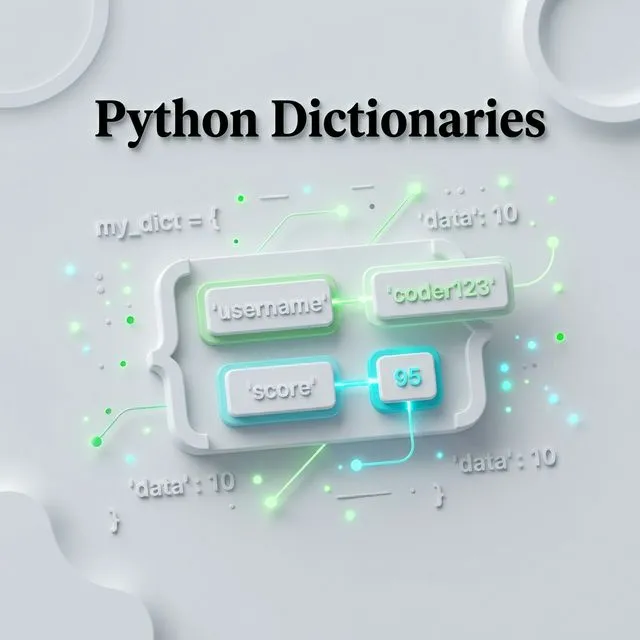
What is a Python Dictionary?
A Python dictionary is a mutable, key-indexed data structure that stores data as key: value pairs. Dictionaries allow O(1) average-time lookups, making them the go-to structure for fast data retrieval. Every key must be unique and immutable (strings, numbers, or tuples).
Introduction to Python Dictionaries
In Python, a Dictionary is one of the most essential and widely used data structures. Unlike lists or tuples that use numerical indexes, dictionaries use Keys to map to specific Values.
Think of it like a real-world dictionary: you look up a Word (the Key) to find its Definition (the Value).
Core Concept
Dictionaries are Unordered, Mutable, and Key-Indexed. Every key in a dictionary must be unique and immutable (like a string or a number).
Creating Dictionaries
There are multiple ways to initialize a dictionary in Python, depending on your needs.
1. Simple Literals
The most common way is using curly braces {} with key-value pairs separated by colons.
# Create a dictionary of counts
counts = {'one': 1, 'two': 2, 'three': 3}

# Create an empty dictionary
empty_dict = {}
2. Using the dict() Constructor
You can also build a dictionary from a list of tuples or keyword arguments.
# From a list of tuples
pairs = [('name', 'TopicTrick'), ('type', 'Blog')]
site_info = dict(pairs)

# Using keyword arguments
user = dict(name='Dev', age=25)
Accessing and Modifying Data
Accessing Values
You can retrieve a value using its key in square brackets or the .get() method.
Why use .get()?
Using `dict[key]` will raise an error if the key doesn't exist. `dict.get(key)` will safely return `None` (or a default value) instead.
data = {'Dublin': 'Ireland', 'London': 'UK'}

# Trivial access
print(data['Dublin']) # Ireland

# Safe access with default
print(data.get('Paris', 'Unknown City')) # Unknown City
Adding and Updating
Dictionaries are mutable, so you can add new pairs or update existing ones easily.
user = {'name': 'Alice'}

# Add a new key
user['age'] = 30

# Update using .update()
user.update({'email': 'alice@example.com', 'age': 31})
Essential Dictionary Methods
| Method | Description |
|---|---|
keys() | Returns a view of all keys |
values() | Returns a view of all values |
items() | Returns a view of all key-value tuples |
get(key, default) | Returns the value for a key, or a default if not found |
pop(key) | Removes the key and returns its value |
popitem() | Removes and returns the last added pair |
clear() | Removes all items from the dictionary |
fromkeys(seq, v) | Creates a new dictionary with keys from seq and values set to v |
Dictionary Unpacking
Just like lists, you can "unpack" or merge dictionaries using the ** operator.
defaults = {'theme': 'dark', 'notifications': True}
user_settings = {'notifications': False}

# Merge dictionaries (user_settings overwrites defaults)
final_settings = {**defaults, **user_settings}
print(final_settings) # {'theme': 'dark', 'notifications': False}
Iterating Over Dictionaries
Python provides clean ways to iterate over all keys, values, or both:
user = {"name": "Alice", "age": 30, "city": "Dublin"}

# Iterate over keys
for key in user:
    print(key)

# Iterate over values
for value in user.values():
    print(value)

# Iterate over key-value pairs (most common)
for key, value in user.items():
    print(f"{key}: {value}")
Dictionary Comprehensions
Just like list comprehensions, Python supports dictionary comprehensions - a concise way to build dictionaries:
# Square each number
squares = {n: n**2 for n in range(1, 6)}
print(squares)  # {1: 1, 2: 4, 3: 9, 4: 16, 5: 25}

# Filter a dictionary - only items with stock > 0
inventory = {"apples": 5, "bananas": 0, "oranges": 3}
in_stock = {k: v for k, v in inventory.items() if v > 0}
print(in_stock)  # {'apples': 5, 'oranges': 3}
Nested Dictionaries
Real-world data is often hierarchical. Python dictionaries can be nested to any depth:
employees = {
    "alice": {
        "role": "Engineer",
        "salary": 85000,
        "skills": ["Python", "SQL"]
    },
    "bob": {
        "role": "Designer",
        "salary": 72000,
        "skills": ["Figma", "CSS"]
    }
}

# Access nested data
print(employees["alice"]["skills"][0])  # Python

# Add a new nested entry
employees["carol"] = {"role": "Manager", "salary": 95000, "skills": []}
defaultdict: Handling Missing Keys Automatically
From Python's collections module, defaultdict automatically creates a default value when a missing key is accessed:
from collections import defaultdict

# Default value is an empty list
word_groups = defaultdict(list)

words = ["apple", "avocado", "banana", "blueberry", "cherry"]
for word in words:
    word_groups[word[0]].append(word)

print(dict(word_groups))
# {'a': ['apple', 'avocado'], 'b': ['banana', 'blueberry'], 'c': ['cherry']}
This eliminates the need for verbose if key in dict checks before appending.
Related Python Topics
- Python Data Types - understand all Python types, including where dicts fit
- Python List - the ordered counterpart to dictionaries
- Python Sets and Frozensets - for unique collections with fast membership testing
- Python Loops and Iterations - loop over dict keys, values, and items
For the full API reference, see the Python dictionary documentation, the collections.defaultdict reference, and the Python tutorial section on dictionaries.
Common Dictionary Mistakes
Avoiding these pitfalls will save you hours of debugging:
-
Using mutable objects as keys. Dictionaries require hashable keys. A list like
[1, 2]cannot be a key - you'll get aTypeError. Use a tuple(1, 2)instead. -
Modifying a dictionary while iterating over it. Changing the size of a dict inside a
forloop raises aRuntimeError. Build a list of keys to remove first, then delete them after the loop. -
Confusing
dict[key]withdict.get(key). Direct bracket access raises aKeyErrorfor missing keys. If missing keys are expected, always use.get()with a sensible default. -
Treating dictionaries as unordered in Python 3.7+. Since Python 3.7, dictionaries maintain insertion order. Relying on this is fine in modern Python, but code that must run on Python 3.6 or older cannot depend on it.
-
Using a class variable dict shared across instances. If a class-level dictionary is mutated by an instance, all instances see the change. Always define mutable defaults in
__init__, not at class level.
Best Practices for Python Dictionaries
Follow these guidelines to write cleaner, safer dictionary code:
- Use
.get()for optional keys.user.get("age", 0)is safer thanuser["age"]when the key might be absent. - Prefer dictionary comprehensions over manual loops for building transformed dicts - they are faster and more readable.
- Use
collections.defaultdictwhen every missing key should default to the same type (list, int, set). - Use
collections.Counterfor frequency counting - it's a dict subclass built specifically for tallying. - Merge with
{**a, **b}ora | b(Python 3.9+) rather than calling.update()when you want to keep the originals intact. - Store fixed configuration as a plain dict, not a list of tuples - key-based access is clearer and O(1).
- Document the expected schema using type hints:
user: dict[str, int]or aTypedDictfor strict interfaces. - Avoid deep nesting beyond two levels. If your dict is three levels deep, consider a dataclass or a small class instead.
FAQ
Can a Python dictionary have duplicate keys?
No. If you define the same key twice, the second value silently overwrites the first. This is intentional - keys are unique by design, just like real-world lookup tables.
What is the difference between dict.update() and merging with **?
dict.update() modifies the dictionary in place, while {**a, **b} creates a new dictionary. In Python 3.9+, the | operator also creates a new dict (merged = a | b), while |= updates in place. Use whichever makes the intent clearest.
Are Python dictionaries ordered?
Yes, since Python 3.7. Dictionaries remember the order keys were inserted and iteration reflects that order. In Python 3.6, insertion order was preserved as an implementation detail but not guaranteed by the language spec.
Conclusion
Dictionaries are a powerhouse of Python programming. Whether you're handling JSON data or building complex mapping logic, mastering the dict object is a non-negotiable skill for any developer.
In our next batch of tutorials, we'll look at Sets and Conditional Statements!
Practice Task
Create a dictionary representing a simple inventory of 3 items (name and quantity). Then, use the `pop()` method to remove one item.
Common Dictionary Mistakes in Python
1. Modifying a dictionary while iterating over it
for key in d: del d[key] raises RuntimeError: dictionary changed size during iteration. Iterate over a copy: for key in list(d.keys()): or use a dict comprehension to build a filtered version.
2. Using a mutable default argument
def func(data={}): shares the same dictionary across all calls. Each call that modifies data affects subsequent calls. Use None as the default and create a new dict inside the function: if data is None: data = {}.
3. KeyError on missing keys
d["key"] raises KeyError if the key does not exist. Use d.get("key", default) to return a fallback value, or d.setdefault("key", default) to insert and return the default in one operation. See the Python dict documentation.
4. Shallow copy vs deep copy
copy_d = d.copy() creates a shallow copy - nested dicts and lists are still shared. For independent copies of nested structures, use import copy; copy.deepcopy(d).
5. Assuming dictionary order in older Python
Dictionaries maintain insertion order since Python 3.7 (CPython 3.6). Code that must run on Python 3.5 or earlier should use collections.OrderedDict explicitly.
Frequently Asked Questions
What is the difference between dict.get() and dict[]?
d["key"] raises KeyError if the key is absent. d.get("key") returns None by default, or a specified fallback: d.get("key", 0). Use get() when the key may legitimately be absent; use [] when its absence is a programming error.
When should I use collections.defaultdict vs a regular dict?
Use defaultdict(list) or defaultdict(int) when you frequently need to initialise missing keys to a default value - for example, grouping items or counting occurrences. It eliminates the if key not in d: d[key] = [] pattern. The collections module docs cover all variants.
How do I merge two dictionaries in Python 3.9+?
Use the merge operator: merged = d1 | d2. For in-place update, use d1 |= d2. In older Python, use {**d1, **d2} or d1.update(d2).