
Python Tuples: The Immutable Data Structure Explained
Master Python tuples with this complete guide. Learn creation, indexing, packing, unpacking, and when to choose immutable tuples over lists. Real examples.
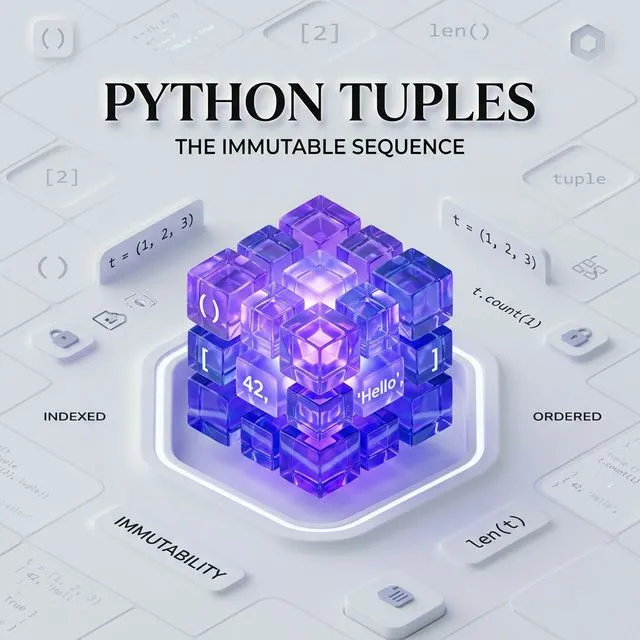
What is a Python Tuple?
A Python tuple is an ordered, immutable sequence that can store items of any type. Once created, its elements cannot be changed, added, or removed. Tuples are faster than lists, hashable (usable as dictionary keys), and signal to other developers that the data is intentionally fixed.
Introduction to Python Tuples
In the world of Python, Tuples are the steady, reliable cousins of Lists. While they look similar on the surface, they serve a very different purpose in your code.
A Tuple is a sequence data structure used to store a group of items that should not change throughout the life of your program.
Key Characteristic: Immutability
Once a tuple is created, its elements cannot be modified, added, or removed. This makes them faster and safer for constant data.
Python Tuple vs. Python List
Choosing between a List and a Tuple depends on whether you need your data to be "read-only" or "editable."
| Feature | Python Tuple | Python List |
|---|---|---|
| Mutability | Immutable (Read-Only) | Mutable (Editable) |
| Syntax | Parentheses () | Square Brackets [] |
| Performance | Faster Iteration | Slightly Slower |
| Common Use | Fixed Data, Constants | Dynamic Data, Stacks |
Creating Tuples in Python
You can define a tuple by placing elements inside parentheses (), separated by commas.
# 1. Empty tuple
empty_tpl = ()

# 2. Integer tuple
numbers = (1, 2, 3, 4, 5)

# 3. Mixed types
profile = ('TopicTrick', 2026, True)

# 4. Without parentheses (Tuple Packing)
shorthand = 10, 20, 30
Pro Tip: The Single-Element Tuple
To create a tuple with only one item, you MUST include a trailing comma: `single = (5,)`. Without the comma, Python will just treat it as an integer in parentheses.
Accessing Elements
Just like lists, tuples use Zero-based Indexing.
data = ('Dublin', 'London', 'Berlin', 'Paris')

# Access by index
print(data[0])  # Output: Dublin

# Slicing (Getting a range)
print(data[1:3]) # Output: ('London', 'Berlin')

# Negative indexing
print(data[-1]) # Output: Paris
Essential Tuple Methods
Since tuples are immutable, they have fewer methods than lists. The two primary ones are:
count(x): Returns the number of times a value appears.index(x): Returns the first index where a value is found.
votes = ('Yes', 'No', 'Yes', 'Yes', 'No')
print(votes.count('Yes')) # Output: 3
print(votes.index('No'))  # Output: 1
Packing and Unpacking
Tuple packing and unpacking is a powerful Python feature that allows you to assign values to multiple variables at once.
# Packing
coordinates = (10.5, 20.8)

# Unpacking
latitude, longitude = coordinates

print(latitude)  # 10.5
print(longitude) # 20.8
When to use a Tuple?
- Constants: For data that shouldn't be changed by accident (e.g., days of the week).
- Dictionary Keys: Since tuples are hashable (immutable), they can be used as keys in a dictionary, unlike lists.
- Return Values: Functions often return multiple values as a tuple.
Advanced Tuple Techniques
Extended Unpacking with *
Python supports unpacking a variable number of elements using the * operator:
first, *middle, last = (1, 2, 3, 4, 5)
print(first)   # 1
print(middle)  # [2, 3, 4]
print(last)    # 5

# Useful for swapping variables without a temp variable
a, b = 10, 20
a, b = b, a
print(a, b)  # 20 10
Named Tuples
For more readable code when a plain tuple becomes hard to follow, use collections.namedtuple:
from collections import namedtuple

# Define a named tuple type
Point = namedtuple("Point", ["x", "y", "z"])

p = Point(x=10, y=20, z=30)
print(p.x)    # 10 - access by name, not just index
print(p[1])   # 20 - still accessible by index
print(p)      # Point(x=10, y=20, z=30) - readable repr
Named tuples are more self-documenting than plain tuples, yet still immutable and memory-efficient.
Tuples as Dictionary Keys
Because tuples are hashable, they can be used as composite dictionary keys - something lists cannot do:
# Grid coordinates as keys
grid = {}
grid[(0, 0)] = "start"
grid[(3, 4)] = "goal"
grid[(1, 2)] = "obstacle"

print(grid[(3, 4)])  # goal

# Useful for caching function results (memoization)
cache = {}
def expensive_function(x, y):
    key = (x, y)
    if key not in cache:
        cache[key] = x ** y  # Compute once, cache result
    return cache[key]
Tuple vs List vs Set: When to Use Which
| Scenario | Best Type | Reason |
|---|---|---|
| Fixed configuration data | Tuple | Immutable, fast, signals intent |
| Dynamic collection that grows/shrinks | List | Mutable with append/remove |
| Unique elements, set operations | Set | No duplicates, O(1) lookup |
| Dict key with multiple values | Tuple | Only hashable sequence works as key |
| Return multiple values from a function | Tuple | Pythonic convention |
Real-World Example: Returning Multiple Values
Functions frequently use tuples to return multiple results:
def get_min_max(numbers):
    """Returns (minimum, maximum) as a tuple."""
    return min(numbers), max(numbers)  # Creates a tuple automatically

data = [4, 7, 2, 9, 1, 5]
low, high = get_min_max(data)  # Unpacked directly
print(f"Min: {low}, Max: {high}")  # Min: 1, Max: 9
This is standard Python - when you see a function returning multiple values, it's almost always a tuple under the hood.
Related Python Topics
- Python List - the mutable counterpart, for when data needs to change
- Python Dictionary and its Methods - use tuples as composite dict keys
- Python Data Types - tuples in the context of all Python types
- Python Functions and Parameters - functions return tuples when returning multiple values
For the official reference, see Python tuple documentation and collections.namedtuple.
Common Mistakes
-
Forgetting the trailing comma for single-element tuples. Writing
single = (5)creates an integer, not a tuple. Always writesingle = (5,). The comma is what makes it a tuple, not the parentheses. -
Trying to modify a tuple in place. Tuples are immutable -
my_tuple[0] = 10raises aTypeError. If you need to change a value, convert the tuple to a list withlist(), make the change, then convert back withtuple(). -
Confusing tuple unpacking counts.
a, b = (1, 2, 3)raisesValueError: too many values to unpack. The number of variables on the left must match the number of elements in the tuple - unless you use the*star operator to capture extras:a, *rest = (1, 2, 3). -
Mutating objects inside a "immutable" tuple. A tuple containing a list is technically immutable (you cannot reassign elements), but the list inside can still be modified:
t = ([1, 2],); t[0].append(3)works fine. The tuple doesn't change - the reference is the same - but the referenced list is mutable. -
Using tuples where named tuples would be clearer. Once a tuple has more than two or three elements, accessing them by index (
data[3]) becomes hard to read. Switch tocollections.namedtupleor adataclassto give each field a meaningful name.
Frequently Asked Questions
Are tuples faster than lists in Python?
Yes, in most operations. Tuples have a smaller memory footprint than lists and are slightly faster to iterate and index because Python optimises immutable sequences. The difference is minimal for small collections, but significant in tight loops over millions of elements. For fixed data - configuration constants, coordinate pairs, function return values - always prefer a tuple.
Can a tuple contain mutable objects like lists?
Yes. A tuple enforces that its direct elements cannot be reassigned, but it does not enforce immutability on the objects it holds. If a tuple contains a list, that list can still be appended to or modified. This means a tuple containing a list is not hashable and cannot be used as a dictionary key - the hash would change as the list changes.
When should I return a tuple instead of a list from a function?
Return a tuple when the number of returned values is fixed and the caller should not need to modify the collection - for example, (min_value, max_value), (latitude, longitude), or (status_code, message). Returning a list signals to the caller that they may want to append or remove items. Returning a tuple signals that the result is complete as-is.
Conclusion
Tuples are a simple yet essential tool in your Python arsenal. Their immutability brings performance benefits and data integrity to your applications.
Next up, we'll dive into Python Dictionaries-the king of key-value pairs!
Practice Task
Try defining a tuple representing a point in 3D space (x, y, z) and unpack it into three separate variables.
Common Tuple Mistakes in Python
1. Forgetting the trailing comma for single-element tuples
t = (1) is an integer, not a tuple. A single-element tuple requires a trailing comma: t = (1,) or just t = 1,. This is one of Python's most common gotchas for newcomers. See the Python tuples documentation.
2. Trying to modify a tuple
Tuples are immutable - t[0] = 99 raises TypeError. If you need to "change" a tuple, create a new one: t = (99,) + t[1:]. For frequently modified sequences, use a list instead.
3. Confusing tuple unpacking with a single value
a, b = (1,) raises ValueError: not enough values to unpack. Make sure the left-hand side has the same number of variables as the tuple has elements. Use *rest for variable-length unpacking: first, *rest = my_tuple.
4. Using a tuple when a namedtuple or dataclass is clearer
(42, "Alice", True) is opaque - what does index 0 mean? Use collections.namedtuple or @dataclass to give fields meaningful names when a tuple represents a record with distinct fields.
5. Assuming tuples are always faster than lists Tuple creation and iteration are slightly faster than lists, but the difference is negligible for most code. Choose between them based on semantics (immutable record vs mutable sequence), not micro-optimisation.
Frequently Asked Questions
When should I use a tuple instead of a list? Use a tuple when the data is a fixed collection of heterogeneous items - a record, a coordinate, a return value with multiple components. Use a list for homogeneous sequences that may grow or shrink. Tuples also serve as dictionary keys and set elements (because they are hashable), which lists cannot.
What is tuple unpacking and how does it work?
Tuple unpacking assigns each element of a tuple to a separate variable in one statement: x, y, z = (1, 2, 3). Extended unpacking with * captures remaining elements: first, *middle, last = (1, 2, 3, 4, 5). The Python assignment statement documentation covers all unpacking forms.
Are tuples truly immutable?
A tuple cannot have its elements reassigned, but if an element is itself mutable (e.g. a list), that element's contents can change: t = ([1, 2], 3); t[0].append(99) works fine. The tuple's identity (which objects it references) is fixed - not the internal state of those objects.