
SQL INNER JOIN: Master Relational Logic
Master the connection. Learn how to combine data from multiple tables, understand the 'On' vs 'Where' clause, and how to scale queries with 5+ Joins.
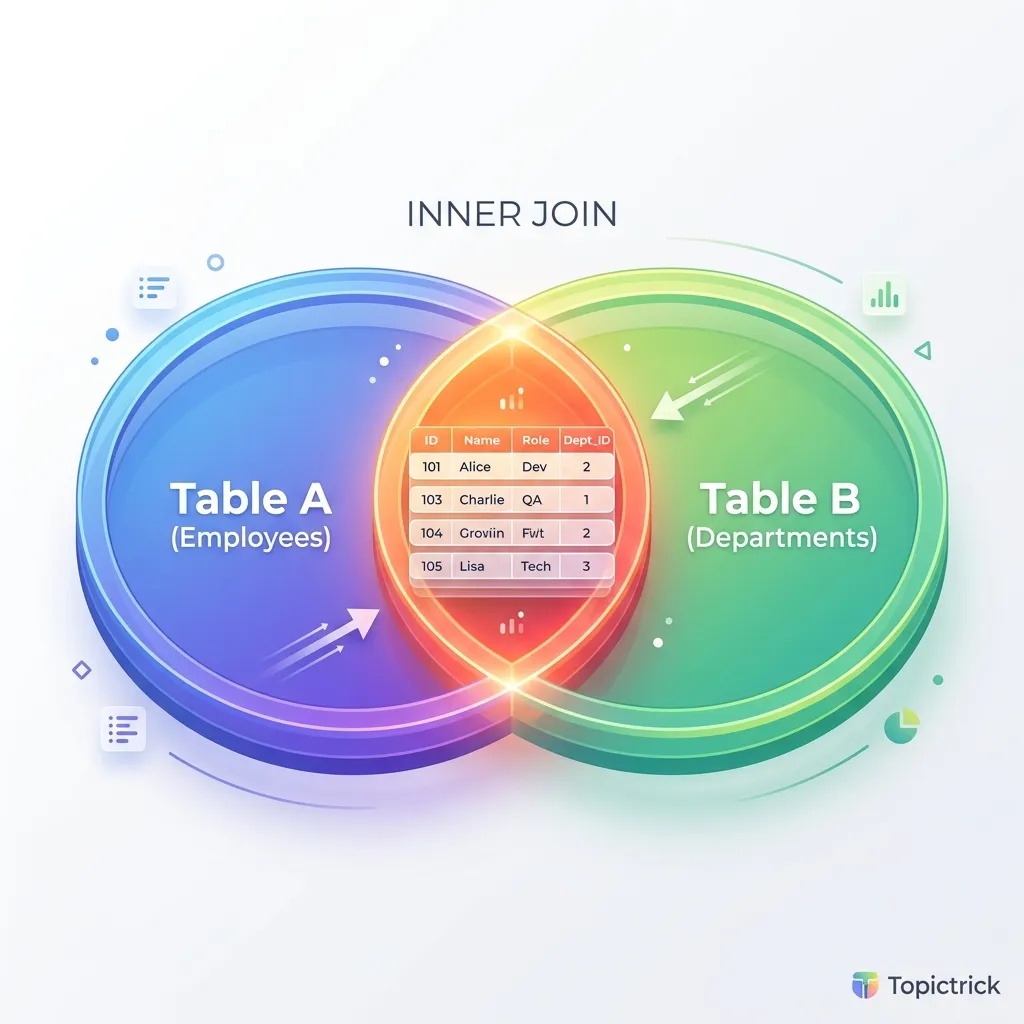
SQL INNER JOIN: Connecting the Dots
In a flat spreadsheet, you might have one giant row that contains the user's name, their email, the products they bought, the shipping address, and the credit card details. This is a "Monolithic Table," and it is the enemy of scale. If the user changes their email, you have to update 1,000 rows. If they place a new order, you have to duplicate their address again.
Instead, we use Normalization to split data into many small, specialized tables. The INNER JOIN is the tool that "Sews" these tables back together in the CPU's memory at the exact moment you need them.
1. The Join Engine: The Physics of Connection
When you write JOIN orders ON users.id = orders.user_id, the database engine doesn't just "Look for matches." It chooses one of three physical algorithms based on the size of your data and the presence of indexes.
1. Nested Loop Join (The "O(N * M)" Path)
The most basic algorithm. For every row in Table A, the engine scans Table B to find a match.
- When it's used: When one of the tables is very small ($< 100$ rows) and the other table has an index on the join column.
- Hardware Profile: Very low memory usage, but can be extremely slow if the index is missing.
- The Index-Only Mirror: When an index is present, this becomes a "Nested Loop Index Scan." Instead of scanning the table, the engine just scans the index leaf pages. This is the fastest possible join mirror for small result sets.
2. Hash Join (The "Big Data" Path)
The engine builds a "Hash Table" in RAM from the smaller table. Then, it scans the larger table once, checking the hash table for instant matches.
- Hardware Profile: High RAM usage. If the hash table fits in
work_mem, it's an $O(N)$ operation. - The Multi-batch Mirror: If the hash table is too large, Postgres partitions it into "Batches" on disk. It then processes one batch at a time, effectively "Mirroring" the data between RAM and the storage layer to survive memory constraints.
3. Merge Join (The "Sorted" Path)
Both tables are sorted by the join column first. The engine then "Walks" down both lists simultaneously, like a zipper.
- Hardware Profile: The most efficient algorithm for massive datasets ($100$ million+ rows) because it uses Sequential I/O.
The Bloom Filter Mirror
In high-performance joins (common in distributed SQL), the engine uses a Bloom Filter.
- The Physics: Before performing a heavy join, the "Inner" table generates a probabilistic bit-vector (The Bloom Filter).
- The Optimization: As the "Outer" table is scanned, it checks the filter. If the filter says "Definitely not here," the engine skips the expensive join lookup entirely. This effectively reduces the "Noise" in the join mirror before the CPU even touches the hash table.
2. Relationship Theory: The 3 Core Patterns
To architect a database, you must choose the right "Topology" for your data connections.
One-to-One (1:1)
A user has one profile; a profile belongs to one user.
- Architecture: Usually, these are kept in the same table. We only split them (e.g.,
user_secrets) if one table has sensitive data that needs different security permissions.
One-to-Many (1:N)
A teacher has many students; a student has one teacher. This is the most common relationship in SQL.
- Architecture: The "Many" side (Students) contains a Foreign Key pointing to the "One" side (Teachers).
Many-to-Many (N:M)
An actor stars in many movies; a movie has many actors.
- Architecture: You cannot do this with two tables. You must use a "Bridge Table" (or Junction Table) called
castingsthat contains two foreign keys:actor_idandmovie_id. Joining across this bridge is what separates a junior developer from a SQL professional.
3. The Self-Join: Hierarchical Data
Sometimes a table needs to join with itself. This is used to represent hierarchies where an entity has a "Parent."
The "Manager" Problem
In an employees table, every row has an employee_id. Some rows also have a manager_id, which is also an employee_id.
SELECT
    e.name AS Employee,
    m.name AS Manager
FROM employees e
INNER JOIN employees m ON e.manager_id = m.employee_id;
Why this matters: This is how you build org charts, folder paths, or threaded comment sections (like Reddit). You are using the same table in two different "Logical Roles."
4. Case Study: The "Double Join" Performance Wall
A social media app was trying to load a user's "Recent Posts" along with the "Author Name" and the "Category Name."
posts($10$ million rows)users($1$ million rows)categories($50$ rows)
The Failure
The developer joined posts to users first. Because posts was so large, the engine performed a Hash Join that consumed $2$ GB of RAM. Then it joined the result to categories.
The Result: The dashboard took $4$ seconds to load.
The Architect's Fix
The developer re-ordered the joins to join the small tables first. By joining posts to categories first (using an index), the engine narrowed the scope of the data before hitting the heavy users table.
The Lesson: The "Order of Joins" matters. While modern optimizers try to fix this for you, a professional architect designs queries so the "Smallest working set" is maintained at every step.
5. Case Study: The "Cross Join" Disaster
If you forget the ON clause in an Inner Join, you create a Cartesian Product (Cross Join).
- Table A: $10,000$ items.
- Table B: $10,000$ items.
- Result of missing
ON: $100,000,000$ rows.
The Disaster: One missing line of code can fill a database's RAM, lock the CPU, and crash the entire server as it tries to generate $100$ million rows of useless data. This is why we never use the old-school comma syntax (FROM users, orders). Always use the explicit INNER JOIN keyword.
6. Summary: The Join Checklist
- Index the FKs: Every Foreign Key column must have an index. Without it, every JOIN will trigger a Hash Join or a Nested Loop scan.
- Types Match: Ensure the data types are identical. Joining an
INTto aVARCHARforces the database to perform a "Type Cast" on every row, killing index performance. - Start Small: Filter your data with
WHEREclauses before performing massive joins if possible. - Self-Joins: Use aliases (
e,m) to keep your logic clear when a table joins itself. - Audit the Plan: Use
EXPLAIN ANALYZEto see if your engine is using a Hash Join or a Merge Join.
Mastering the INNER JOIN is the moment you move from "Querying files" to "Architecting Knowledge." By understanding the hardware algorithms and the relationship topology, you build systems that can connect millions of dots in a fraction of a second.
7. The GEQO Mirror: Complex Join Geometry
When you join $2$ or $3$ tables, the engine checks every possible join order. But what about joining 20 tables?
Combinatorial Explosion
The number of possible join orders for $N$ tables is $N!$ (N factorial). For $20$ tables, that is a astronomical number.
- The GEQO Solution: Postgres uses the Genetic Query Optimizer.
- The Physics: It treats join orders like "DNA." It creates a random population of orders, "Mutates" them, and lets the most efficient ones survive to the next generation.
- Architect's Warning: If your query plan is fluctuating wildly between "Fast" and "Slow," you might be hitting the GEQO threshold. Consider breaking the query into CTEs to "Force" a specific execution mirror.
Masterclass Join Checklist
- Audit Foreign Key Indexes: Ensure every
_idcolumn used in a join is indexed. - Implement Sovereign Identifiers: Match data types precisely (e.g., BIGINT to BIGINT) to avoid type-cast row scans.
- Monitor Join Order: Place the most selective table (the one that filters the most) at the top of the join chain.
- Use Bloom Filtering: Enable parallel hash joins to activate probabilistic set filtering.
Read next: SQL OUTER JOIN: The Null Handling Mirror ->
Frequently Asked Questions
Q: What is the difference between INNER JOIN, LEFT JOIN, and FULL OUTER JOIN?
INNER JOIN returns only rows where the join condition matches in both tables - unmatched rows from either table are excluded. LEFT JOIN (LEFT OUTER JOIN) returns all rows from the left table plus matching rows from the right; if no match exists, the right table columns are NULL. RIGHT JOIN is the mirror of LEFT JOIN. FULL OUTER JOIN returns all rows from both tables, with NULLs where no match exists on either side. In practice, INNER JOIN and LEFT JOIN cover the vast majority of real queries; RIGHT JOIN and FULL OUTER JOIN are rare.
Q: What causes a Cartesian product and how do I avoid it?
A Cartesian product (CROSS JOIN) returns every combination of rows from two tables - 100 rows x 200 rows = 20,000 result rows. It occurs accidentally when you join two tables without a join condition, or when you write an implicit join with a missing WHERE clause: SELECT * FROM orders, customers without WHERE orders.customer_id = customers.id. Always use explicit JOIN syntax and verify your ON clause - a missing or incorrect join condition is one of the most common causes of unexpectedly large result sets that crash applications.
Q: What is a self-join and when would I use one?
A self-join joins a table to itself, treating it as two separate tables with different aliases. The classic use case is hierarchical data in a single table - an employees table where each row has a manager_id that references another row's employee_id. SELECT e.name, m.name AS manager FROM employees e LEFT JOIN employees m ON e.manager_id = m.employee_id retrieves each employee alongside their manager's name from the same table. Self-joins are also used for finding duplicate records, comparing rows within the same table, or any relationship where rows reference other rows in the same table.
Part of the SQL Mastery Course - engineering the connection.