
Zachman Builder Row (Row 4): Physical Deliverables & Technology Stack
Row 4 of the Zachman Framework — technology-specific design: database schemas, APIs, infrastructure specs, and deployment architecture across all 6 columns.
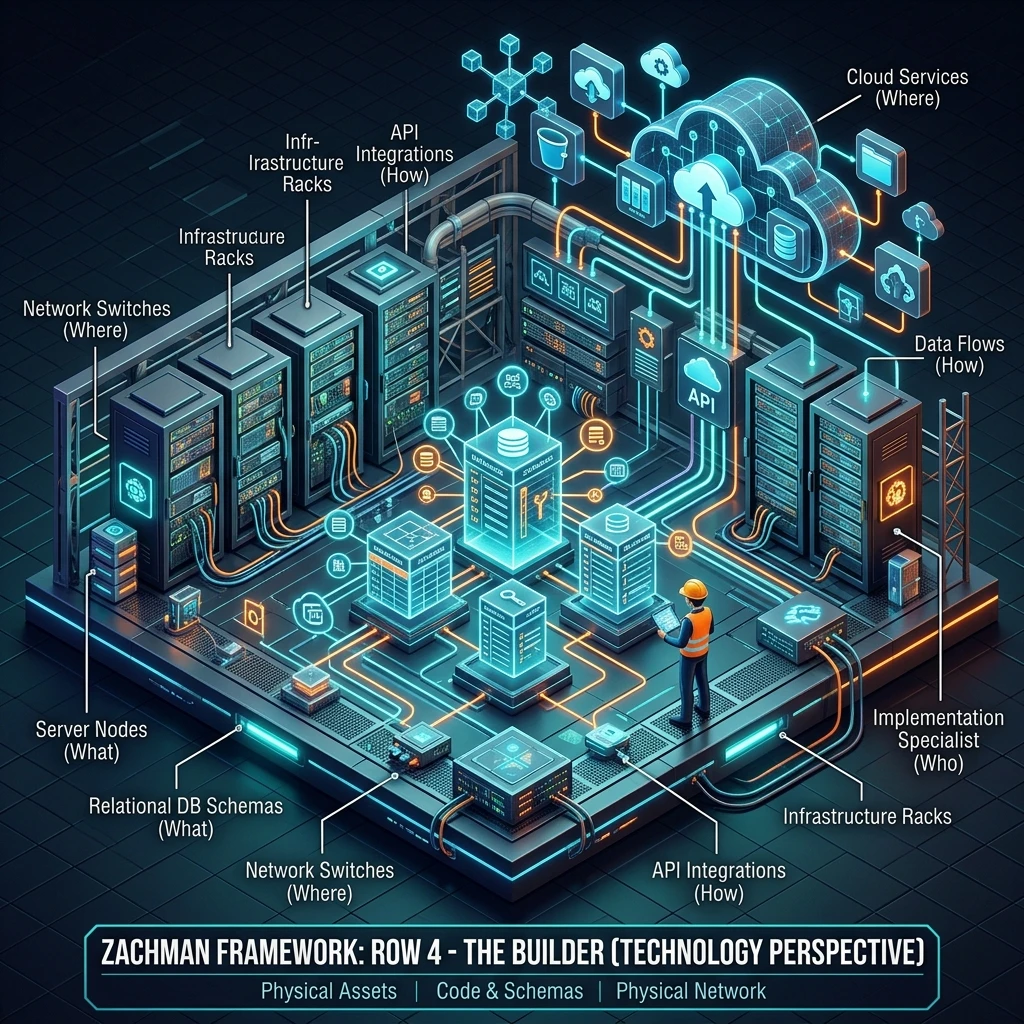
Zachman Builder Row: Physical Implementation and Technology Stack Explained
The Builder row (Row 4) is the fourth perspective in the Zachman Framework matrix. It represents the infrastructure builder's perspective - how the system is physically implemented using specific technologies. If Row 3 says "what system we need," Row 4 says "how we'll build it with specific technology choices."
The Builder row is characterised by:
- Technology-specific: Uses specific tools, databases, frameworks, platforms
- Physical focus: Actual databases, APIs, infrastructure, deployment architecture
- Performance-oriented: Optimised for the chosen technology stack
- Detailed: Specifies schemas, APIs, configurations
- Implementation-ready: Developers can start coding from Row 4
This row is where abstract architecture becomes concrete implementation.
What Does the Builder Row Cover?
The Builder row addresses all six interrogatives, at the technology implementation level:
| Interrogative | Builder (Row 4) | Example |
|---|---|---|
| What | Physical database schema (PostgreSQL, MongoDB, etc.) | CREATE TABLE, indexes, partitions |
| How | API specifications, microservices architecture | REST endpoints, event handlers, frameworks |
| Where | Cloud/infrastructure specifications | AWS regions, Kubernetes clusters, storage |
| Who | System users and service accounts | Database roles, application service accounts |
| When | Job scheduling, message queue configuration | Cron jobs, Kafka topics, Lambda configurations |
| Why | Configuration files, environment variables | Feature flags, policies, security settings |
The Six Columns in the Builder Row
Column 1: Builder/What - Physical Database Schema
Question: How is the logical data model implemented in specific database technology?
Artefacts:
- DDL (Data Definition Language) for specific RDBMS or NoSQL
- Table/collection definitions with technology-specific types
- Indexes and performance optimisations
- Partitioning strategy
- Backup and recovery configuration
Characteristics:
- 20-60 pages depending on complexity
- Technology-specific (Oracle, PostgreSQL, MongoDB, DynamoDB, etc.)
- Optimised for performance (may denormalise for speed)
- Database-specific syntax and features
Example for PostgreSQL:
-- Create CUSTOMER table
CREATE TABLE customers (
  customer_id BIGSERIAL PRIMARY KEY,
  first_name VARCHAR(100) NOT NULL,
  last_name VARCHAR(100) NOT NULL,
  email VARCHAR(255) NOT NULL UNIQUE,
  phone VARCHAR(20),
  customer_segment VARCHAR(50) NOT NULL DEFAULT 'SMB',
  created_date TIMESTAMP NOT NULL DEFAULT CURRENT_TIMESTAMP,
  modified_date TIMESTAMP NOT NULL DEFAULT CURRENT_TIMESTAMP,
  CHECK (first_name <> ''),
  CHECK (email <> '')
);

CREATE INDEX idx_customers_email ON customers(email);
CREATE INDEX idx_customers_segment ON customers(customer_segment);
CREATE INDEX idx_customers_created ON customers(created_date DESC);

-- Create ACCOUNT table
CREATE TABLE accounts (
  account_id BIGSERIAL PRIMARY KEY,
  customer_id BIGINT NOT NULL,
  account_type VARCHAR(50) NOT NULL,
  status VARCHAR(50) NOT NULL DEFAULT 'ACTIVE',
  balance NUMERIC(18,2) NOT NULL DEFAULT 0,
  created_date TIMESTAMP NOT NULL DEFAULT CURRENT_TIMESTAMP,
  FOREIGN KEY (customer_id) REFERENCES customers(customer_id),
  CHECK (balance >= 0)
);

CREATE INDEX idx_accounts_customer ON accounts(customer_id);
CREATE INDEX idx_accounts_status ON accounts(status);

-- Create TRANSACTION table
CREATE TABLE transactions (
  transaction_id BIGSERIAL PRIMARY KEY,
  account_id BIGINT NOT NULL,
  amount NUMERIC(18,2) NOT NULL,
  type VARCHAR(50) NOT NULL,
  status VARCHAR(50) NOT NULL DEFAULT 'PENDING',
  transaction_date TIMESTAMP NOT NULL DEFAULT CURRENT_TIMESTAMP,
  FOREIGN KEY (account_id) REFERENCES accounts(account_id),
  CHECK (amount > 0)
);

CREATE INDEX idx_transactions_account ON transactions(account_id);
CREATE INDEX idx_transactions_date ON transactions(transaction_date DESC);

-- Partitioning for large tables
CREATE TABLE transactions_2026_q1 PARTITION OF transactions
  FOR VALUES FROM ('2026-01-01') TO ('2026-04-01');
CREATE TABLE transactions_2026_q2 PARTITION OF transactions
  FOR VALUES FROM ('2026-04-01') TO ('2026-07-01');
-- ... additional quarters
Example for MongoDB:
{
  "collection": "customers",
  "schema": {
    "bsonType": "object",
    "required": ["email", "first_name", "last_name"],
    "properties": {
      "_id": {"bsonType": "objectId"},
      "email": {"bsonType": "string", "pattern": "^.+@.+\\..+$"},
      "first_name": {"bsonType": "string"},
      "last_name": {"bsonType": "string"},
      "phone": {"bsonType": "string"},
      "customer_segment": {"bsonType": "string", "enum": ["SMB", "Mid-market"]},
      "created_date": {"bsonType": "date"},
      "modified_date": {"bsonType": "date"}
    }
  },
  "indexes": [
    {"key": {"email": 1}, "unique": true},
    {"key": {"customer_segment": 1}},
    {"key": {"created_date": -1}}
  ]
}Why: Ensures database is configured for performance and reliability.
Column 2: Builder/How - API Specifications and Implementation Architecture
Question: How are system functions implemented using specific technologies?
Artefacts:
- API specifications (REST endpoints, gRPC, GraphQL)
- Microservices architecture diagram
- Framework and library choices (Spring Boot, FastAPI, Node.js, etc.)
- Integration patterns (synchronous, asynchronous, event-driven)
Characteristics:
- 30-80 pages including API specs
- Technology-specific (Java/Spring, Python/FastAPI, Node.js, etc.)
- Detailed enough for developers to start coding
- Includes error handling, authentication, validation
Example for REST API:
openapi: 3.0.0
info:
  title: Order Management API
  version: 1.0.0

paths:
  /api/v1/orders:
    post:
      summary: Create a new order
      requestBody:
        required: true
        content:
          application/json:
            schema:
              type: object
              properties:
                customer_id:
                  type: string
                  format: uuid
                items:
                  type: array
                  items:
                    type: object
                    properties:
                      product_id:
                        type: string
                      quantity:
                        type: integer
                        minimum: 1
                shipping_address:
                  type: string
              required: [customer_id, items, shipping_address]
      responses:
        201:
          description: Order created successfully
          content:
            application/json:
              schema:
                type: object
                properties:
                  order_id:
                    type: string
                    format: uuid
                  status:
                    type: string
                    enum: [CREATED, CONFIRMED, SHIPPED, DELIVERED]
                  total:
                    type: number
                  created_date:
                    type: string
                    format: date-time
        400:
          description: Bad request (validation error)
        402:
          description: Payment required (payment failed)

  /api/v1/orders/{order_id}:
    get:
      summary: Get order details
      parameters:
        - name: order_id
          in: path
          required: true
          schema:
            type: string
            format: uuid
      responses:
        200:
          description: Order details
        404:
          description: Order not found
Microservices Architecture:
Order Service (Java/Spring Boot):
  - REST endpoint: POST /api/v1/orders
  - Calls: Inventory Service (check stock)
  - Publishes event: OrderCreated (to SNS/Kafka)
  - Database: PostgreSQL

Payment Service (Python/FastAPI):
  - REST endpoint: POST /api/v1/payments/validate
  - Calls: Payment Gateway (Stripe API)
  - Publishes event: PaymentProcessed
  - Database: PostgreSQL

Inventory Service (Node.js/Express):
  - REST endpoint: GET /api/v1/inventory/{product_id}
  - Database: MongoDB
  - Cache: Redis (cache for frequently accessed items)
  - Publishes event: StockLevelUpdated

Notification Service:
  - Consumes events: OrderCreated, PaymentProcessed, OrderShipped
  - Sends: Email (SES), SMS (Twilio), Push (Firebase)
- No database (stateless)Why: Provides developers with clear implementation specifications.
Column 3: Builder/Where - Infrastructure and Deployment Architecture
Question: Where is the system deployed physically?
Artefacts:
- Cloud architecture diagram (AWS regions, availability zones, etc.)
- Kubernetes manifests (if containerised)
- Infrastructure-as-code (Terraform, CloudFormation)
- Load balancing and failover strategy
- Storage architecture (databases, file storage, caches)
Characteristics:
- 20-50 pages including diagrams
- Technology-specific (AWS, Azure, GCP, on-premises, etc.)
- Includes disaster recovery and failover
- Specifies networking, security groups, VPCs
Example for AWS:
Primary Region: us-east-1 (N. Virginia)
  VPC: 10.0.0.0/16

  Public Subnets (DMZ):
    - us-east-1a: 10.0.1.0/24 (ALB, NAT Gateway)
    - us-east-1b: 10.0.2.0/24 (ALB, NAT Gateway)

  Private Subnets (Application):
    - us-east-1a: 10.0.10.0/24 (Order Service, Payment Service)
    - us-east-1b: 10.0.11.0/24 (Order Service, Payment Service)
    - us-east-1c: 10.0.12.0/24 (Backup)

  Private Subnets (Data):
    - us-east-1a: 10.0.20.0/24 (RDS Primary)
    - us-east-1b: 10.0.21.0/24 (RDS Standby)
    - us-east-1c: 10.0.22.0/24 (RDS Standby for failover)

Load Balancing:
  - Application Load Balancer (ALB)
  - Target groups for each service
  - Health checks every 30 seconds
  - Auto-scaling: 2-10 instances per service

Database:
  - RDS Multi-AZ (Primary + Standby)
  - Automated backups (daily snapshots)
  - Read replicas for scaling reads

Caching:
  - ElastiCache Redis (3-node cluster)
  - Multi-AZ failover enabled

Secondary Region (us-east-2): Disaster Recovery
  - Minimal: 1 instance per service (ready to scale)
  - RDS read replica (can be promoted to primary)
  - Automatic failover via Route 53 health checks

Disaster Recovery:
  - RTO (Recovery Time Objective): 4 hours
  - RPO (Recovery Point Objective): 1 hour
  - Automated failover to secondary region
- Last DR test: 2026-03-15 (successful)Why: Ensures infrastructure is reliable, scalable, and meets availability requirements.
Column 4: Builder/Who - System Users and Service Accounts
Question: Who accesses the system and with what permissions?
Artefacts:
- User access policies
- Service account definitions
- Role-based access control (RBAC) configuration
- Database user accounts and permissions
Characteristics:
- Simple, 5-10 pages
- Technology-specific (IAM policies, database roles, etc.)
- Defines access levels and permissions
Example:
Application Service Accounts:

app_payment_service:
  - Read: customers, accounts, transactions
  - Write: transactions (payments only)
  - Stored as: IAM user (AWS), database user (PostgreSQL)
  - Permissions: Minimal, least-privilege

app_inventory_service:
  - Read: products, inventory
  - Write: inventory
  - Stored as: IAM user (AWS), database user (PostgreSQL)

app_notification_service:
  - Read: transactions, orders (for context)
  - No database writes (read-only)
  - Permissions: SendGrid, Twilio, Firebase admin APIs

Database Users:

db_app_user:
  - Password: Rotated monthly, 32-char random
  - Permissions: SELECT, INSERT, UPDATE on application tables
  - Constraint: Cannot DROP, TRUNCATE, or ALTER tables

db_admin_user:
  - Password: Stored in secret manager
  - Permissions: Full admin (rarely used)
  - Constraint: Requires approval for use

db_readonly_user:
  - Password: Stored in read-only secret
  - Permissions: SELECT only (for reporting)
- Constraint: No write accessWhy: Ensures least-privilege access and security.
Column 5: Builder/When - Job Scheduling and Event Configuration
Question: When do jobs run and how are events processed?
Artefacts:
- Job scheduling definitions (cron, Lambda schedules, etc.)
- Message queue configuration (Kafka, SQS, RabbitMQ)
- Event handler configuration
- Batch job scripts
Characteristics:
- 10-20 pages
- Technology-specific (AWS Lambda, Kubernetes CronJob, etc.)
- Includes retry logic and error handling
- Specifies timing and frequency
Example:
# AWS Lambda scheduled events (CloudWatch Events)

OrderProcessingBatch:
  Schedule: cron(0 22 * * ? *)  # 22:00 UTC daily
  Function: arn:aws:lambda:us-east-1:123456789:function:ProcessOrders
  Timeout: 5 minutes
  Retry: 2
  Error handling: Send alert if fails

DatabaseSync:
  Schedule: cron(0 23 * * ? *)  # 23:00 UTC daily
  Function: arn:aws:lambda:us-east-1:123456789:function:SyncDatabases
  Timeout: 10 minutes
  Retry: 1

---

# Message Queue Configuration (Kafka)

Topics:

orders:
  partitions: 10
  replication_factor: 3
  retention: 7 days
  subscribers: payment-service, shipping-service, notification-service

payments:
  partitions: 5
  replication_factor: 3
  retention: 30 days
  subscribers: accounting-service, notification-service

Consumers:

payment-consumer-group:
  topics: [orders]
  partition_assignment: round_robin
  max_poll_records: 100

shipping-consumer-group:
  topics: [orders]
  partition_assignment: round_robin
max_poll_records: 50Why: Ensures reliable job execution and event processing.
Column 6: Builder/Why - Configuration and Policies
Question: Why are decisions made regarding infrastructure and deployment?
Artefacts:
- Configuration files (environment variables, settings)
- Feature flags
- Security policies (encryption, network policies)
- Compliance configurations
Characteristics:
- 5-15 pages
- Technology-specific configurations
- Includes security and compliance settings
Example:
# Application Configuration (environment variables)

ENVIRONMENT: production
LOG_LEVEL: INFO
DEBUG: false

# Database Configuration
DB_HOST: rds-primary.region.amazonaws.com
DB_PORT: 5432
DB_NAME: orders_db
DB_USER: app_user
DB_PASSWORD: ${SECRET_DB_PASSWORD}  # Stored in AWS Secrets Manager
DB_SSL: true
DB_POOL_SIZE: 20
DB_CONNECTION_TIMEOUT: 30s

# Payment Gateway
PAYMENT_GATEWAY: stripe
STRIPE_API_KEY: ${SECRET_STRIPE_KEY}
STRIPE_WEBHOOK_SECRET: ${SECRET_WEBHOOK_SECRET}

# Security
ENCRYPTION_KEY: ${SECRET_ENCRYPTION_KEY}
ENCRYPTION_ALGORITHM: AES-256-GCM
TLS_ENABLED: true
TLS_VERSION: TLSv1.2+

# Compliance
GDPR_ENABLED: true
DATA_RETENTION_DAYS: 90
AUDIT_LOGGING: true
DATA_ANONYMISATION: true  # For GDPR compliance

# Feature Flags
FEATURE_NEW_CHECKOUT: true
FEATURE_GUEST_CHECKOUT: false
FEATURE_WISHLIST: true

# Policies
MAX_LOGIN_ATTEMPTS: 5
PASSWORD_EXPIRY_DAYS: 90
SESSION_TIMEOUT_MINUTES: 30Why: Ensures system is configured correctly for production, security, and compliance.
Builder Row in Practice
In a real enterprise architecture initiative:
- Technology selection: Choose specific technologies (programming languages, databases, cloud platforms).
- Architecture design: Design how Row 3 will be implemented using chosen technologies.
- Infrastructure setup: Provision cloud infrastructure, databases, networks.
- Development: Developers write code based on Row 4 specifications.
- Testing: QA tests against Row 3 requirements using Row 4 implementation.
- Deployment: Deploy to production infrastructure.
Builder Row vs. Sub-Contractor Row
Important distinction:
- Builder (Row 4): "How should we build this?" (design and configuration)
- Sub-Contractor (Row 5): "Here's the actual code" (implementation and executable scripts)
Row 4 provides specifications; Row 5 provides code that executes those specifications.
Common Mistakes in the Builder Row
-
Too much detail too early: Trying to specify every setting. Leave some flexibility for Row 5 (developers).
-
Ignoring performance implications: "We'll optimise later" - often too late. Performance decisions should be made in Row 4.
-
No disaster recovery plan: Infrastructure should include failover and recovery procedures.
-
Security as an afterthought: Encryption, access control, and compliance should be designed into Row 4.
-
Insufficient monitoring: Row 4 should specify logging, metrics, and alerting.
Builder Row Best Practices
-
Choose mature technologies: Prefer proven, widely-used technologies over cutting-edge.
-
Design for operations: Consider how operations teams will monitor, upgrade, and troubleshoot.
-
Plan for scale: Infrastructure should support at least 2-3x growth before rearchitecting.
-
Security by design: Encryption, authentication, access control should be built in, not bolted on.
-
Automate infrastructure: Use infrastructure-as-code (Terraform, CloudFormation) for repeatability.
Example: Builder Row for E-commerce
Technology Stack:
  - Backend: Java/Spring Boot (microservices)
  - Frontend: React (TypeScript)
  - Database: PostgreSQL (primary), MongoDB (audit logs)
  - Cache: Redis
  - Message Queue: Kafka
  - Cloud: AWS (us-east-1 primary, us-east-2 DR)

Database Schema:
  - PostgreSQL: customers, orders, accounts, transactions (RDBMS)
  - MongoDB: audit logs, customer interactions (document DB)

APIs:
  - REST endpoints for all services
  - OpenAPI/Swagger documentation
  - Authentication: OAuth 2.0

Infrastructure:
  - VPC with public/private subnets
  - ALB for load balancing
  - RDS Multi-AZ for databases
  - ElastiCache for Redis
  - S3 for file storage

Security:
  - All data encrypted in transit (TLS 1.2+)
  - Data encrypted at rest (AES-256)
  - Database passwords rotated monthly
  - API keys stored in AWS Secrets Manager

Disaster Recovery:
  - Secondary region with read replicas
  - Automated failover via Route 53
  - RTO: 4 hours, RPO: 1 hour
Key Takeaways
-
Builder row is physical implementation design: Specifies how Row 3 is implemented using specific technologies.
-
Technology choices affect performance, cost, and maintainability: Choose carefully.
-
Infrastructure should be reliable and scalable: Design for failover and growth.
-
Security and compliance are non-negotiable: Build them in, don't add later.
-
Operations must be considered: Infrastructure should be monitorable and maintainable.
Next Steps
- Explore Sub-Contractor Row (Row 5) to see actual executable code.
- Read Infrastructure as Code for detailed deployment automation.
- Jump to Complete Matrix to see all perspectives together.
The Builder row is where abstract architecture becomes concrete technology choices. Master it, and you ensure systems are built on solid technological foundations.
Meta Keywords: Zachman Builder row, implementation, database schema, APIs, infrastructure, deployment architecture.