
Zachman Framework: All 36 Cells Defined with Artefact Examples
Every cell in the 6x6 Zachman matrix — what it represents, which stakeholder owns it, and what artefacts (diagrams, models, inventories) should populate it.
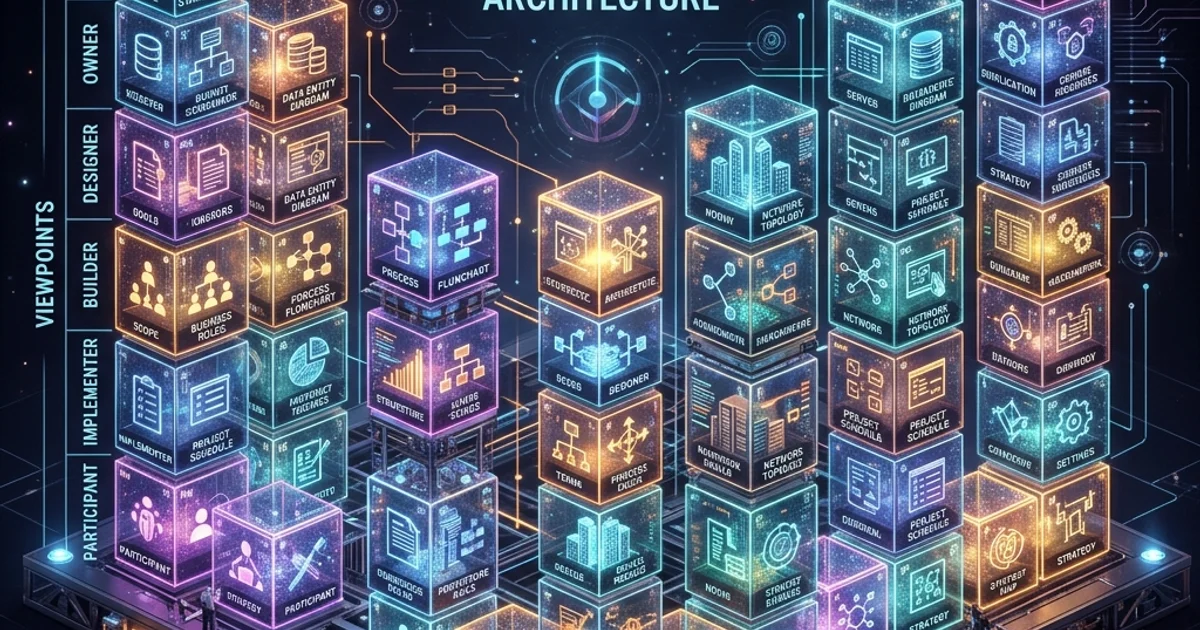
The Zachman Framework 36 Cells: The Complete Matrix Explained
The Zachman Framework is fundamentally a 6x6 matrix containing 36 cells. Each cell represents a unique intersection of one interrogative (What, How, Where, Who, When, Why) and one perspective (Planner, Owner, Designer, Builder, Sub-Contractor, Enterprise).
This guide walks through all 36 cells and explains what architectural artefacts and models should populate each one.
The Complete 36-Cell Matrix
Here is the full Zachman Framework matrix:
| What (Data) | How (Process) | Where (Network) | Who (People) | When (Time) | Why (Motivation) | |
|---|---|---|---|---|---|---|
| Row 1: Planner | Entity list | Process list | Site list | Org chart (outline) | Event list | Goal list |
| Row 2: Owner | Entity-relationship model | Business process model | Logistics network | Organisation chart (detailed) | Business event model | Business strategy & rules |
| Row 3: Designer | Logical data model | Logical system model | System distribution | Access control model | State/timing model | System requirements |
| Row 4: Builder | Physical data model | Application architecture | Infrastructure topology | Security architecture | System scheduling | Technology choices |
| Row 5: Subcontractor | Data definition language | Code & algorithms | Configuration details | Access control lists | Job scheduling | Implementation rules |
| Row 6: Enterprise | Live database | Running processes | Deployed infrastructure | Active users/sessions | Real-time events | Operational constraints |
Understanding the Matrix Structure
Rows (Perspectives)
- Row 1 (Contextual/Planner): Executive scope view - high-level, business language
- Row 2 (Conceptual/Owner): Business owner's mental model - detailed business view
- Row 3 (Logical/Designer): Architect's design - technology-independent
- Row 4 (Physical/Builder): Engineer's implementation - specific technologies
- Row 5 (Detailed/Sub-Contractor): Developer's component details - code and config
- Row 6 (Functional/Enterprise): Working system - actual operating reality
Columns (Interrogatives)
- Column 1 (What): Data, entities, inventory
- Column 2 (How): Processes, functions, workflows
- Column 3 (Where): Locations, networks, distribution
- Column 4 (Who): Organisations, roles, people
- Column 5 (When): Time, schedules, events
- Column 6 (Why): Motivation, strategy, goals
Detailed Breakdown: Each Cell Explained
COLUMN 1: WHAT - Data and Inventory
Cell 1.1 - Planner, What
Name: Entity List / Scope Data
Question: What entities (nouns) does the business deal with?
Artefacts:
- List of business entities (customer, order, product, account, employee)
- Brief description of each
- Data scope boundaries
Example: "Our bank maintains data on customers, accounts, transactions, cards, and loans."
Cell 1.2 - Owner, What
Name: Entity-Relationship Model / Business Data Model
Question: How do business entities relate to each other?
Artefacts:
- Entity-relationship diagram (ER diagram)
- Entity definitions with attributes (non-technical)
- Relationships and cardinalities (one-to-many, many-to-many)
Example: "Each customer has many accounts. Each account has many transactions. Each account is linked to one card."
Cell 1.3 - Designer, What
Name: Logical Data Model
Question: What is the system's logical data structure, independent of technology?
Artefacts:
- Normalised logical ER diagram
- Entity definitions with attributes
- Constraints and business keys
- No database-specific details
Example: "Customer entity has attributes: CustomerID (PK), FirstName, LastName, Email. Relationships to Account and ContactInfo entities."
Cell 1.4 - Builder, What
Name: Physical Data Model
Question: What is the actual database design with specific technology?
Artefacts:
- Database schema (Oracle, PostgreSQL, MongoDB schema)
- Table definitions with column types
- Indexes and partitioning strategy
- Performance optimisation decisions
Example: "Oracle schema: CUSTOMER table (CUSTOMER_ID NUMBER PK, FIRST_NAME VARCHAR2(100), LAST_NAME VARCHAR2(100)). Clustered index on CUSTOMER_ID."
Cell 1.5 - Sub-Contractor, What
Name: Data Definition Language
Question: What is the actual DDL code to create the database?
Artefacts:
- SQL DDL scripts (CREATE TABLE, CREATE INDEX)
- Migration scripts
- Data loading scripts
- Backup/recovery scripts
Example: "CREATE TABLE CUSTOMER (CUSTOMER_ID NUMBER PRIMARY KEY, FIRST_NAME VARCHAR2(100) NOT NULL...);"
Cell 1.6 - Enterprise, What
Name: Live Database
Question: What data actually exists in the running system?
Artefacts:
- Actual database contents
- Current data volumes and growth rates
- Data quality metrics
- Backup and recovery status
Example: "The CUSTOMER table currently has 145.2 million active customers. Average growth: 2.1% per year."
COLUMN 2: HOW - Process and Function
Cell 2.1 - Planner, How
Name: Process List
Question: What major business processes exist?
Artefacts:
- List of key processes (Order Management, Billing, Collections, Support)
- High-level process descriptions
- Process scope boundaries
Example: "Order Management, Inventory Management, Billing, Customer Support, Returns Processing."
Cell 2.2 - Owner, How
Name: Business Process Model
Question: How do business processes actually work?
Artefacts:
- Business process flowcharts (with business language)
- Value chain diagrams
- Process steps and decision points
- Actors and roles involved
Example: "When customer places order → system reserves inventory → payment is processed → warehouse picks order → shipping prepares package → tracking is sent to customer."
Cell 2.3 - Designer, How
Name: Logical System Model
Question: What is the logical system architecture and workflows?
Artefacts:
- Logical system flowcharts (technology-independent)
- System functions and capabilities
- Use cases and scenarios
- Interface specifications (input/output, data formats)
Example: "OrderService receives order JSON → validates via OrderValidator → queries InventoryService → calls PaymentService → publishes OrderCreatedEvent."
Cell 2.4 - Builder, How
Name: Application Architecture
Question: How will specific technologies implement the processes?
Artefacts:
- Application architecture (monolith vs microservices)
- Technology stack (languages, frameworks)
- Integration patterns (synchronous, asynchronous)
- API specifications
Example: "Java Spring Boot microservices: OrderService (REST API), InventoryService (REST API), PaymentService (REST API). Asynchronous communication via Kafka."
Cell 2.5 - Sub-Contractor, How
Name: Code and Algorithms
Question: What is the actual implementation code?
Artefacts:
- Source code (Java classes, Python modules, etc.)
- Algorithms and business logic
- Code libraries and dependencies
- Version control repositories
Example: "OrderService.java class implements order receipt logic. PaymentValidator.java validates payment. OrderRepository.java handles persistence."
Cell 2.6 - Enterprise, How
Name: Running Processes
Question: What processes are actually executing?
Artefacts:
- Actual running applications
- Current transaction volumes
- Performance metrics (response times, throughput)
- Active workflows and process instances
Example: "Currently processing 50 orders/second. Average OrderService response time: 245ms. Kafka queue has 1.2M pending events."
COLUMN 3: WHERE - Network and Location
Cell 3.1 - Planner, Where
Name: Site List
Question: What are the major geographic locations?
Artefacts:
- List of headquarters, offices, data centres
- Geographic scope (global, regional, national)
Example: "Headquarters in New York. Regional offices in London, Tokyo, Sydney. Data centres in us-east-1, eu-west-1."
Cell 3.2 - Owner, Where
Name: Logistics Network
Question: How is the business geographically distributed?
Artefacts:
- Network diagram showing which sites handle which functions
- Supply chain and distribution network
- Customer geographic segments
Example: "New York office handles North American orders. London office handles European orders. Tokyo office handles Asia-Pacific."
Cell 3.3 - Designer, Where
Name: System Distribution
Question: How is the system distributed across sites?
Artefacts:
- Logical network architecture (presentation tier, business logic tier, data tier)
- Data replication and synchronisation requirements
- Latency and availability requirements
Example: "Web tier globally distributed via CDN. Application logic in us-east-1 and eu-west-1. Master database in us-east-1, replica in eu-west-1."
Cell 3.4 - Builder, Where
Name: Infrastructure Topology
Question: What specific infrastructure and networking?
Artefacts:
- Physical network diagram (servers, routers, firewalls)
- Data centre locations and configurations
- Disaster recovery and failover architecture
- VPC/networking infrastructure (AWS, Azure, on-prem)
Example: "Primary data centre: AWS us-east-1 (4 availability zones). Disaster recovery: AWS us-west-2. Load balancer: Application Load Balancer. CDN: CloudFront."
Cell 3.5 - Sub-Contractor, Where
Name: Configuration Details
Question: What are the specific network configurations?
Artefacts:
- IP addressing schemes and CIDR blocks
- DNS configurations
- Firewall rules and security groups
- VPN and connectivity configurations
Example: "Production VPC: 10.0.0.0/16. Public subnets: 10.0.1.0/24, 10.0.2.0/24. Security group: Allow 443 inbound (HTTPS only)."
Cell 3.6 - Enterprise, Where
Name: Deployed Infrastructure
Question: Where is the system actually deployed and running?
Artefacts:
- Actual running infrastructure
- Current resource utilisation
- Geographic distribution of running instances
Example: "Currently running 47 instances in us-east-1, 23 in eu-west-1. Database master: 8-core, 256GB RAM. Read replicas: 4-core each."
COLUMN 4: WHO - People and Organisation
Cell 4.1 - Planner, Who
Name: Organisational Chart (Outline)
Question: What are the major organisational units?
Artefacts:
- High-level org chart (VP level)
- Major departments and divisions
Example: "CEO → CFO, CTO, Chief Operations Officer. Each has multiple directors and managers."
Cell 4.2 - Owner, Who
Name: Organisation Chart (Detailed)
Question: What are the detailed roles and responsibilities?
Artefacts:
- Detailed org chart (all roles)
- Role descriptions and responsibilities
- RACI matrix (Responsible, Accountable, Consulted, Informed)
Example: "Order Manager responsible for order processing. Approval authority: Orders >$50K require Manager approval, >$500K require VP approval."
Cell 4.3 - Designer, Who
Name: Access Control Model
Question: What are the system access requirements?
Artefacts:
- Role-based access control (RBAC) design
- User types and personas
- System permissions and capabilities
Example: "Customer role can view orders and accounts. Staff role can modify orders. Admin role has full system access."
Cell 4.4 - Builder, Who
Name: Security Architecture
Question: How is security implemented?
Artefacts:
- Authentication architecture (OAuth 2.0, SAML, etc.)
- Authorisation framework (policy-based, role-based)
- Identity management system integration
Example: "OAuth 2.0 via AWS Cognito. Roles stored in AWS IAM. Application enforces permissions via Spring Security."
Cell 4.5 - Sub-Contractor, Who
Name: Access Control Lists
Question: What are the specific user permissions and credentials?
Artefacts:
- User accounts and group memberships
- Database user permissions
- API key and credential management
- SSH key management
Example: "app_user database role with SELECT on tables, INSERT/UPDATE on specific tables. API key: redacted. SSH key: id_rsa."
Cell 4.6 - Enterprise, Who
Name: Active Users and Sessions
Question: Who is actually using the system?
Artefacts:
- Current active users and sessions
- User geography and device types
- Authentication logs
- Permission compliance status
Example: "Currently 12,450 active sessions. 8,230 from web, 4,220 from mobile. Average session duration: 23 minutes."
COLUMN 5: WHEN - Time and Schedule
Cell 5.1 - Planner, When
Name: Event List
Question: What major business events occur?
Artefacts:
- List of key events (month-end close, annual planning, quarterly earnings)
- Event frequency
Example: "Month-end financial close, quarterly board meeting, annual physical inventory count, holiday peaks."
Cell 5.2 - Owner, When
Name: Business Event Model
Question: When do events occur and how should they be handled?
Artefacts:
- Business event diagrams
- Event triggers and responses
- Processing timelines (SLAs)
Example: "When month-end arrives, all invoices must be sent by the 5th. When Q-end arrives, financial reports due within 10 days."
Cell 5.3 - Designer, When
Name: State and Timing Model
Question: What are the system's states and timing requirements?
Artefacts:
- State machine diagrams
- Timing and sequencing requirements
- Event notification requirements
- Asynchronous vs synchronous specifications
Example: "Order states: Received → Reserved → Processing → Shipped → Delivered. Max time in any state: 24 hours."
Cell 5.4 - Builder, When
Name: System Scheduling
Question: How are jobs and processes scheduled?
Artefacts:
- Batch job schedules
- ETL timelines
- Maintenance windows
- Performance peak times
Example: "Nightly batch: midnight UTC, runs for 3 hours. Daily reporting: 6 AM UTC. Peak load: 9-11 AM EST and 2-4 PM EST."
Cell 5.5 - Sub-Contractor, When
Name: Job Scheduling Configuration
Question: What are the specific job schedules?
Artefacts:
- Cron jobs and scheduler configurations
- Queue processing parameters
- Timeout settings
Example: "0 0 * * * /scripts/nightly-batch.sh (runs at midnight). Queue consumer: 50 workers, timeout 5 minutes."
Cell 5.6 - Enterprise, When
Name: Real-Time Events
Question: What events are occurring right now?
Artefacts:
- Current event volumes
- Processing times
- Queue depths
- Latency metrics
Example: "Kafka: 2.3M events/min. Avg processing latency: 450ms. Queue depth: 850K events."
COLUMN 6: WHY - Motivation and Strategy
Cell 6.1 - Planner, Why
Name: Goal List
Question: What are the business goals and strategy?
Artefacts:
- Strategic goals (growth, profitability, market share)
- Mission statement
- Success metrics
Example: "Increase revenue by 20% YoY. Achieve 99.99% system availability. Reduce customer churn to <%."
Cell 6.2 - Owner, Why
Name: Business Rules and Strategy
Question: What rules and policies govern the business?
Artefacts:
- Business rules (pricing, approval thresholds, compliance)
- Policies and procedures
- Regulatory requirements
Example: "Customers in Europe pay in Euros. Orders >$50K require approval. Refunds must be processed within 30 days (by law)."
Cell 6.3 - Designer, Why
Name: System Requirements
Question: What system constraints drive the design?
Artefacts:
- Non-functional requirements (NFRs)
- Performance requirements (throughput, latency, availability)
- Scalability requirements
- Compliance requirements
Example: "System must support 10,000 concurrent users. 99.99% availability SLA. < second response time. PCI-DSS compliance required."
Cell 6.4 - Builder, Why
Name: Technology Choices
Question: Why were specific technologies chosen?
Artefacts:
- Technology selection rationale
- Trade-off documentation
- Cost-benefit analysis
Example: "Chose AWS for elasticity and global availability. PostgreSQL for data integrity and compliance. Java for team expertise and ecosystem."
Cell 6.5 - Sub-Contractor, Why
Name: Implementation Rules
Question: What rules govern the implementation?
Artefacts:
- Code quality standards
- Performance tuning rules
- Security best practices
- Error handling strategies
Example: "All database queries must have indexes. Cache TTL 5 minutes. Retry logic: exponential backoff, max 3 attempts."
Cell 6.6 - Enterprise, Why
Name: Operational Constraints
Question: What constraints are actually enforced in operation?
Artefacts:
- Actual business rules enforced
- SLA compliance status
- Performance metrics vs targets
- Compliance audit results
Example: "SLA compliance: 99.97% (vs 99.99% target). Orders processed: 100.2% of forecast. 0 compliance violations this quarter."
Using the 36-Cell Matrix in Practice
As a Completeness Checklist
Before considering your architecture "complete," verify:
- All relevant cells are populated (you may skip some, but know which ones)
- Cells are internally consistent (no contradictions between cells)
- Cells are vertically traceable (Row 1 flows through Row 6)
- Cells are horizontally consistent (each row is logically complete)
As a Repository Structure
Organisations often use the matrix as a filing structure:
- Store artefacts (diagrams, documents, code) in a system organised by cell
- Link related artefacts across cells
- Create a searchable repository of architectural knowledge
As a Communication Tool
Different stakeholders focus on different cells:
- Executives: Focus on Row 1, especially 6.1 (goals)
- Business owners: Focus on Row 2, especially 2.2 and 6.2
- Architects: Focus on Rows 3-4
- Developers: Focus on Rows 4-5
- Operations: Focus on Rows 5-6 and all columns, all rows
Key Takeaways
-
All 36 cells represent distinct architectural knowledge: Each cell type has a unique purpose.
-
Each cell requires specific artefacts: Know what should go in each cell.
-
Rows provide abstraction from abstract (Row 1) to concrete (Row 6): Traceability from business to operation.
-
Columns represent distinct types of concerns: What, How, Where, Who, When, Why - each is necessary.
-
Not all cells are always relevant: For a specific project, you may populate only key cells. But understand which ones you are skipping and why.
Next Steps
- Explore individual Interrogatives (What, How, Where, Who, When, Why) for deeper dives.
- Explore individual Perspectives (Planner through Enterprise) for stakeholder-specific guidance.
- Read Artifacts and Deliverables for detailed specifications of what each cell should contain.
- Jump to Practical Application to see real examples.
The 36-cell matrix is the foundation of the Zachman Framework. Mastering it - understanding what each cell represents and what should populate it - is key to using Zachman effectively in your organisation.
Meta Keywords: Zachman matrix, 36 cells, Zachman cells, architectural artefacts, EA matrix, framework cells, architecture documentation, EA repository.