
Cybersecurity Architecture with Zachman: Enterprise-Wide Security Framework
Design enterprise cybersecurity architecture using Zachman Framework - security across all 6 perspectives, defense-in-depth strategy, zero-trust implementation.
Cybersecurity Architecture with Zachman: Enterprise-Wide Security Framework
Enterprise security is often implemented reactively: "We had a breach, so we bought a firewall." This piecemeal approach leaves gaps. Cybersecurity breaches are increasing (average cost: $4.45M), yet most enterprises don't have comprehensive security architecture.
The Zachman Framework, applied to cybersecurity, ensures security is complete, integrated, and defensible - not scattered across disconnected tools.
Why Zachman for Cybersecurity?
Security must address all layers:
- Strategic: What are we protecting? Why? What's acceptable risk?
- Business: Compliance requirements (GDPR, HIPAA, PCI-DSS), business impact of breaches
- Technical: Architecture, encryption, access control, monitoring
- Operational: Incident response, security updates, user training
Zachman ensures all layers align.
Zachman Security Architecture Matrix
Row 1: Strategic Security Intent
Column 1 (What): Assets to protect
- Customer data (PII, payment info)
- Intellectual property (source code, designs)
- Financial data (invoices, GL)
- Operational data (supplier contracts, strategy)
Column 2 (How): Risk mitigation approach
- Prevent attacks (defense-in-depth)
- Detect breaches early (monitoring, alerting)
- Respond quickly (incident response plan)
- Recover from incidents (backup, disaster recovery)
Column 3 (Where): Security perimeter
- Cloud: AWS, Azure (shared responsibility)
- On-premises: Corporate datacenters
- Hybrid: Connect securely via VPN
Column 4 (Who): Governance
- Chief Information Security Officer (CISO)
- Security team (10-20 engineers)
- Risk committee (executive oversight)
- Board audit committee (annual review)
Column 5 (When): Security roadmap
- Year 1: Foundation (firewall, encryption, access control)
- Year 2: Zero-trust network (verify every user)
- Year 3: Automated detection (AI-driven threat detection)
Column 6 (Why): Business objectives
- Protect brand reputation (avoid breach publicity)
- Enable regulatory compliance (GDPR, HIPAA, SOC 2)
- Prevent financial loss ($4.45M average breach cost)
- Build customer trust
Row 2: Current Security State Assessment
Column 1 (What): Current assets & vulnerabilities
Assets identified: 250 (servers, databases, applications)
Vulnerabilities found: 847
  - Critical (RCE exploits): 12 (1.4%)
  - High (auth bypass, data exposure): 89 (10.5%)
  - Medium (XSS, CSRF): 234 (27.6%)
  - Low: 512 (60%)

Unpatched systems: 45 (53% of servers)
Column 2 (How): Current security practices
- Perimeter security: Firewall (5-year-old, limited rules)
- Access control: Username/password (no MFA)
- Encryption: Some data encrypted, inconsistent
- Monitoring: Basic firewall logs (manual review)
- Incident response: No formal process (ad-hoc)
Column 3 (Where): Current infrastructure posture
- On-premises: Perimeter security weak (old firewall)
- Cloud: Default cloud security (not hardened)
- Hybrid: No secure connection (HTTP tunnels, insecure)
Column 4 (Who): Current governance gap
- Security team: 2 people (overworked)
- Security training: None (staff unaware of risks)
- Board oversight: Annual compliance review only
Column 5 (When): Security incident metrics
- Incidents/year: 8 (5 phishing, 2 malware, 1 data exfiltration)
- Mean time to detect: 45 days (industry: 207 days, so good)
- Mean time to respond: 30 days (industry: high, but reactive)
Column 6 (Why): Security risk exposure
- Non-compliance: GDPR violations (fines: €20M potential)
- Breach cost: $4.45M average (if it happens)
- Reputational risk: Customer trust loss
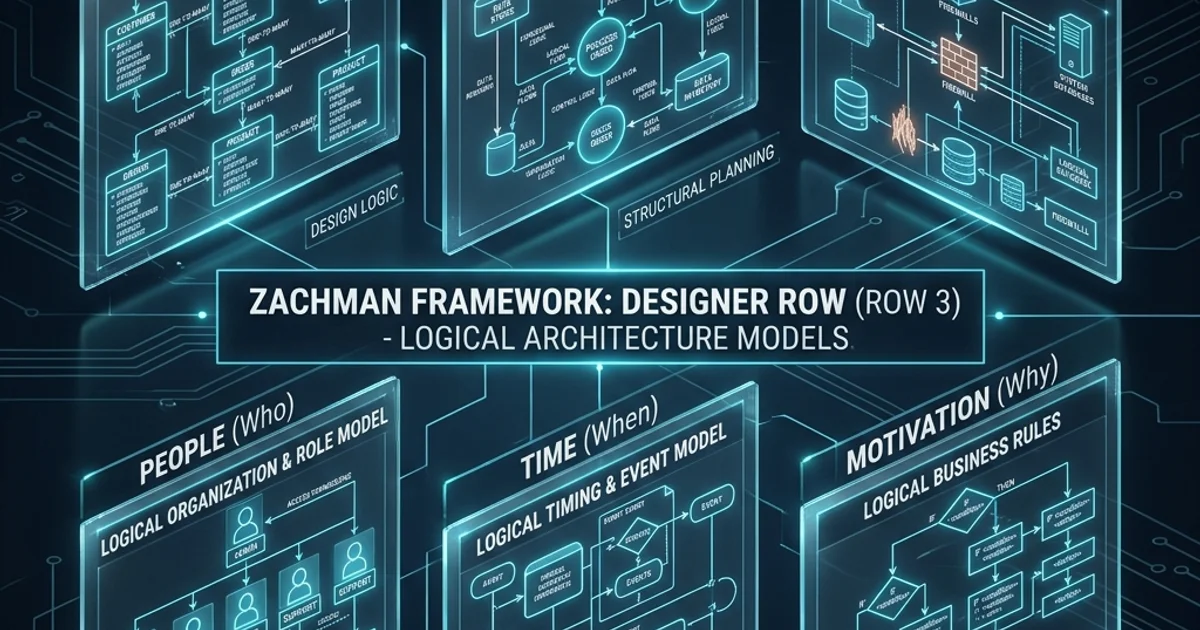
Row 3: Target Security Architecture
Column 1 (What): Zero-trust data protection
Data classification:
  - Public (website content)
  - Internal (employee info)
  - Confidential (customer data, contracts)
  - Restricted (payment cards, health records)

Encryption:
  - All data in transit: TLS 1.2+
  - All sensitive data at rest: AES-256
  - Encryption keys: HSM (hardware security module)
Column 2 (How): Zero-trust architecture
Principle: "Never trust, always verify"

1. Identity verification (MFA, biometric)
2. Device validation (posture check: OS patched, AV running)
3. Network verification (VPN, encrypted connection)
4. Application verification (least-privilege access)
5. Data verification (encrypt, audit log access)

Example user login flow:
  1. User enters username/password
  2. MFA challenge (email, SMS, authenticator app)
  3. Device check: Is OS patched? Is antivirus running?
  4. Conditional access: If high-risk, require additional auth
  5. Grant access to specific resources only (not entire network)
Column 3 (Where): Secure architecture design
Network segmentation:
  - DMZ: Public-facing apps (web servers)
  - Internal: Employee workstations (isolated from production)
  - Production: Databases, critical systems (maximum security)
  - Guest: Visitor network (no access to corporate data)

Cloud security:
  - Security groups: Firewall rules, port restrictions
  - VPC: Network isolation, no internet by default
  - WAF: Web application firewall (DDoS, SQLi, XSS)
  - Data loss prevention (DLP): Prevents unauthorized data exfil
Column 4 (Who): Security roles & responsibilities
CISO (Chief Information Security Officer):
  - Overall security strategy
  - Risk management
  - Board/regulatory communication

Security team:
  - Incident response (24/7 on-call)
  - Vulnerability management
  - Security architecture
  - Compliance auditing

Business owners:
  - Data stewardship (classify, protect data)
  - Access control (grant/revoke)
  - Incident investigation support

All employees:
  - Security awareness training (annual)
  - Report suspicious activity
  - Follow security policies
Column 5 (When): Security incident response
Prevention:
  - Continuous monitoring (24/7)
  - Vulnerability scanning (weekly automated)
  - Patch management (monthly critical, quarterly routine)

Detection:
  - SIEM (Security Information & Event Management): Real-time logs
  - EDR (Endpoint Detection & Response): Monitor every device
  - Threat intelligence: External threat feeds

Response:
  - Incident response playbook (defined procedures)
  - Escalation path (who to notify)
  - Communication plan (customer notification if data breach)

Recovery:
  - Backup systems (tested quarterly)
  - Disaster recovery (RTO 4 hours, RPO 1 hour)
  - Post-incident review (lessons learned)
Column 6 (Why): Compliance requirements
GDPR (EU):
  - Data residency (EU data in EU)
  - Right to be forgotten (delete personal data on request)
  - Data breach notification (72 hours)

HIPAA (Healthcare):
  - Encryption (at rest, in transit)
  - Access controls (audit trails)
  - Business associate agreements

PCI-DSS (Payment cards):
  - Firewall configuration
  - Encryption of cardholder data
  - Restricted access
Row 4: Security Technology Stack
Column 1 (What): Data protection technologies
- Database encryption: Transparent Data Encryption (TDE)
- File encryption: BitLocker (Windows), FileVault (Mac)
- Secret management: AWS Secrets Manager, HashiCorp Vault
- Data loss prevention: Symantec DLP, Microsoft DLP
Column 2 (How): Access control technologies
- Identity provider: Azure AD, Okta
- MFA: Authenticator app (Google Authenticator)
- VPN: Cisco AnyConnect, Fortinet
- Zero-trust platform: BeyondTrust, Cloudflare Zero Trust
Column 3 (Where): Infrastructure security
- Firewall: FortiGate (next-gen firewall)
- WAF: AWS WAF, Cloudflare
- DDoS protection: AWS Shield, Akamai
- DNS security: Cisco Umbrella (threat prevention)
Column 4 (Who): Identity and access management
- Directory: Active Directory (on-prem), Azure AD (cloud)
- SSO: Single sign-on (one password for all apps)
- Privileged access management (PAM): Control admin access
Column 5 (When): Security monitoring & response
- SIEM: Splunk, ELK Stack (centralized logging)
- EDR: CrowdStrike, Microsoft Defender (endpoint security)
- SOC automation: Automation of incident response workflows
Column 6 (Why): Compliance & audit tools
- Compliance scanning: Nessus, Qualys (vulnerability scanning)
- Security policy: ServiceNow (policy management)
- Audit logging: Immutable logs (can't be deleted/modified)
Row 5: Security Implementation
Column 1 (What): Database encryption implementation
-- Enable encryption for sensitive table
CREATE TABLE customers (
  customer_id INT PRIMARY KEY,
  name VARCHAR(100) NOT NULL,
  email VARCHAR(255) NOT NULL ENCRYPTED WITH (ALGORITHM = 'AES-256'),
  ssn VARCHAR(11) NOT NULL ENCRYPTED WITH (ALGORITHM = 'AES-256'),
  phone VARCHAR(20) ENCRYPTED WITH (ALGORITHM = 'AES-256')
);

-- Transparent data encryption (entire database)
ALTER DATABASE orders_db
SET ENCRYPTION ON
WITH ALGORITHM = AES_256
AND CERTIFICATE master_key;
Column 2 (How): Zero-trust code implementation
# Zero-trust user authentication
def authenticate_user(username, password):
    # Step 1: Verify credentials
    user = verify_username_password(username, password)
    if not user:
        log_failed_auth(username)
        raise AuthenticationError("Invalid credentials")

    # Step 2: MFA challenge
    mfa_code = send_mfa_challenge(user.email)
    if not verify_mfa_code(mfa_code):
        log_mfa_failure(user.id)
        raise AuthenticationError("MFA failed")

    # Step 3: Device validation (is OS patched? AV running?)
    device_info = get_device_posture()
    if not is_device_compliant(device_info):
        log_device_noncompliance(user.id)
        # Don't deny access, but flag for conditional access
        flag_for_additional_auth(user.id)

    # Step 4: Grant access (least privilege)
    access_token = create_access_token(user.id, user.roles)
    return access_token
Column 3 (Where): Cloud security configuration
# Terraform: Secure AWS network
resource "aws_security_group" "production" {
  ingress {
    from_port = 443
    to_port   = 443
    protocol  = "tcp"
    cidr_blocks = ["10.0.0.0/8"]  # Internal only
    description = "HTTPS from internal"
  }

  egress {
    from_port = 0
    to_port   = 0
    protocol  = "-1"
    cidr_blocks = ["0.0.0.0/0"]
    description = "Allow all outbound (apps may need internet)"
  }

  tags = {
    Name = "prod-security-group"
    Environment = "production"
  }
}

# Encryption in transit (all API calls)
resource "aws_alb_listener" "https" {
  load_balancer_arn = aws_alb.main.arn
  port              = 443
  protocol          = "HTTPS"
  certificate_arn   = aws_acm_certificate.main.arn

  default_action {
    type             = "forward"
    target_group_arn = aws_alb_target_group.main.arn
  }
}
Column 4 (Who): Access control implementation
# Active Directory group assignments (role-based access)

Developers:
  - Can access dev/test environments
  - Cannot access production

Admins:
  - Can access all environments
  - Actions logged and audited
  - MFA required for production access

Finance:
  - Read-only access to financial data
  - No access to customer data
  - Actions logged (compliance requirement)

Support:
  - Can view customer data (masked PII)
  - Can resolve tickets
  - Cannot delete data
Column 5 (When): Incident response automation
# Automated incident response playbook
Incident: Suspicious login from unusual location

Triggers:
  - User logs in from new geographic location
  - User logs in at unusual time
  - Multiple failed login attempts

Response:
  1. Force re-authentication (MFA)
  2. If successful: Log event (may be travel)
  3. If fails: Lock account, notify user, escalate

Code implementation:
- Condition: IF (user_location != previous_location AND hours > 2am)
- Action: require_mfa_challenge()
- If MFA fails: account_lock(); send_alert_email(security_team)
Column 6 (Why): Compliance audit implementation
#!/bin/bash
# Compliance audit script (checks security controls)

# Check 1: Are all databases encrypted?
for db in $(list_databases); do
  if ! is_database_encrypted "$db"; then
    echo "VIOLATION: Database $db not encrypted"
    send_alert_to_ciso
  fi
done

# Check 2: Are all users using MFA?
for user in $(list_users); do
  if ! is_mfa_enabled "$user"; then
    echo "VIOLATION: User $user MFA not enabled"
    force_mfa_enrollment "$user"
  fi
done

# Check 3: Is all data classified?
for dataset in $(list_datasets); do
  if [ ! -f "${dataset}.classification" ]; then
    echo "VIOLATION: Dataset $dataset not classified"
    notify_data_steward "$dataset"
  fi
done

# Send compliance report
generate_compliance_report
Row 6: Security Operational Metrics
Column 1 (What): Data protection effectiveness
Encryption coverage: 98% (target: 100%)
  - Databases: 100% encrypted
  - File storage: 95% encrypted (8 shares not yet migrated)
  - Backups: 100% encrypted

Data classification: 92% (target: 100%)
  - Classified: 92% of datasets
  - Unclassified: 8% (being reviewed)
Column 2 (How): Access control effectiveness
Privileged access incidents: 0 (target: 0)
Unauthorized access attempts: 12/day (vs. 450/day previously)
  - Blocked by firewall: 98%
  - Escalated to SOC: 2%
  - Suspicious (needs investigation): 0

MFA adoption: 100% (target: 100%) ✓
Column 3 (Where): Infrastructure security posture
Firewall rule effectiveness: 99.7%
  - Rules blocking legitimate traffic: 0.3% (acceptable)
  - Rules failing to block attacks: <.1%

Patch compliance: 98% (target: >95%)
  - Servers patched: 98%
  - Endpoints patched: 96%
  - Overdue patches: 12 (critical: 2) ⚠️
Column 4 (Who): Incident response metrics
Security team incidents/week: 8 (vs. 20 before automation)
  - Automated responses: 60% (no human needed)
  - Escalated to team: 40%

Incident resolution time: 4 hours (vs. 30 hours historically)
  - Automated response: 15 minutes
  - Human investigation: 3.75 hours

Incidents per month: 3-5 (industry average: 50+/year)
Column 5 (When): SLA compliance
Incident detection: 12 minutes average (target: <5 min)
Patch deployment: 95% within SLA (target: >95%)

Security training completion: 94% (target: 100%)
  - Completed: 2,234 of 2,376 employees
  - Overdue: 142 (automated reminders sent)
Column 6 (Why): Business impact metrics
Security incidents prevented: 847/year (estimated)
  - Cost avoidance: $4.45M * 0.19 (industry breach rate) = $845K/year

Compliance status: PASSING
  - GDPR: Compliant
  - HIPAA: Compliant
  - PCI-DSS: Level 1 (highest)
  - SOC 2 Type II: Certified

Regulatory fines avoided: Estimated $1-5M (no breaches)
Customer trust: NPS impact +8 points (customers trust our security)
Implementation Roadmap
| Phase | Timeline | Focus | Team | Investment |
|---|---|---|---|---|
| Phase 1 | Months 1-6 | Foundation (firewall, encryption, IAM) | 8 | $2M |
| Phase 2 | Months 7-12 | Zero-trust network (MFA, device validation) | 12 | $3M |
| Phase 3 | Months 13-18 | Automation (SIEM, EDR, incident response) | 15 | $4M |
| Year 1 Total | 12 months | Complete security transformation | Avg 12 | $9M |
| Ongoing | Year 2+ | Maintenance, threat hunting, updates | 10 | $3M/year |
Key Takeaways
-
Security must be complete: Zachman ensures all perspectives (strategic, technical, operational) are addressed.
-
Zero-trust is the future: "Never trust, always verify" is now security best practice (vs. perimeter security).
-
Automation reduces burden: Automating incident response frees security team for threat hunting.
-
Compliance is outcome, not goal: Do security right, compliance follows automatically.
-
Continuous monitoring is essential: You can't protect what you can't see.
Next Steps
- Assess current security posture (penetration test, vulnerability scan)
- Define target zero-trust architecture (what does your zero-trust look like?)
- Build security roadmap (phases, timelines, investment)
Security is not optional. It's foundational to enterprise architecture.
Meta Keywords: Cybersecurity architecture, Zachman Framework, zero-trust, defense-in-depth, enterprise security.